What makes a phone truly reliable when storms hit or power fades, and you need to stay informed and safe? In this post we break down the essentials of emergency preparedness in a smartphone, focusing on real world use so you can choose with confidence. You’ll learn what to look for and how to weigh trade offs without getting overwhelmed.
We cover key areas that matter in a crisis: connectivity during outages, long lasting battery life, durable builds, and built in safety features. You’ll also see how offline maps and emergency alerts fit into a solid plan, plus quick setup steps that get you from box to ready in minutes. This guide is practical, clear, and tailored for everyday readers who want a dependable phone when seconds count.
By the end you’ll know exactly which features matter most for emergency preparedness and how to test a phone before you buy. Use this as a checklist to compare models, plan for outages, and keep essential services within reach. You’ll feel more confident choosing a device that truly stands up when it matters most.
What makes a phone great for emergency preparedness
In a crisis, your phone is more than a device — it’s a lifeline. A great emergency phone stays connected when other networks falter, runs long on a single charge, and withstands tough conditions. It also helps you act quickly with built in safety features. Below, you’ll find practical insights you can use to evaluate a phone’s readiness for emergencies in 2025.
Reliable connectivity when networks fail
Staying connected matters because timely information, alerts, and the ability to contact loved ones can reduce risk. Look for devices that support multiple networks so you can switch carriers without swapping SIMs. An eSIM adds flexibility, letting you switch service profiles digitally when a plan runs dry or a local option is more affordable during travel or outages.
Key features to check:
- Multi-network support: Devices that work on more than one carrier band increase the odds you’ll have a signal when one network collapses.
- eSIM capability: Easily switch between carriers or add a second line without a physical SIM.
- Offline messaging and SOS: Some devices can send messages offline or resort to satellite or emergency networks if cellular is unavailable.
- Emergency alerts: Ensure the phone can receive local and national weather and disaster alerts, even if the main features are offline.
Concrete examples to verify on 2025 models:
- A phone that lists global or regional carrier support plus embedded SIM profiles.
- SOS or satellite emergency functionality may be advertised for remote areas or certain markets.
- The ability to receive wireless emergency alerts without an active data connection.
For further guidance on emergency connectivity and SOS behavior, see how iPhones handle SOS only status and related network scenarios. Apple’s support article explains what to expect when you see SOS, No Service, or Searching in the status bar and how to proceed in emergencies. SOS and Emergency Calls on iPhone
Photo by Gustavo Fring on Pexels
 Photo credit: Photo by Gustavo Fring
- If you want a quick problem solver, also check troubleshooting guides about eSIM activation and SOS mode on popular devices. For example, guides discussing eSIM not working or “SOS only” status can help you prep for real outages. See practical troubleshooting resources from eSIM providers and tech communities. eSIM Troubleshooting Guide
Long battery life and power options
In a blackout, your phone needs to last. Prioritize devices with larger batteries and efficient software. Battery life matters not just for talking but for GPS navigation, offline maps, and alert reception during long outages.
Practical considerations:
- Battery capacity and real world use: Look for mAh or milliamp hours ratings and user reviews showing how long a phone survives typical emergency use.
- Power saving modes: A simple boost in days of standby or hours of location tracking can be the difference in a crisis.
- Wireless charging and fast charging: Convenience helps in difficult conditions where a charger may not be readily available.
- Portable power banks: A compact, rugged bank can extend life when you’re away from power for days.
- Low power mode during outages: A straightforward feature that preserves essential functions.
Simple steps to maximize uptime:
- Charge fully before you head out; 2) Enable battery saver features; 3) Carry a compact power bank; 4) Use airplane mode when you don’t need data to conserve power.
Example scenario: you’re in a remote area after a storm. Your phone keeps GPS on for a few hours while you navigate to safety thanks to a high capacity battery and an efficient OS. You’ll also appreciate a phone that supports wireless charging so you can top up with a solar charger or car charger when outlets are scarce.
Photo by Gustavo Fring on Pexels
Photo credit: Photo by Gustavo Fring
Useful links for battery life and charging options:
- Guidance on optimizing power usage and battery saving modes from device makers and reviewers. Battery saving tips for smartphones
- A practical overview of wireless charging and portable power banks for crisis packing. Wireless charging and power banks explained
Durable design for harsh conditions
A phone that can take a hit is money well spent in an emergency. Harsh environments mean rain, dust, drops, and rough handling. A durable build helps ensure the device stays usable when you need it most.
Key durability benchmarks:
- IP ratings: Look for IP68 or higher for dust and water resistance. This helps in floods, rain, or dusty environments.
- MIL-STD durability: Military standard tests cover drops, vibration, and temperature extremes. A phone with MIL-STD certification is more likely to survive real world shocks.
- Screen protection: A sturdy display, high scratch resistance, and protective glass reduce the chance of a cracked screen in a field setting.
- Case options: A robust protective case, belt clip, or holster can prevent damage during field work or outdoor outings.
Why durability matters:
- In disaster zones, devices face dust, moisture, and physical bumps. A rugged phone keeps essential functions intact longer.
- Outdoor enthusiasts and remote travelers gain extra peace of mind when carrying a phone designed to endure weather and activity.
For a reference point, consider rugged devices that emphasize outdoor readiness. These phones often pair rugged hardware with essential features like brighter displays, glove-friendly controls, and enhanced audio for loud environments.
If you’re curious about how rugged options perform in real world conditions, check out reviews that compare IP ratings and MIL-STD tests across models. For an overview of practical rugged features, you can browse consumer-focused guides that highlight protective cases and screen durability. Rugged smartphone reviews
Photo by Gustavo Fring on Pexels
Photo credit: Photo by Gustavo Fring
Key features to prioritize in your emergency phone
A phone built for emergencies isn’t just about hardware specs. It’s about practical, real world readiness you can count on when things go wrong. This section outlines the features that actually matter in a crisis and how to verify them before you buy. Think of it as a compact checklist you can use during a purchase or in a quick post purchase setup.
Battery life and charging options
In a blackout or after a natural event, you need a phone that stays alive long enough to guide you to safety, contact loved ones, or call for help. Battery life is more than a number on the box; it’s about how the device actually performs in typical emergency scenarios.
What to look for:
- Large capacity and efficiency: A bigger battery with an efficient chipset and software helps you go longer between charges. Real world reviews often show longer standby times and sustained GPS use, which matters when you need navigation or location sharing.
- Charging flexibility: Wireless charging and fast charging reduce the friction of topping up in tough conditions. A device that can charge from a solar panel, car charger, or power bank adds resilience.
- Power saving modes: Quick access to a robust low power mode preserves critical functions like SOS, emergency contacts, and location services when power is scarce.
- Portable power banks: Pair your phone with a rugged, compact power bank. Look for models with durable coatings, water resistance, and high output to charge other devices as well.
Practical tips to maximize uptime:
- Fully charge before leaving home and enable power saving features as soon as you suspect outages.
- Carry a small, rugged power bank and a compact solar charger as a backup.
- Use airplane mode when you don’t need data to conserve energy, then switch on for critical updates.
For readers exploring charging options beyond the wall, see solar charger power bank guides and reviews from outdoor experts. Helpful resources include outdoor solar charger comparisons and practical buying guides at https://www.outdoorgearlab.com/topics/camping-and-hiking/best-solar-power-bank and product pages like https://goalzero.com/collections/portable-solar-chargers?srsltid=AfmBOoolHTLn7bTNiBBbZlKI0O7vzLR6X8Gfw5Wy3CKahzigHtFPRnHO. Also consider the broader battery management tips from device makers, such as battery saving tips for smartphones at https://support.apple.com/en-us/HT213184.
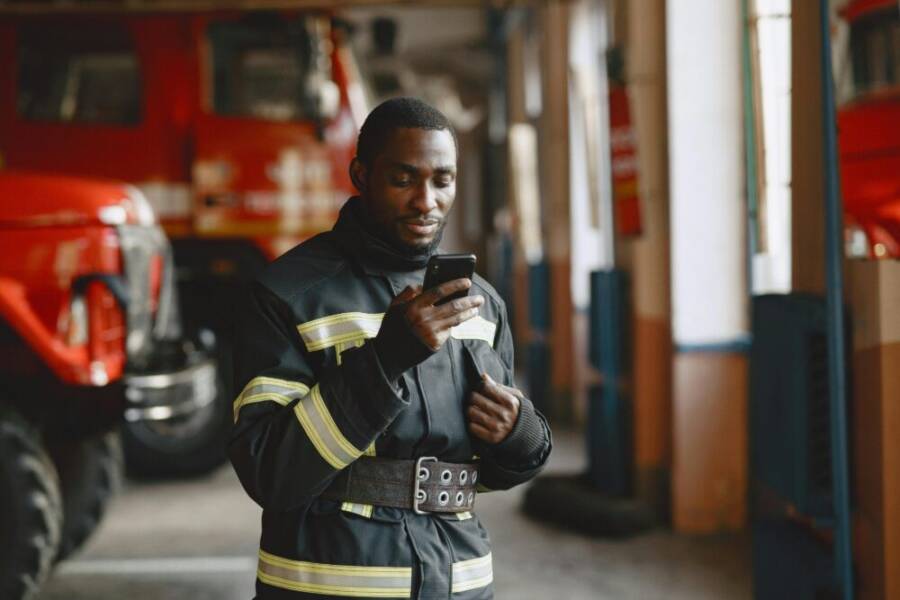
[Photo: Firefighter using a smartphone in a crisis-ready environment] Photo by Mikhail Nilov on Pexels https://www.pexels.com/@mikhail-nilov
Emergency safety tools and apps
Your phone should act as a safety hub you can trust in a pinch. Built in tools and well chosen apps help you alert others, share your location, and access critical information even when voice and data networks falter.
What to prioritize:
- SOS and medical ID: Quick access to emergency contacts and basic medical details can save seconds in a medical crisis. Ensure these features are front and center on your lock screen and have a clear shortcut.
- Location sharing: The ability to share your live location with trusted contacts helps others track you during a response or evacuation.
- Emergency radios and alerts: Pulling in weather alerts, disaster notices, and local safety advisories helps you stay ahead of danger.
- Safety apps: Apps that provide offline messaging, emergency beacon services, or satellite connectivity can be lifesaving when networks are down.
Practical setup steps:
- Pin emergency contact numbers to your home screen and set up a medical ID with key details.
- Enable location sharing in your favorite messenger or safety app and test it in a safe environment.
- Install a trusted emergency radio app and configure alerts for your area.
If you’re curious about how SOS and emergency modes work on popular devices, Apple’s guidance offers clear details on SOS behavior and network scenarios. You can read more at https://support.apple.com/en-us/120000.
[Photo: Paramedic using a smartphone during an emergency response] Photo by Mikhail Nilov on Pexels https://www.pexels.com/@mikhail-nilov
External resources for safety tools and connectivity options:
- Multi network and SOS behavior insights for iPhone users: https://support.apple.com/en-us/120000
- Broad overviews of emergency radios and safety apps that work offline: https://www.usims.com/blog/esim-not-working/ and related safety app guides
Offline maps and vital data storage
Offline access to maps and critical data can be a lifeline when service is down. Knowing how offline maps work and how to store essential information ensures you can move, navigate, and act even when the grid collapses.
Key concepts:
- How offline maps work: Many map apps allow you to download specific regions so you can view routes, landmarks, and safety zones without a data connection. They remain accessible even when cellular networks fail.
- Saving essential data: Store important contacts, medical information, and user manuals directly on the device or in an encrypted offline vault. This ensures you can reference crucial details if you cannot reach the internet.
- Quick map saves: Create pre loaded regions for your home, workplace, evacuation routes, and evacuation centers. Label them clearly so family members can access the same information.
- Data safety: Protect sensitive information with a passcode or secure lock screen. Regularly review what is stored offline to avoid exposing sensitive data if the phone is lost.
Best practices:
- Save maps of your home area and primary routes to safety locations before disaster season.
- Store critical medical data and emergency contacts in the device and in a separate offline note or file.
- Keep a digital copy of manuals for essential devices and vehicles in a dedicated offline folder.
To explore practical offline map options and tips, see broader offline navigation guidance and data storage considerations. For quick solar charging compatibility with maps and data storage, you can refer to solar charging resources such as https://www.outdoorgearlab.com/topics/camping-and-hiking/best-solar-power-bank and https://goalzero.com/collections/portable-solar-chargers?srsltid=AfmBOoolHTLn7bTNiBBbZlKI0O7vzLR6X8Gfw5Wy3CKahzigHtFPRnHO.
[Photo: Close up of a rugged phone next to a topographic map] Photo by Gustavo Fring on Pexels https://www.pexels.com/@gustavo-fring
Quick tips to save maps:
- Download regional maps for your most probable routes and shelter locations.
- Create a shared note with essential contacts and medical data, accessible offline.
- Periodically refresh the offline data so you have current information when you need it.
Images and references used in this section are for illustration and practical context. Always test offline capabilities of your chosen apps and storage methods before an actual emergency.
[End of section content]
Best phone choices by category for emergency preparedness
In emergencies, your device should be dependable across several fronts: it must stay connected, run on battery for as long as possible, and survive tough conditions. Below are three focused categories to help you pick the right phone based on your environment and budget. Each subsection highlights concrete models and the tradeoffs you should expect, so you can tune your choice to your real world needs.
Budget picks with dependable performance
If you want solid reliability without breaking the bank, these models deliver dependable performance, decent battery life, and practical emergency features. They won’t boast luxury specs, but they offer stability, easy repairs, and broad carrier support.
- Motorola Moto G Power (2025) or similar budget Androids: Known for long battery life and straightforward software that keeps essential emergency features accessible. The large battery helps you ride out outages without constant charging, and you’ll find reliable offline navigation and SOS-like capabilities baked into the platform. Tradeoffs: lower-end processors may lag with demanding apps and the camera quality isn’t the priority in a crisis.
- Samsung Galaxy A16 5G or comparable midrange: A balanced package with good battery efficiency, reliable performance, and solid software updates. You’ll get multi network compatibility and a decent display for maps and alerts. Tradeoffs: not as rugged as dedicated “rugged” models, and plastic chassis can show wear with heavy use.
- Google Pixel A series (A-series devices): Clean Android experience, timely updates, and dependable emergency features. Pixel phones tend to handle location services well and have strong SOS integration. Tradeoffs: average battery life compared to dedicated endurance models, and repair costs can be higher if something fails.
Why these matter in emergencies: budget phones that prioritize battery efficiency and reliable connectivity let you stay informed longer, especially when outages stretch resources. They are a practical starting point for families or individuals who want redundancy without a premium price tag.
For further guidance on budget options with reliable battery life and overall value, see professional reviews and recommendations from sources like PCMag and The New York Times Wirecutter. These outlets routinely evaluate cost, durability, and long term use in real world scenarios. Example: The New York Times Wirecutter’s best budget Android phones coverage. The Best Budget Android Phones of 2025.
Rugged option highlights and durability comparisons can be found in comprehensive rugged phone roundups. Best rugged smartphones of 2025.
For additional affordable picks, you can also review The Best Cheap Phones We’ve Tested for 2025. The Best Cheap Phones We’ve Tested for 2025.
Key tradeoffs to keep in mind:
- Battery life versus performance: budget devices often trade raw speed for endurance.
- Build materials: cheaper plastics may show wear but are usually lighter; consider a protective case for resilience.
- Feature depth: essential safety features exist, but you may need to rely on third party apps for offline maps or SOS when connectivity is poor.
Rugged phones for harsh environments
When you expect water, dust, drops, or exposure to the elements, rugged phones are worth a closer look. These devices are built for storms, outdoor work, and remote adventures where a standard phone might fail.
- Dozens of rugged models exist, with IP68 or IP69K water resistance and MIL-STD durability tests. Look for devices designed for outdoor use, with glove friendly controls and bright, readable screens in sunlight.
- Common strengths: reinforced frames, protective coatings, modular or robust screens, and dependable battery performance under rough conditions. These phones often support outdoor accessories like belt holsters, car chargers designed for harsh settings, and rugged charging solutions.
- Typical tradeoffs: heavier weight, bulkier form factor, and sometimes higher price. Some rugged models may have slower chipsets compared to flagship devices, but the tradeoff is worth it for field reliability.
Why rugged designs fit emergencies: in storms, floods, construction zones, or remote trails, you need a device that resists water, dust, and impact while still delivering critical alerts and navigation. The extra durability translates to fewer replacements during prolonged crises.
For authoritative reviews on rugged devices and how they perform under stress, check out rugged phone roundups and hands on tests. Best rugged smartphones. This guide covers shock, drop, and water resistance across top models, including the latest battery capacities and protection levels.
If you want a more budget minded rugged option, some brands offer ruggedized variants of midrange devices with similar protection levels at a lower price point. When evaluating, confirm IP ratings (preferably IP68 or higher) and MIL-STD certifications. These details predict how well a phone holds up when wind, dust, or moisture enter the scene.
Real world practicality: rugged phones shine when you must rely on GPS and emergency communications in challenging environments. They tend to keep screens readable in bright light, work with gloves, and survive rough handling—clear advantages in storms or outdoor work.
Flagship models with strong safety tools
Premium devices bring advanced safety features, premium battery life, and robust emergency services. If you want the best possible toolkit for crises, these flagship models deliver a comprehensive suite of tools, even if the upfront cost is higher.
- Strong safety tools: built in SOS modes, emergency notifications, medical IDs, and reliable location sharing capabilities. These features help you alert others and stay safe when networks are strained.
- Battery endurance: flagship devices often pair high capacity cells with efficient software, letting you use GPS, offline maps, and safety apps longer between charges.
- Emergency services integration: some models offer direct access to emergency services, enhanced satellite connectivity in certain regions, and granular control over data sharing during incidents.
Pricing note: premium devices command a higher price, but many readers find the extra value worthwhile during crises. The top tier typically combines best in class durability, best in class safety ecosystems, and best in class battery resilience.
For readers who want to compare high end devices, a great starting point is reading professional reviews that weigh safety features, battery performance, and the value delivered during emergencies. You can explore the best overall options and consider how each one handles offline maps, SOS, and service continuity.
Useful reading on premium options and safety features:
- A thorough overview of flagship safety and battery life across leading devices.
- In depth reviews focusing on safety tools and how they perform in real crisis scenarios.
Additionally, when you’re shopping, consider the ecosystem you already use. A flagship phone often pairs best with the same brand’s satellite or emergency alert services, creating a cohesive safety network for your family.
External resources offering deeper dives into flagship models and their safety tools:
- “Best Rugged Smartphones” on TechRadar provides hands on testing and durability benchmarks. Best rugged smartphones
- General guidance on affordable premium options and their batteries. The Best Budget Android Phones
- Broad cheap phone recommendations including durability and long lasting batteries. Best Cheap Phones We’ve Tested
Takeaway: if you prioritize safety tools, long battery life, and reliable performance in a crisis, flagship models often deliver the most complete package. They do come at a premium, but the peace of mind they provide during emergencies can be priceless. For a closer look at specific models and how they stack up in safety and endurance, consult reputable reviews and hands on testing from established outlets. These sources help you verify real world performance beyond the box specs.
Practical setup steps to stay ready
Being prepared means turning a phone into a reliable tool you can depend on when minutes count. This section lays out practical, step by step actions you can take now to boost readiness. You’ll learn how to create safety profiles, how to store essential medical data, how to download offline maps and keep them current, and how to plan charging routines that keep you powered during outages. All steps are actionable and designed for quick setup on common platforms.
Create SOS profiles and medical data
Your phone should serve as a pivot point for safety, not a blank screen in an emergency. A well filled SOS profile and medical ID can shave precious seconds when you need help most. Here’s what to include and how to set it up so you can access it fast.
What to include in safety profiles:
- Medical information: known allergies, chronic conditions, blood type, current medications.
- Emergency contacts: at least two trusted people who can be reached quickly.
- Relevant instructions: implant devices, disabilities, or special needs that responders should know.
- Basic personal data: name, age, height, weight, and any critical health notes.
How to set up on common platforms:
- iPhone (Medical ID on the Health app): Open Health, tap your profile, select Medical ID, and fill in sections for medical conditions, medications, emergency contacts, and blood type. Turn on Show When Locked so responders can access details without unlocking your device. Apple provides a clear guide you can follow for this setup. Set up and view your Medical ID
- Android phones: In Settings, search for Safety and Emergency or Emergency information. Fill out your Medical info, emergency contacts, and enable Shared with family or location sharing where available. Android’s help article walks you through enabling Emergency SOS and adding health details. Get help during an emergency with your Android phone
- Keep a quick printout or digital backup: Save a concise one page with key details in your notes app or a secure cloud folder. If your phone is lost, responders can still retrieve the essentials from a backup.
Tips to keep it effective:
- Review and update every six months or after a medical change.
- Keep the language simple and universally understood.
- Test access by asking a trusted friend to verify you can reach the Medical ID from a locked screen.
If you want a broader overview of medical data on cell phones, see reputable guides like how to set up your Medical ID on iPhone or Android. These resources help ensure you aren’t leaving important details out when time is short. Medical ID setup on iPhone Android emergency information setup
Install offline maps and essential apps
When the grid goes down, maps and critical apps must work without data. The goal is to have reliable offline navigation, safety alerts, and essential utilities ready for immediate use.
Kinds of apps to install:
- Offline navigation: Maps apps that let you download regions for offline use, including your home, work, and typical evacuation routes.
- Safety and SOS apps: Apps that provide location sharing, offline messaging, and emergency beacon features.
- Medical and contact repositories: Apps to store medical IDs, emergency contacts, and critical documents offline.
- Weather and alert apps: Local alerts delivered even with limited connectivity.
How to save maps for two nearby areas:
- Step 1: Open your preferred offline map app and choose Area A (your home area). Download the region covering your home and a reachable evacuation route.
- Step 2: Repeat for Area B (your workplace or a second safe zone). Label both maps clearly with large, friendly markers like “Home” and “Work Evacuation Route.”
- Step 3: Test both maps in airplane mode to confirm they load and show your route, landmarks, and safe zones without data.
- Step 4: Create a quick reference note with the map names and regions saved. Keep it in a secure offline folder on the device.
Data saving tips:
- Limit the data used by the maps by turning off live traffic and dynamic layers during outages.
- Keep essential apps updated but avoid auto updates over weak networks; schedule updates when you have reliable connectivity.
- Prefer apps with small offline footprint and clear, glove-friendly interfaces for quick use in the field.
For deeper guidance on offline navigation options, you can explore practical offline navigation tips and solar charging compatibility. Useful resources include detailed guides on offline maps and portable charging strategies, such as outdoor solar power banks and solar chargers. Outdoor solar power bank guides Portable solar chargers for emergencies
Quick tips to save maps:
- Preload maps for home, work, and evacuation centers.
- Save a copy of essential contacts and medical data in an offline note.
- Refresh offline data every few weeks to keep information current.
For further context on offline map usage and data storage, see practical off grid navigation guides and data protection tips. The aim is to ensure you can move and act even without connectivity.
Plan power backups and charging routines
A reliable plan for charging is part of staying ready. You should combine everyday routines with backup options that can extend your device life when power is scarce.
Practical charging routines:
- Daily routine: Start the day with a full charge, enable a conservative power mode, and minimize nonessential background tasks.
- Outage routine: When outages are likely, switch to a low power mode, dim the display, and turn off nonessential connectivity features.
- Field routine: Carry a compact power bank and a car charger for on the go. If possible, use a solar charger during daylight hours.
Power banks, solar chargers, and car adapters:
- Power banks: Choose rugged, high-capacity models with quick charging and pass-through charging so you can charge the bank while charging the phone.
- Solar chargers: Look for portable units designed for rugged use with multiple outputs to power other devices as well.
- Car adapters: A reliable 12V or USB-C car charger can keep you topped up while you drive.
A quick checklist you can reuse:
- Full charge before leaving home.
- One compact power bank on hand.
- A solar charger suitable for your gear.
- A car charger ready in the glove box.
- Low power mode activated during outages.
- Screen brightness kept moderate to save energy.
If you want to dive deeper into charging options, you can explore guides and reviews on solar power banks and portable solar chargers that outdoor enthusiasts rely on. For example, you can check out solar charging guides and product pages from reputable outlets and manufacturers. Best solar power banks for emergencies Goal Zero portable solar chargers
Quick charging routine example:
- Morning: 100% before leaving, enable battery saver for critical hours.
- Afternoon: Top off with a car charger if you’re on the road.
- Evening: If needed, use a small solar panel to replenish the power bank for the next day.
In a crisis, staying powered means staying informed. Pair your charging plan with offline maps and SOS tools so you can navigate and contact people even when the grid is down.
External resources for charging strategies and battery management:
- Battery saving tips from device makers and reviewers. Battery saving tips for smartphones
- A practical overview of wireless charging and power banks. Wireless charging and power banks explained
Images and references used in this section are for illustration and practical context. Always verify offline capabilities of your chosen apps and storage methods before an actual emergency.
[Photo: Close up of a rugged phone next to a topographic map]
Photo by Gustavo Fring on Pexels
External links for setup and safety tools:
- SOS and medical ID setup guidance for iPhone users: https://support.apple.com/en-us/120000
- Android emergency SOS and safety data: https://support.google.com/android/answer/9319337?hl=en
Real world scenarios and quick decision guides
In emergencies, your phone becomes a practical anchor. This section translates theory into real actions you can take now. You’ll find quick decision guides for when the power goes out at home, when storms hit, and during travel disruptions. Each scenario includes concrete steps to protect battery life, stay online, and access critical information fast. Think of it as your pocket playbook for handling crises with a reliable smartphone by your side.
Power outage in the home
During a blackout, every minute without a charge drains options. The goal is to stay informed, connected, and safe without burning through limited power. Start by prioritizing essential activities: SOS messages, location sharing with trusted people, navigation to safety if needed, and access to offline resources.
Key actions to take now:
- Conserve battery first, then maximize uptime. Set a low power mode, dim the screen, and disable nonessential notifications. These tweaks can extend standby time significantly.
- Prioritize offline capabilities. Download offline maps for your home area and save critical contacts, medical data, and safety checklists in both the device and a secure offline note.
- Keep devices charged with practical options. Use a compact power bank, a reliable car charger, and if possible, a small solar charger to reclaim a little energy during daylight.
Smart setup steps you can implement today:
- Create an emergency home profile on your phone with essential contacts and a brief safety plan.
- Install offline maps for your most likely routes to safety and evacuation centers.
- Review power settings in advance, including aggressive battery saver and screen brightness limits.
A practical tip: in a power outage, it helps to reduce data use. Text messages and voice notes consume far less energy than continuous map updates or video calls. If you must reach someone, opt for a concise text with your status instead of a long call. For additional guidance on extending battery life during outages, see practical tips from reputable sources on battery saving and charging strategies. Battery saving tips for smartphones
Images that illustrate preparedness in a home outage are helpful to your readers.

Photo by MART PRODUCTION on Pexels
When the power returns, reassess your setup:
- Refill power banks and recheck offline maps for any changes in routes or shelter options.
- Update Medical ID and emergency contacts if health or contact details changed during the event.
- Run a quick test of SOS and location sharing to ensure everything remains accessible.
For more guidance on staying connected during outages, you can explore related resources that cover practical charging approaches and offline strategies. Keep your phone charged during outages
Natural disasters and storms
Weather events demand a ready-to-execute plan. The emphasis is on staying reachable, navigating safely with offline tools, and keeping your device protected in harsh conditions. Use offline maps to reduce data dependence, enable SOS features, and rely on a durable device that can survive rain, mud, and wind.
Practical steps to take before and during a storm:
- Pre-download offline maps and evacuation routes for your area and any alternate shelter locations. Label them clearly so family members can find the same routes.
- Enable and test SOS and emergency alerts. Make sure medical IDs and trusted contacts are accessible from the lock screen.
- Activate durability features. Use a rugged case if you expect exposure to rain, dust, or rough handling. Consider keeping the phone in a sealed bag during heavy downpours to extend life.
Offline maps and safety tools at your fingertips:
- Offline navigation helps you move to safety without relying on cellular data.
- SOS modes can initiate alerts to trusted contacts when you can’t make a call.
- Emergency radios and alerts provide weather updates that keep you ahead of danger.
A quick example of how this plays out: a family rides out a hurricane with offline maps loaded, a phone in a waterproof pouch, and a power bank in the bag. GPS continues to guide them, while SOS alerts keep friends and family informed of their status.
External resources for storm preparedness and safety tools:
- iPhone SOS and emergency network behavior overview. SOS and Emergency Calls on iPhone
- Rugged smartphone guidance and durability benchmarks for harsh environments. Best rugged smartphones
Images to complement this section:
- (Optional) A rugged phone in a rain-soaked setting, ready for action.
Photo by Mikhail Nilov on Pexels https://www.pexels.com/@mikhail-nilov
Real world practice tips you can apply now:
- Preinstall emergency alert apps used by local authorities.
- Set up location sharing with a trusted contact at a moment’s notice.
- Keep a weather app with offline alerts ready and tested.
For readers researching flagship safety tools and how they perform under stress, consider technical reviews that assess SOS, offline maps, and battery performance in real crisis scenarios. Best rugged smartphones
Travel disruptions and emergency stays
On the move, staying powered and connected becomes a strategic advantage. Roaming options, offline data, and quick access to essential services matter most when you’re away from home. The goal is simple: keep your phone functional so you can find shelter, reach help, and coordinate with loved ones.
Key considerations for travelers:
- Roaming and data options: Research roaming plans and eSIM possibilities for quick, local connectivity without swapping SIMs. An eSIM can be a real timesaver when you’re in a crisis far from home.
- Battery management on the road: A lightweight power bank, car charger, and portable solar charger ensure you won’t be left in the dark.
- Offline resources for travel: Download offline maps for your destination, store critical contacts, and save local emergency numbers on your device.
Tips to stay ready while traveling:
- Enable data saving while abroad to reduce battery drain on uncertain networks.
- Keep a global map downloaded for your route and key evacuation points.
- Share your location with a trusted contact before a long drive or flight.
Practical setup steps for travel readiness:
- Add roaming data plans to your account and test switching profiles before you travel.
- Preload two offline map regions: one for your starting city and one for your destination.
- Pack a compact, rugged power bank and a car charger; verify solar charging compatibility if you’ll be away from power for extended periods.
If you want to dive deeper into roaming and data options, there are reliable guides and reviews that compare roaming plans and eSIM compatibility across brands. Best budget Android phones for travel
The Best Rugged Smartphones
What to do when you have to stay in an emergency shelter or alternate lodging:
- Keep essential tools and offline maps on hand. A single device should cover navigation, communication, and safety alerts.
- Confirm access to charging facilities and plan for extended battery life as you acclimate to new surroundings.
- Coordinate with family and friends about your location and status using a simple, shared update plan.
Images for this subsection:
- A traveler using a phone in a transit hub with a map on screen (conceptual image).
Photo by Gustavo Fring on Pexels https://www.pexels.com/@gustavo-fring
External references and practical resources:
- Practical guidance on safe, offline navigation and data storage. Outdoor solar power banks
- Portable solar chargers for emergencies and travel. Goal Zero portable solar chargers
Bringing it all together, these quick decision guides help you act with clarity under pressure. Your smartphone should be a reliable companion in every scenario, from a quiet home outage to a raging storm and a long journey with uncertain networks. By preloading offline maps, enabling safety tools, and planning charging routines, you’ll navigate crises with confidence.
Conclusion
Choosing the right phone for emergency preparedness comes down to reliable connectivity, strong battery life, and rugged durability, all backed by practical safety tools and offline data. The best option blends multi network support, easy SOS features, offline maps, and smart charging options so you can stay informed and reach help when networks are scarce. Before you buy or after you set up, run a quick readiness check: test SOS and medical ID access, download essential offline maps, and confirm a charging routine that fits your routine. Take a few minutes today to verify your setup and share a plan with a trusted contact; your future self will thank you. Ready to act now? Do a 5 minute readiness sweep and lock in your safety toolkit.