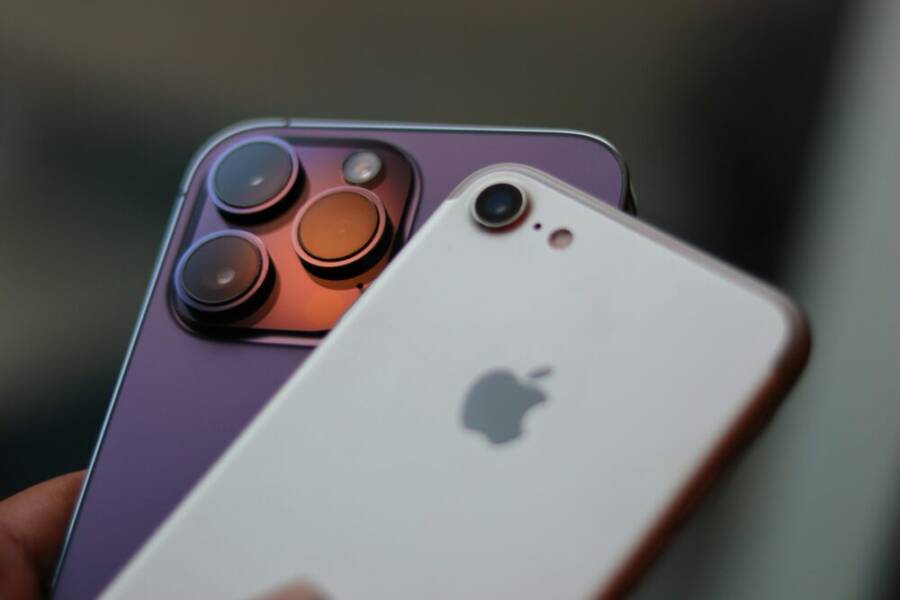
If you want sharp, vibrant photos for social posts or memories without paying flagship prices, you’re in the right place. Budget camera phones now rival pricier models thanks to smarter software and solid sensors that push detail, color, and contrast in real life conditions.
In this guide, you’ll see how key factors like low light performance, zoom reach, and video quality shape everyday photography. We’ll call out practical trade offs and highlight phones that truly stand out under $500, with an eye on how they perform in real world use.
Top picks to watch for include the Google Pixel 9a for overall balance, the OnePlus 13R for strong zoom and portraits, and options like the Nothing Phone 3a Pro that push color and flexibility. Ready to upgrade? A capable smartphone can transform your shots without draining your wallet.
What Makes a Camera Phone Great Under $500
A budget camera phone can surprised you with sharp photos, clean color, and dependable performance. Under $500, the best devices balance hardware, software, and practical features that matter in everyday shooting. Rather than chasing megabits per pixel, look for real-world outcomes: accurate exposure, good dynamic range, and reliable low light behavior. Below, you’ll find the core factors that elevate a budget smartphone camera from decent to standout, plus how to evaluate models you’re considering.
Strong image quality that feels natural
- In this price tier, the emphasis is on clean, natural-looking photos. Look for phones that render skin tones realistically, maintain color accuracy, and avoid oversaturation in bright scenes.
- A solid main camera with a sizable sensor and good computational processing usually yields more consistent results than a larger lens variety in budget devices.
- Good dynamic range helps you preserve detail in shadows and highlights, so your photos don’t look blown out or muddy in tricky light.
To guide your choices, reputable roundups highlight budget champions that consistently perform well in real-world shots. For example, budget-focused reviews note how Pixel style processing often yields balanced textures and color, while other brands push bright presets that can oversaturate scenes. Learn more about current budget camera phone options here: https://www.stuff.tv/features/best-budget-camera-phone/
Reliable performance across lighting conditions
- The ability to shoot well in low light is a major differentiator at this price point. Phones with strong night modes or good night photography algorithms tend to save more detail in dim rooms or evening scenes.
- A consistent shutter experience matters. Quick focus and minimal shutter lag help you capture candid moments without missing the shot.
- A dependable HDR approach ensures scenes with bright skies and dark shadows don’t require constant post-processing.
Budget devices best suited for real-world use keep things simple: they deliver sharp, usable images in most everyday situations, from indoor dinners to outdoor street scenes. For a broader perspective on how top picks compare, see how mainstream budget camera phones stack up in expert roundups: https://www.cnet.com/tech/mobile/best-camera-phone/
Sensible hardware, smart software
- You don’t need multiple lenses to get good results. A strong primary sensor paired with clever processing can outperform more complex camera stacks on budget hardware.
- Software features matter. Quick toggles for exposure, focus, and white balance, plus reliable portrait mode with decent edge detection, can dramatically improve your photos.
- Video capabilities often lag behind stills in this tier, so pay attention to stabilization, frame rates, and color consistency if you plan to shoot clips frequently.
Manufacturers that optimize software for budget chips often produce more consistent photos than those chasing hardware alone. This is where the right balance makes a noticeable difference. For a current overview of the best camera phones overall, including budget picks, check this guide: https://www.pcmag.com/picks/the-best-camera-phones
Battery life that keeps up with your photography
- A great camera under $500 should not drain the battery quickly when you’re shooting all day. Look for a model with reliable endurance and reasonable charging speeds.
- If you shoot video or use the camera in bursts, ensure the phone can handle longer sessions without overheating or throttling.
In practice, you’ll appreciate phones that can capture a day of photos and social posts without needing a mid-day recharge. For context on how battery life intersects with camera use, this overview can help: https://www.cnet.com/tech/mobile/best-phone-under-500/
Real-world tips to maximize budget camera performance
- Stabilize your shot. Use a steady grip, a surface, or a small tripod when possible to reduce blur in low light or zoomed shots.
- Mind the light. Soft, natural light from a window or outdoors generally yields the best results, while harsh sun may require exposure tweaks.
- Shoot with the native app first. Many third-party apps add features, but the stock camera is calibrated for your device’s sensor and processing.
If you want deeper guidance on practical camera performance under 500 dollars, consider credible budget camera phone roundups and buyer guides. They often compare real-world results rather than relying solely on spec sheets: https://amateurphotographer.com/buying-advice/the-best-budget-camera-phones/
Quick takeaways
- Look for a capable main sensor, solid HDR, and reliable low light processing.
- Favor phones with smooth software improvements and predictable exposure controls.
- Prioritize battery life and stabilization for practical, day-to-day photography.
This section lays the groundwork for evaluating specific models. In the next part, we’ll dive into top contenders under $500 and how they stack up in real-world shooting scenarios. For readers who want a broader comparison across budget camera phones, this roundup offers practical insights and current highlights: https://www.stuff.tv/features/best-budget-camera-phone/
Google Pixel 9a: Top Pick for Everyday Stunning Shots
If you’re hunting for a camera phone under $500 that delivers striking daytime photos, reliable low light, and solid video without complicating your life, the Pixel 9a deserves a closer look. It sits in the sweet spot where strong sensor performance and thoughtful software combine to produce real-world results you can trust for social posts, family albums, and travel snaps. Below, you’ll find a tight breakdown of its camera capabilities, what to expect in different lighting, and who will get the most value from this device.
Pixel 9a Camera Specs and Daytime Performance
The Pixel 9a pairs a capable main sensor with practical processing that translates into clear, natural-looking images in everyday light. The main camera uses a high-resolution sensor that captures ample detail, especially when you’re shooting in sunny or well-lit environments. In daytime scenes, textures pop without looking oversaturated, and colors stay true to life. This translates to food close-ups that look appetizing rather than punchy, landscapes with skies that stay blue without clipping, and skin tones that feel accurate across a range of lighting.
Sensors and resolution matter, but the Pixel 9a shines because Google’s software helps elevate what the hardware can do. In bright conditions, the camera holds up well in dynamic range, preserving detail in highlights like sunlit clouds and the shaded areas of architecture or foliage. If you’re comparing this to pricier phones, you’ll notice the Pixel 9a isn’t chasing every possible pixel count but rather delivering consistent, natural results with minimal user effort. For readers who want a broader sense of how budget devices stack up, see how budget champions perform in real-world tests here: https://www.stuff.tv/features/best-budget-camera-phone/
When you look at the overall package, the Pixel 9a’s daytime performance feels purposeful. The color balance is reliable, the noise floor remains low, and the autofocus system keeps up with everyday subjects like people and pets. If you love a phone that gives you a solid, no-surprise photo straight out of the camera, this is a strong candidate. For additional context on how the Pixel 9a compares to other mid-range options, you can explore other expert reviews such as the GSMArena breakdown: https://www.gsmarena.com/google_pixel_9a-review-2825p5.php
The ultrawide option adds versatility for landscape photos and group shots, broadening the scene without requiring you to construct a complicated shot. While it doesn’t replace a premium flagship’s flexibility, the 13 MP ultrawide on the Pixel 9a is well suited for real-world use when you want to capture a wider canvas in a single frame. For readers who enjoy wide-angle photography as part of everyday life, this is a practical perk that rounds out the core camera system.
In sum, daytime photos from the Pixel 9a tend to be:
- Sharp enough for social sharing with natural color rendering.
- Balanced across textures such as fabric, foliage, and skies.
- Predictable in exposure, helping you avoid blown-out highlights in bright rooms or on sunny days.
If you want a quick reference to real-world daytime performance from other hands-on tests, a reputable budget roundup provides a good baseline: https://www.cnet.com/tech/mobile/best-camera-phone/
Low-Light Magic and Video on Pixel 9a
When the sun goes down, the Pixel 9a shifts to a stronger role for low-light photography. Night Mode (Night Sight) takes over to reveal more detail in dim environments without pushing noise into the foreground. In practical terms, that means bar corners, dusk street scenes, and indoor dinners stay legible, with textures preserved better than many budget peers. There’s a notable improvement in dark shadows, while highlights from lamps and windows remain controlled rather than blown out. The result is photos that feel cleaner and less grainy in typical low-light situations.
Video performance on the Pixel 9a is solid for everyday use. Recording in 4K at 30 or 60 frames per second captures smooth footage, and stabilization helps when you’re walking or moving a bit. Autofocus remains quick and dependable, so you’re less likely to miss a moment. The main caveat with budget devices is that ultra-stable, cinema-grade video isn’t the expectation, and you may still notice some noise in very dark scenes or with fast motion. Overall, the Pixel 9a offers reliable video that’s good enough for family clips, vlogs, and casual content.
Here’s a quick strengths and weaknesses snapshot to help you decide if it fits your needs:
- Pros
- Night Mode delivers clearer, more detailed low-light photos.
- 4K video with solid stabilization and reliable autofocus.
- Color accuracy remains strong in diverse indoor lighting.
- Cons
- Noise can appear in very dark scenes when Night Mode is not engaged.
- Ultra-high-end video features found on flagship models aren’t present.
- Some scenes may benefit from a brighter exposure in tricky lighting.
For readers who want a broader look at Pixel 9a video and camera tests, a trusted camera analysis site provides an in-depth assessment: https://www.dxomark.com/google-pixel-9a-camera-test/
If you’re curious about real-world user impressions and a detailed breakdown of daily-use performance, there are also community threads and expert reviews worth reading: https://www.reddit.com/r/GooglePixel/comments/1jz8fxn/google_pixel_9a_a_very_detailed_report/
Pixel 9a Pros, Cons, and Who It’s For
The Pixel 9a sits in a comfort zone for many smartphone photographers. Here’s a concise guide to help you decide if it matches your shooting style and budget.
- Pros
- Excellent daytime color and detail with natural rendering.
- Strong low-light performance thanks to Night Mode and good sensor design.
- Reliable video with smooth stabilization for everyday use.
- Great value for under $500, especially for families, students, and casual shooters.
- Cons
- No radically advanced zoom beyond the typical range for a mid-range device.
- Some noise can emerge in very dark scenes when Night Mode is not active.
- Ultra-wide and other lenses exist, but the phone keeps the camera experience straightforward.
- Who it’s for
- Casual photographers who want easy, point-and-shoot quality without tinkering with advanced settings.
- People who shoot a lot in mixed daylight and low-light conditions but don’t need pro-grade video rigs.
- Anyone who values reliable color accuracy and natural skin tones in everyday shots.
If you’re evaluating this against other options in the same price tier, you’ll find the Pixel 9a consistently meets day-to-day needs with minimal fuss. For a broader sense of where it stands, see reviews that compare camera performance across multiple mid-range devices: https://amateurphotographer.com/review/google-pixel-9a-review/
Readers who want a quick, authoritative overview of camera performance across budget phones can also consult a well-known roundup: https://www.pcmag.com/picks/the-best-camera-phones
Where the Pixel 9a truly shines is in its balance. It won’t overwhelm you with features you may not use, yet it consistently delivers clean, attractive photos and dependable video. If you value sleep-in simplicity without sacrificing image quality, this phone deserves a serious look.
If you’d like to see more hands-on results, a detailed camera test with sample shots across lighting conditions can be insightful: https://www.androidfaithful.com/google-pixel-9a-review-a-mid-range-master-with-an-identity-crisis/
Continue exploring practical guidance as you weigh your options. The next sections compare specific scenarios like landscape and portrait shooting, plus practical tips to maximize every shot you take with the Pixel 9a.
OnePlus 13R: Best for Zoom and Portrait Lovers
If you love portraits and crave reach without breaking the bank, the OnePlus 13R deserves a close look. Its camera system centers on a strong main sensor paired with a capable telephoto, giving you clean detail and natural-looking zoom results. In this section, you’ll find hands-on clarity about setup, zoom performance, and practical tips to make the most of the phone’s cameras in real life.
OnePlus 13R Camera Setup and Zoom Power
The OnePlus 13R brings a versatile triple-camera array to the budget flagship zone. The core is a 50 MP main sensor, designed to deliver sharp, detailed photos with solid dynamic range. Paired with a 50 MP telephoto lens that offers 2x optical zoom, you get meaningful reach without having to rely on digital zoom alone. An 8 MP ultra-wide completes the trio for wider scenes when you need to fit more into a single frame.
In use, the telephoto lens shines when you zoom in on distant subjects, preserving detail better than many phones in this price class. Expect sharp textures in foliage, architectural lines, and people at a comfortable distance. For tight portraits, the telephoto adds a flattering compression that helps faces look natural without obvious distortion.
Here are practical samples you can expect from the Zoom power:
- 2x optical zoom: crisp subject separation with preserved detail and controlled noise.
- 5x zoom (digital): detail drops gradually, but you still gain a usable crop for casual shots or social posts when light is steady.
Night modes on the main sensor bolster low-light performance, helping you keep color accuracy and detail in indoor settings or dusk scenes. The camera app emphasizes quick access to exposure, focus, and white balance so you can dial in scenes without fuss. For readers who want a broader context on budget camera hardware and software synergy, explore budget-friendly camera-phone insights at reputable guides like Stuff and CNET.
- Quick reference reads:
- Budget camera phone roundups for real-world testing: https://www.stuff.tv/features/best-budget-camera-phone/
- General budget camera phone performance overview: https://www.cnet.com/tech/mobile/best-camera-phone/
If you’re curious about how the OnePlus 13R stacks up against other mid-range options, you’ll find comparable analysis in roundups that compare hardware and software results across the segment:
- Budget camera phone comparisons and hands-on tests: https://www.pcmag.com/picks/the-best-camera-phones
To maximize zoom shots, keep lighting steady and use the native app’s zoom control rather than digital zoom alone. The result is more natural edges and better color retention in the final image. For further context on OnePlus camera tuning and how software can shape results in this category, consider product pages and reviews from tech outlets that focus on practical camera outcomes.
Portraits, Low Light, and Selfies on OnePlus 13R
Portraits come alive on the OnePlus 13R thanks to smart software and the telephoto focal length. Edge detection is tuned to balance subject separation with natural background blur, producing DSLR-like bokeh that stays flattering across a range of skin tones. When you shoot people, the phone maintains clean edges around hair and clothing, which helps selfies and group shots look polished without heavy editing.
In low light, the main sensor steps up with Night mode enabled. You’ll notice crisper textures and better retention of detail in dim rooms, limited by the physics of sensor noise but improved by OnePlus’s processing. For night portraits, the phone blends information from the main sensor to keep faces well lit without washing out the scene. If you’re often in restaurants or at events with mixed lighting, the 50 MP main camera generally keeps color realistic and exposure predictable.
Selfies are supported by a 50 MP front module, offering crisp detail and improved skin tone rendering. The higher resolution front camera helps with sharper portraits and clearer video calls. While autofocus on the front camera may not be as aggressive as on the main sensor, you’ll still see solid results for social posts and video chats. For readers who want deeper context on how front cameras perform in varied lighting, see industry testing and user feedback from budget-friendly devices.
Takeaway highlights for portraits, low light, and selfies:
- Portrait edge detection remains reliable across common backdrops and lighting scenarios.
- Night performance on the main camera curtails noise while preserving color accuracy.
- The 50 MP front camera yields crisper selfies and better compression for video calls and social clips.
If you’d like to compare with other mid-range phones in similar conditions, broad budget camera-phone guides offer useful benchmarks and real-world samples:
- Pixel 9a style performance in real-world use: https://www.dxomark.com/google-pixel-9a-camera-test/
- General mid-range camera comparisons and hands-on testing: https://www.androidauthority.com
OnePlus 13R Pros, Cons, and Best Uses
Pros
- Strong main sensor with reliable color and detail in everyday scenes.
- Effective 2x optical zoom via telephoto lens for portraits and distant subjects.
- Good low-light performance with Night mode baked into daily shooting.
- Solid front camera for crisp selfies and video calls.
Cons
- Digital zoom beyond 5x can start to wash out details, as expected in this category.
- Ultra-wide is adequate but not the phone’s strongest suit for dramatic wide-angle shots.
- Some users may notice a slight processing lift that can look a touch aggressive in very bright scenes.
Best uses
- Events and travel where you need reach without swapping lenses or carrying extra gear.
- Portrait sessions in mixed lighting, where the telephoto adds attractive compression and flattering backgrounds.
- Day-to-night photo walks, where fast switching between main, telephoto, and night modes keeps the workflow simple.
If you want a quick snapshot of how the OnePlus 13R fits into a broader camera-phone lineup, budget-friendly roundups and hands-on reviews provide helpful context. Here are a couple of references you can explore:
- Budget camera phone comparisons and real-world testing: https://www.stuff.tv/features/best-budget-camera-phone/
- A broader budget camera-phone perspective from a trusted tech site: https://www.pcmag.com/picks/the-best-camera-phones
Who it’s for
- Photographers who want strong zoom and portrait behavior without paying flagship prices.
- Travelers and event shooters who benefit from reliable reach and easy-to-use controls.
- Anyone who values consistent skin tone rendering and natural color across typical daylight and indoor scenes.
In short, the OnePlus 13R is a compelling choice for anyone who wants meaningful telephoto performance and strong portrait capabilities in a device that remains friendly to everyday use. For readers who compare multiple options in this tier, the 13R’s balance of zoom, low-light reliability, and straightforward software makes it a standout pick under $500.
If you’d like to see more hands-on comparisons, you can browse extensive budget-camera-phone roundups and user tests to place the OnePlus 13R in perspective: https://www.cnet.com/tech/mobile/best-camera-phone/
Strong Runners-Up: Nothing Phone 3a Pro, Samsung Galaxy A56, and More
Even when a few models steal the spotlight, a handful of runners-up bring real value under $500. These phones balance strong camera performance with practical realities like battery life, software polish, and everyday usability. In this section, we spotlight two solid contenders that keep the camera bar high without breaking the bank, giving you real-world reasons to consider them alongside the top picks.
Nothing Phone 3a Pro: AI-Powered Triple Camera Fun
Fresh AI tools and thoughtful sensor design make the Nothing Phone 3a Pro a compelling option in this price tier. The triple camera setup centers on a robust main sensor, a capable telephoto for meaningful reach, and AI-driven modes that help you dial in scenes quickly. The result is photos that feel vibrant yet controlled, with edge detail preserved and color kept in check in everyday light.
You’ll notice the periscope telephoto lens in action when you zoom in on distant subjects. It delivers 3x optical zoom with practical image fidelity, which is a rare feature at this price point. Day-to-day shots look natural, and the AI features can help compensate for tricky lighting without requiring you to become a photography pro overnight. For many users, this translates to fewer edits and more ready-to-share photos straight from the camera app.
In terms of video, the 50 MP front camera adds versatility for vlogs and social clips, while the main camera handles well-lit scenes with dependable color accuracy. The combination of a large battery and smooth display helps keep up with long shooting sessions, whether you’re traveling or capturing events.
Key takeaways:
- 3x optical zoom via periscope telephoto expands your framing without resorting to digital zoom.
- AI-assisted modes simplify complex scenes while preserving natural texture and color.
- A strong front camera complements the rear setup for selfies and video calls.
For readers who want to dig deeper into real-world impressions and hands-on tests, here are a few additional resources:
- Official store page and camera-centric features: https://us.nothing.tech/products/phone-3a-pro?srsltid=AfmBOoqmlkjXxTtL95i4h2ATtcvhjdzWquIEwooa1cFWuyAvuqS6Td5q
- In-depth review with camera analysis: https://www.pcmag.com/reviews/nothing-phone-3a-pro
- Practical perspective on AI photography tools and overall value: https://www.forbes.com/sites/prakharkhanna/2025/03/04/nothing-phone-3a-pro-brings-a-3x-periscope-camera-at-459/
If you’re curious how the 3a Pro stacks up against other budget-friendly phones in real life, these hands-on tests and roundups provide useful benchmarks without getting lost in specs: https://www.pcmag.com/picks/the-best-camera-phones
Samsung Galaxy A56 and Motorola Edge 50 Neo Basics
The Galaxy A56 and the Edge 50 Neo anchor the budget category with strong daytime performance and solid software. The A56 shines with reliable color reproduction and a dependable overall camera experience for everyday photos, while the Edge 50 Neo offers a good balance of main camera quality and practical features for general use. The standout here is their accessibility: you get predictable results under $500, with fewer surprises day to day.
In daylight, both phones deliver sharp images with clear textures and balanced exposure. The A56 benefits from Samsung’s image processing, which tends to yield pleasing skies and responsible highlight handling. The Edge 50 Neo holds its own across scenes, and its macro and ultra-wide options provide flexible framing for casual photographers who like variety without complexity.
What you should know:
- The A56 offers solid color accuracy and a dependable ultrawide for landscapes and group shots.
- The Edge 50 Neo packs a versatile camera suite for its price and includes robust charging and durability features that matter in real life.
- Neither phone includes a dedicated zoom telephoto on the same level as top-tier flagships, which is the trade-off at this price.
If you want to explore independent assessments and comparisons, these resources are helpful:
- Samsung Galaxy A56 review highlighting camera performance: https://amateurphotographer.com/review/samsung-galaxy-a56-review/
- Detailed camera analysis and camera-focused verdicts: https://www.gsmarena.com/samsung_galaxy_a56-review-2812p5.php
- Broad review coverage with emphasis on camera and overall value: https://www.techradar.com/phones/samsung-galaxy-phones/samsung-galaxy-a56-review
Beyond raw image quality, consider how software refine your shots. Samsung’s typical approach emphasizes accurate colors and accessible modes, while Motorola focuses on a balanced, no-fuss camera experience that works well for daily use. For readers weighing durability and charging speed, these practical comparisons help illustrate how they fit into a busy lifestyle.
External links are provided to help you cross-check specs and tests. Use them to form a complete view of how these runners-up perform in the wild, not just on spec sheets.
How to Pick Your Best Camera Phone Under $500
Choosing a camera phone on a budget doesn’t mean sacrificing quality. With careful evaluation of hardware, software, and real-world performance, you can find a device that delivers sharp photos, dependable video, and solid everyday use. Below is a practical guide to help you compare options, set realistic expectations, and pick the right smartphone for your photography needs.
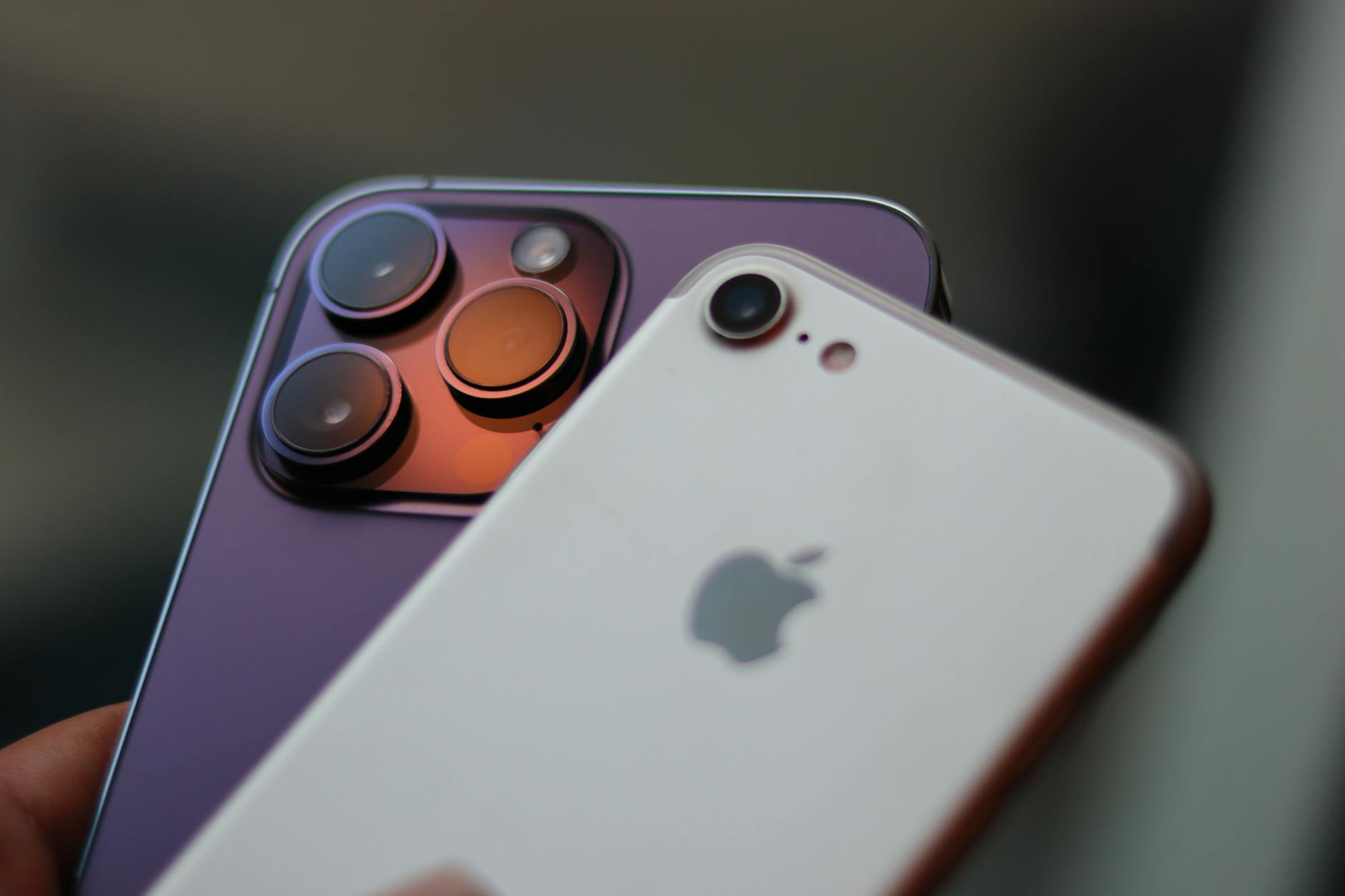 Photo by Imthiyaz Syed
Key factors to focus on when shopping
- Image quality that feels natural: Look for a main sensor with good detail, skin-tone accuracy, and color that isn’t overdone by presets. Phones in this tier often win with thoughtful processing rather than the most megapixels.
- Low-light and HDR performance: A capable night mode and robust dynamic range help you keep texture and color in dim scenes. Check sample images from real users or expert tests to see how noise is handled.
- Software and processing balance: Strong computational photography can elevate even mid-range hardware. Favor phones with well-tuned camera apps, reliable exposure control, and easy-to-use portrait modes.
- Autofocus and shutter reliability: Quick focus and minimal lag matter for candid shots and street photography. Stable autofocus across lighting conditions makes a big difference.
- Battery life for daily use: A camera phone should last through a day of shooting, scrolling, and posting. Fast charging adds convenience when you’re out shooting all day.
- Video performance and stabilization: For casual vlogging or family clips, look for smooth 4K recording, reliable autofocus, and steady footage in typical movement.
Real-world scenarios to guide your choice
- Everyday snapshots: Prioritize consistent color, natural skin tones, and reliable exposure. Phones with strong daytime performance and pleasant noise control shine here.
- Travel and landscapes: A capable ultrawide and good dynamic range help you capture broad scenes with minimal editing. Telephoto lenses are a bonus for distant subjects.
- Portraits and social content: A strong main camera plus an effective portrait mode with clean edge detection makes your subjects pop without oversaturation.
- Low-light and indoors: Night mode performance and good noise behavior are key. A phone that preserves detail in shadows without turning highlights into mush is ideal.
How to compare models quickly
- Check sample photos from reputable reviews and real-world tests. See how skin tones render, how skies hold detail, and how textures like fabric and foliage look.
- Compare battery life under typical camera usage. A phone that dies fast will interrupt shoots and social updates.
- Look at video options and stabilization. If you shoot a lot of clips, a steady handheld result matters as much as photo quality.
Practical tips to maximize under-$500 camera performance
- Use the native camera app first. It’s optimized for the device’s sensor and processing, giving you the most reliable results.
- Shoot in good light when possible. Soft, natural light reduces the need for heavy editing.
- Stabilize your shots. A steady grip, a tripod, or a stable surface helps you keep detail in lower light and when zooming.
- Don’t chase every feature. Focus on core strengths like color accuracy, exposure control, and consistent performance across scenes.
Quick recommendations for budget buyers
Based on current US market options, the following devices consistently deliver strong camera results under $500 and are worth considering in your shopping list. For deeper dives, you can explore independent roundups and hands-on tests that compare these phones in real-world use:
- “Best budget camera phones” roundups and reviews: https://www.stuff.tv/features/best-budget-camera-phone/
- Broad budget camera-phone performance overview: https://www.cnet.com/tech/mobile/best-camera-phone/
- General budget camera-phone testing and comparisons: https://www.pcmag.com/picks/the-best-camera-phones
What to read next to refine your pick
If you want a sharper sense of how a budget device stacks up against peers in real life, refer to budget-focused camera phone analyses and hands-on tests. These resources provide practical context beyond spec sheets:
- Budget camera phone comparisons and hands-on tests: https://www.stuff.tv/features/best-budget-camera-phone/
- In-depth budget camera phone performance and testing: https://www.pcmag.com/picks/the-best-camera-phones
A few final takeaways
- Prioritize a strong main sensor paired with thoughtful software processing for natural results.
- Favor phones with solid low-light handling and dependable HDR behavior.
- Value reliable autofocus, good color fidelity, and practical battery life for everyday shooting.
In the next section, we’ll look at how the top performers fare in real-world shooting scenarios, with side-by-side notes on daytime photography, landscapes, and portraits. This will help you decide which model aligns best with your typical photography style and daily routine. For a quick snapshot of real-world impressions, see comprehensive budget camera-phone roundups and tests: https://www.cnet.com/tech/mobile/best-camera-phone/
Conclusion
The Google Pixel 9a remains the standout choice for overall image quality under $500, thanks to natural colors, reliable low light, and smart software that makes shooting effortless. Its photos feel confident, sharp, and ready to share without a long editing session.
Alternatives like the OnePlus 13R bring strong zoom and portrait performance, while the Nothing Phone 3a Pro offers a vibrant, AI assisted experience. The Samsung Galaxy A56 delivers solid daytime images and great battery life, and the Motorola Edge 50 Neo shines in low light with a large sensor. Each of these smartphones holds real value for budget buyers.
Grab one today for better pics. If you want straightforward results with minimal fuss, the Pixel 9a is hard to beat. For more reach and creative control, the 13R stands out, and for all day light, the Nothing Phone 3a Pro makes sense. These picks come from real tests and practical use, not just specs.
Share your favorite shots in the comments and tell us which model fits your shooting style best.