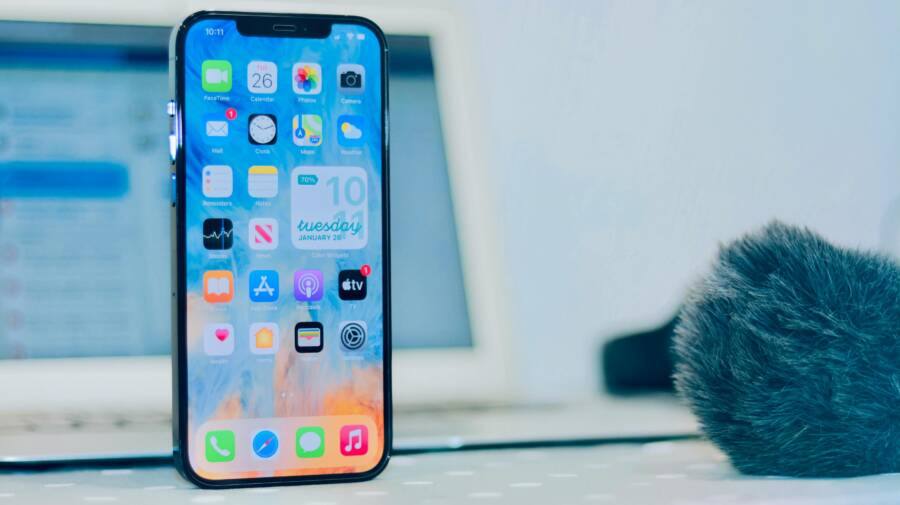
Your smartphone remains a fully functional pocket computer even without a SIM card. A SIM card only connects your device to a mobile network, so your hardware works perfectly well for apps, media, and local storage without one.
This capability is useful for repurposing old devices, keeping kids occupied with games, or using a handset strictly as a media player while you travel. You can still access everything your device offers as long as you have a stable Wi-Fi connection.
Read on to learn how to prepare your device for use without a cellular plan.
Understanding How Your Phone Works Offline
Your smartphone functions as a pocket computer even without a cellular plan. The device hardware manages apps and local files independently of mobile networks. You simply need a wireless connection to access internet-based services. This approach allows you to repurpose older devices or use a handset as a dedicated media player.
Why a SIM Card Is Not Necessary for Most Apps
Most mobile applications communicate through standard internet protocols. These apps do not distinguish between a connection from a carrier cell tower and one from a home router. The software on your smartphone checks for an active data path rather than a specific hardware identity provided by a SIM card.
When you connect to a wireless network, your device treats that connection like a standard broadband link. Your apps send and receive data over the local network and through the gateway of the router. Because the internet is a universal network of networks, your phone functions normally as long as the signal is stable.
Modern operating systems are built to prioritize available connections. If you disable the cellular radio or remove the SIM card, the system simply stops searching for a mobile tower. It then shifts its focus entirely to your Wi-Fi settings. You can launch your favorite applications, update your software, and manage your local files without any restriction.
The Role of Wi-Fi in Your Daily Device Use
A Wi-Fi connection provides the bandwidth necessary for your daily digital activities. You can browse websites, refresh social media feeds, and stream high-definition content without a cellular plan. The speed and quality of these tasks depend on the router and the local network configuration rather than your phone hardware.
Your smartphone maintains its digital identity through your personal account logins. Services like email, messaging apps, and music libraries identify you by your username and password, not your phone number or SIM card. Once you log into these platforms over Wi-Fi, the device remembers your preferences and syncs your content as if it were connected to a mobile network.
Many users maintain a primary device and a separate, offline unit. You can keep this second phone at your desk for focused work or in your bag for media playback. By connecting to a secure network, you gain all the functionality of a connected phone without the monthly service fees. The following list summarizes the core capabilities available when using a smartphone over Wi-Fi:
- Browsing the web and reading news articles.
- Streaming video and audio content via official apps.
- Playing online games that require a stable data connection.
- Downloading and updating applications from official app stores.
- Syncing cloud storage files and documents.
As long as you have access to a known network, your device stays functional. You manage your online presence through account authentication, which makes the lack of a mobile network transparent to the apps you use most often.
Essential Features You Can Still Access
Your smartphone remains a capable tool even without a mobile network subscription. Because most modern apps rely on internet data rather than cellular voice circuits, a simple Wi-Fi connection restores almost all standard functionality. You can keep using your device for personal tasks, media, and productivity without ever inserting a SIM card.
Using Your Phone as a Multimedia Player and Camera
The camera hardware on your smartphone operates independently of any cellular signal. You can capture high-resolution photos and record videos whenever inspiration strikes. Since the image sensor and storage system reside directly on your device, you do not need an active data plan to take pictures.
Your photo gallery stores these files locally on the internal memory. You can view, edit, and organize your media collection at any time. If you want to back up your work, simply connect the device to a Wi-Fi network. Once linked, the smartphone uploads your content to cloud services like Google Photos or iCloud automatically.
- Use the camera for photography or recording long videos.
- Access your gallery to view saved media offline.
- Edit images using your favorite local photo software.
- Sync files to the cloud whenever you reach a wireless access point.
This setup makes your device an ideal dedicated media player. You can load music or movies onto the internal storage and enjoy them during long trips. When you arrive at a hotel or coffee shop, the device syncs your recent captures to the internet for safekeeping.
Staying Productive with Offline Apps and Utilities
Many professional tools on your smartphone function perfectly without a constant data connection. Core utilities including the calculator, alarm clock, and calendar run entirely on the device processor. These apps remain ready for your schedule or math needs throughout the day.
Document editors and note-taking apps offer robust offline modes for your work. You can type reports, manage lists, or organize files while sitting on a plane or in a remote area. Most modern applications cache your changes locally and sync the final version to your cloud account the moment you regain access to Wi-Fi.
Consider these common utilities that work regardless of your network status:
- Calculators: Perform complex math without requiring any external data.
- Calendars: Track your upcoming appointments and events using local memory.
- Alarm Clocks: Set wake-up calls or timers that trigger based on the system clock.
- Document Editors: Write and edit files that sync when you connect to a router.
You can maintain a professional workflow by keeping these apps updated while you have a connection. Once the software is current, the reliance on a cellular network vanishes. Your smartphone becomes a focused productivity workstation that stays quiet and distraction-free while you complete your tasks.
Communication Methods Without a Cellular Plan
You can maintain contact with friends and family using only a Wi-Fi connection on your smartphone. Because these devices run powerful operating systems, they support numerous messaging platforms that function independently of a mobile carrier. You don’t need a SIM card or a monthly phone bill to send messages, start video calls, or share media with others.
How to Use Messaging Apps for Calls and Texts
Many popular applications route your voice and text data through the internet rather than traditional cellular circuits. Once you install these apps, you register with an email address or a username. As long as you remain near a stable wireless network, you gain full access to these communication features.
WhatsApp is a primary example, as it allows users to send texts and make voice calls over data. While it often links to a phone number for initial setup, you can keep the app active on a secondary device to manage your ongoing conversations. Skype remains a standard tool for video conferencing and long-distance calls. You can even purchase credit within the app if you need to call a landline number occasionally.
FaceTime provides a simple experience for Apple users who want to stay in touch. It uses your Apple ID to connect you with contacts who also use compatible hardware. Facebook Messenger is another reliable option that lets you message friends or start group video chats without any carrier involvement.
When you use these apps on your smartphone, keep these tips in mind for the best experience:
- Always connect to a secure and private Wi-Fi network to protect your data privacy.
- Enable push notifications for your chosen apps so you don’t miss incoming messages.
- Keep your app software updated to ensure compatibility with the latest features and security patches.
- Log into your accounts on your primary devices to ensure your contact lists and message history stay synced.
The Limitations of Emergency Calling
Using your smartphone without a SIM card brings significant utility, but it also creates a major safety gap. You should never rely on a device without an active cellular plan for emergency communications. While some regions mandate that any phone with a charged battery must be able to reach emergency services like 911, this policy varies widely across the globe.
Hardware requirements and local network regulations often dictate whether a call goes through. Some modern handsets require an active SIM card to handshake with the nearest cell tower, even for emergency digits. If your device cannot find a signal because it lacks a carrier identity, your call will fail.
You should treat your phone as a non-emergency tool when you operate it without a SIM card. If you are in a situation where you might need to summon help, carry a device with an active, paid cellular plan. Never assume your phone can place a distress call unless you have verified the specific regulations and network capabilities in your current location. Relying on an offline device for emergencies introduces unnecessary risk that could delay help when you need it most.
Smart Ways to Repurpose an Old Smartphone
An old smartphone often sits in a drawer gathering dust, but it remains a capable piece of hardware. You can transform these devices into specialized tools that improve your home environment or assist with family needs. Since the device only requires a Wi-Fi connection to function, you avoid the need for cellular service entirely.
Turning Your Device into a Home Media Hub
You can convert your phone into a dedicated control center for your living room. By keeping the device plugged into a power source, it stays active and ready to manage your smart home hardware or streaming devices. This setup keeps your primary phone free for personal use while your older handset handles background tasks.
First, download the official apps for your smart lights, thermostats, or streaming sticks. You can mount the phone on a wall or place it on a dedicated stand near your couch. This positioning makes the device act like a fixed control panel. If you use smart speakers or media players, the phone can function as a remote control that stays in one place.
- Set the display to stay on while charging so you can view controls instantly.
- Disable screen lock settings to allow for quick access to your apps.
- Connect the phone to a Bluetooth speaker to turn it into a dedicated music streaming player.
- Use task automation apps to launch specific media apps whenever you reach home.
Keeping the phone plugged in prevents battery drain during long periods of use. You can also turn off unnecessary background syncs for social media to save processing power. This makes the interface faster and more responsive as a home gateway.
Safety and Parental Control Options
A spare smartphone makes an excellent device for younger children who are learning to navigate technology. Because you control the Wi-Fi access, you can manage exactly what the child sees and does. You do not need to worry about cellular charges or unwanted calls because the device lacks a SIM card.
Most operating systems offer built-in parental control settings that you should enable first. These features allow you to block specific apps, set time limits, and filter web content. You can manage these settings remotely or through a primary account on the device.
Consider these steps to secure the experience for your child:
- Create a dedicated account for the child to keep their data separate from yours.
- Install offline games and educational apps that do not require constant internet access.
- Use a web browser that features strict content filtering and ad blocking.
- Set up screen time limits to encourage healthy usage habits.
The lack of a mobile network prevents the child from using cellular data to access content outside your home network. You maintain full control over the environment by managing the Wi-Fi gateway. This setup provides a safe, contained space for kids to play games, watch videos, or practice reading without the risks associated with an open cellular connection.
Conclusion
Your smartphone remains a valuable tool long after you stop paying for a cellular plan. By relying on Wi-Fi and local storage, you can continue to use your device as a media player, handheld computer, or dedicated controller for your home.
Think of your phone as a portable tablet that functions perfectly fine without a SIM card. You gain years of extra value from the hardware while keeping your primary phone free for daily tasks.
Do you have an old device at home that you plan to repurpose today?