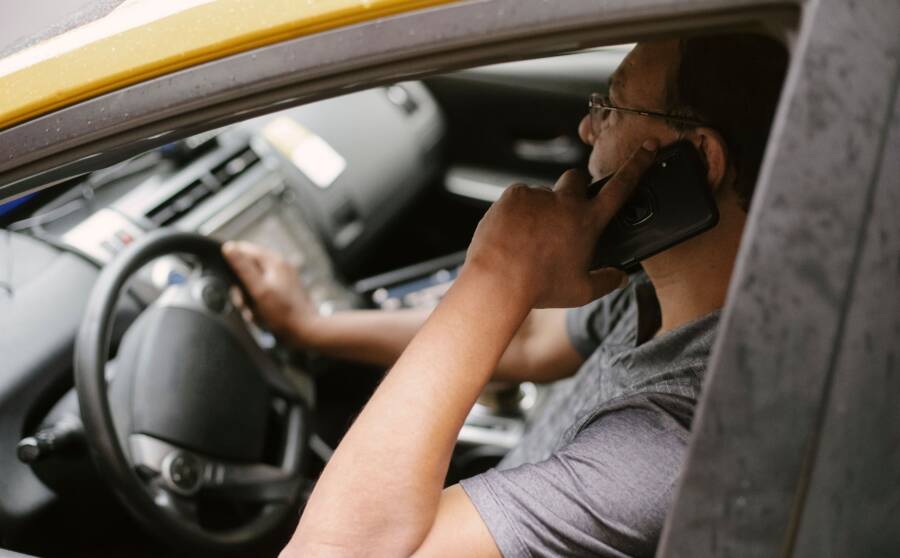
Yes, using your phone as a car dashboard companion is both safe and effective when you use the right mounting gear and software settings. A properly configured device provides quick access to navigation, music, and communication without distracting you from the road.
Many drivers use their phone to replace aging vehicle entertainment systems. You gain access to real-time traffic updates and your preferred media apps in one convenient location. When you prioritize a sturdy mount and voice commands, your smartphone remains a helpful tool rather than a hazard.
The following sections explain how to set up your cabin for maximum efficiency and safety. You will learn about selecting reliable mounts, adjusting display settings, and minimizing interactions while driving.
Selecting the Right Equipment for Your Vehicle
Your safety depends on the placement of your device. A high-quality mount keeps your smartphone within your line of sight without blocking the windshield. Suction cup mounts work well on glass, while vent clips offer a lower profile for many dashboard designs.
Choose a mount that provides a stable base for your phone. If the device vibrates or shifts during turns, you will find it difficult to read maps or tap buttons. Magnetic mounts often provide the quickest mounting experience, though you must ensure your phone case supports this connection.
Optimizing Software Settings for Drivers
Most modern operating systems offer modes designed specifically for your time in the car. These settings change how your interface looks while you travel. Large buttons and simplified menus help you identify information at a glance.
Configure your device to silence notifications during active navigation. You can also set up automatic replies for incoming text messages. These steps keep your attention on traffic instead of social media updates.
Using Voice Commands to Stay Focused
Voice assistants reduce the need to touch your screen. You can request directions, change music tracks, or send short messages using simple commands. This approach is the most effective way to maintain focus on the road ahead.
Test your voice controls before you start your trip. Make sure your smartphone recognizes your speech clearly even with ambient road noise. If the voice recognition is poor, adjust your cabin windows or check the microphone position.
Essential Safety Rules for Every Driver
Always secure your destination before you shift into gear. If you must adjust your route, pull over to a safe area first. Relying on audible navigation cues allows you to keep your eyes on the road for longer periods.
Keep your battery charged during long trips. Use a high-output charger to ensure your smartphone remains powered throughout the day. A dead phone can cause frustration when you depend on it for turn-by-turn guidance.
Troubleshooting Common Setup Issues
Connectivity problems occasionally occur with wireless integration. If your phone drops the connection, check your cable quality or update your navigation app. Small adjustments to your software settings often resolve these errors quickly.
If your screen becomes too bright at night, use a dark mode setting. This reduces glare and prevents eye strain during evening drives. Proper maintenance of your phone and mount ensures a consistent experience every time you drive.
Essential Gear for a Safe Phone Setup
Setting up your car for a mobile-first experience requires the right equipment. Proper hardware keeps your device secure while you focus on the road. Without a stable foundation, your smartphone becomes a distraction that pulls your attention away from traffic.
Choosing the Right Mount for Better Visibility
Your mount position determines how easily you read your screen. Safety experts recommend keeping the device at eye level to minimize the time your eyes spend away from the windshield. When you mount your smartphone low on the dashboard or near your lap, you force your head into a downward position that blocks your view of the road.
There are three primary mounting styles, each with specific benefits for your cabin:
- Dashboard mounts often provide the most rigid base. These use heavy-duty suction or adhesive pads to keep the device steady even on bumpy roads.
- Windshield mounts attach via suction cups to the glass. These bring the map directly into your peripheral vision, which makes it easier to follow turns without shifting your head.
- Air vent mounts offer a compact, low-profile look. They keep the phone within reach but can block airflow from your heater or air conditioner.
Choose a position that does not block your sight lines. A mount that sits too high on the windshield creates a blind spot. Conversely, a mount that sits too low on the dash forces you to look away from traffic for too long. Find a spot where the screen is visible with only a quick flick of your eyes.
Powering Your Smartphone on Long Drives
Navigation apps consume significant battery power because they constantly track your location and update map data. A low battery notification during a trip creates unnecessary stress. You should keep your smartphone charged to ensure your navigation stays active until you reach your destination.
Invest in a high-quality car charger that supports fast charging. Cheap or worn-out cables often provide inconsistent power, which results in a slow drain even when the device shows it is plugged in. Look for chargers that provide at least 15 watts of power to keep pace with your GPS requirements.
Reliable power delivery removes the urge to check your battery status while driving. When you know your device is charging, you stay focused on the route. Always keep a spare cable in your glove box for emergencies, as charging issues are a frequent cause of mid-trip frustration.
Optimizing Your Device for Focused Driving
Your smartphone helps you travel, but it also invites distractions that pull your eyes from the road. Configuring your device properly turns it into a helpful tool that supports your driving rather than competing for your attention. You can limit incoming notifications and simplify your display to maintain your focus on traffic. These adjustments turn your mobile phone into a safer, more predictable dashboard partner for every trip.
Using Car Mode or Driving Focus Settings
Modern mobile operating systems include built-in features that manage your alerts automatically once you start moving. These modes prevent messages and social media pings from interrupting your navigation or music playback. You can set these tools to activate as soon as your smartphone detects a Bluetooth connection to your vehicle.
Apple CarPlay and Android Auto provide the most complete solutions. These platforms replace your standard home screen with a simplified, driver-friendly interface. They present only essential information like directions, music controls, and phone status in large, easy-to-read tiles.
If you prefer using your phone display without a full car interface, use the following settings:
- Enable Driving Focus on iOS or Driving Mode on Android to silence all non-essential alerts.
- Configure auto-reply messages that inform your contacts that you are currently driving.
- Allow only priority callers or specific navigation apps to bypass the silent mode.
These settings provide a buffer between you and the noise of your digital life. When your phone remains silent, you feel less temptation to reach for the screen or check your notifications at stoplights.
Organizing Your Dashboard Interface
A cluttered screen forces your brain to search for information while you should watch the road. You can improve your safety by rearranging your app icons so that your most necessary tools occupy the most prominent spots. Move your navigation and music apps to the primary home screen or the dock at the bottom of the display.
Hide or move non-essential apps to folders on secondary pages. You should never spend time scrolling through your phone to find the right application while driving. If you need a specific app that is not for navigation or audio, set it up before you put the car in gear.
Follow these steps to keep your interface clean:
- Place your primary navigation app in the center of your screen.
- Put your music or podcast application directly to the left or right of the navigation icon.
- Keep phone, messaging, and settings apps on a second page or inside a hidden folder.
- Remove any game, social media, or shopping apps from your primary dashboard view.
This physical organization allows your muscle memory to take over. You can tap the correct button without staring at your screen for more than a second. A consistent layout makes your smartphone more reliable and much safer to use during your daily commute.
Voice Commands and Hands Free Habits
Modern smartphones include powerful voice assistants that allow you to manage your drive without taking your eyes off the road. Using these tools reduces manual interaction with your screen. When you rely on your voice to control music and navigation, your focus remains entirely on traffic.
Mastering Voice Assistants for Navigation and Music
You can initiate most navigation tasks by simply speaking to your smartphone. Instead of typing addresses, state your destination clearly after activating your assistant. This method works well for finding local businesses or checking route times before you pull out of your driveway. Once the route is active, ask for updates on traffic or changes to your arrival time as you move.
Music control also benefits from hands-free commands. You can switch albums, skip tracks, or change playback volume without reaching for the device. If your phone connects via Bluetooth or a cable, your commands pass through your vehicle speakers. This makes it easy to maintain your preferred audio without distraction.
Follow these habits to keep your voice interaction efficient:
- Use clear and concise phrases when speaking to the assistant.
- Check your microphone position to ensure it picks up your voice over road noise.
- Practice common commands at home so you know how the device responds.
- Keep your commands simple to ensure the smartphone processes them correctly on the first attempt.
If you struggle with recognition, check your phone settings to improve voice training. You can also adjust your window positions to block wind noise during a call. Consistent use of these voice features builds confidence and minimizes the need for screen contact.
The Golden Rules of Safe Smartphone Use
Safety relies on your willingness to avoid manual interaction once the car is in motion. Your smartphone provides many useful tools, but you must respect the physical limitations of driving a vehicle. Following a few strict rules protects you and other drivers on the road.
Complete all setup tasks before you shift your car into gear. Input your destination, select your playlist, and confirm your volume levels while you are still parked. If you realize you forgot a setting, pull over safely at a gas station or parking lot before you make changes. Typing on a small screen while driving is the most dangerous habit you can form.
Never attempt to read messages or browse through apps while you are moving. If you receive an urgent alert, wait until you reach your destination or find a secure spot to stop. You should treat the screen as a tool that works in the background rather than a device that requires your active management. Your eyes belong on the road, while your smartphone handles the navigation duties independently.
Common Questions About Phone Dashboard Companions
Drivers often wonder if using a smartphone as a primary navigation tool is truly safe. The answer depends on how you mount the device and how much you limit manual interaction while the car is in motion. When you set up your device correctly, it becomes a reliable partner for your daily commute or long road trips.
Does mounting a smartphone block my view of the road?
A correctly installed mount should not obstruct your line of sight. You want to place your device where you can see the screen with a quick glance. Avoid mounting it in the center of the windshield where it might hide pedestrians or vehicles. Many drivers prefer dashboard mounts because they keep the phone at the same height as the instrument cluster. This position allows you to check your map without turning your head away from traffic.
Will my phone battery survive a long drive with GPS active?
GPS navigation combined with screen usage drains a battery fast. Most users find that a standard charging port in the car does not provide enough power to keep up with the demand. You need a fast charger that connects to your accessory socket to ensure the battery stays full. A high-quality cable is also important because thin wires often fail to deliver the full amperage your smartphone requires.
Can I use my phone if it is not compatible with CarPlay or Android Auto?
You do not need a fancy car interface to enjoy the benefits of a dashboard companion. Many navigation apps offer simple driving modes that prioritize large buttons and clear text. These modes prevent the screen from turning off and make it easier to see your next turn while you drive. You can also use voice commands to control music or send messages, which removes the need for physical interaction regardless of your car audio system.
How do I prevent overheating in the summer?
Direct sunlight hitting a smartphone on your dashboard can cause it to shut down for protection. This is a common issue during hot months, especially if you mount the device near a window. Try using an air vent mount to take advantage of the cool air from your climate control system. If your phone gets too warm, remove it from the mount and place it in the shade until it cools down to its normal operating temperature.
Is it legal to use a phone as a navigation tool?
Laws vary by location, but most jurisdictions allow the use of a smartphone if it is hands-free and securely mounted. You should always ensure that you do not touch the screen while driving. Voice commands are the safest way to interact with your device. Checking local traffic laws is a good idea to confirm that your specific setup complies with regional road safety standards.
Conclusion
A reliable smartphone dashboard setup begins with stable hardware placement, such as a secure mount at eye level, to keep your focus on the road. You should pair this physical stability with software settings that minimize distractions, like enabling driving modes and silencing non-essential notifications.
Relying on voice commands instead of manual screen touches transforms your device into a safe, helpful tool for navigation and media. Consistent use of these hands-free habits protects your attention and keeps your eyes where they belong.
Taking a few minutes to configure your device before starting the engine is the best way to ensure safety. Once your setup is correct, you can enjoy the benefits of a modern navigation system without sacrificing your focus or situational awareness.