
Ever wonder if a refurbished phone is worth it? A refurbished device is one that has been repaired, tested, and given a fresh battery, then sold at a lower price. People choose them to save money and reduce environmental impact without sacrificing performance.
On average, refurbished smartphones save about 25 to 30 percent off new prices, with bigger savings possible on certain models. You can find phones like iPhones and Galaxies that perform like new for hundreds less, often with a warranty and some level of certification.
Beyond the price tag, buying refurbished helps cut waste and extend the life of devices. That means fewer new phones produced and less sitting in landfills. If you value practicality and the planet, a refurbished option makes a lot of sense.
In this post you’ll learn how to decide if a refurbished phone is right for you, what to check before buying, where to shop with confidence, and how to protect your purchase with a solid warranty. You’ll come away with a clear checklist you can use right away.
Is a Refurbished Phone a Smart Money Move?
Choosing a refurbished phone can be a practical way to get a recent model without paying premium prices. It offers a balance between performance, reliability, and budget. Below, you’ll find quick, actionable insights to help you decide if this route fits your needs and how to navigate the buying process with confidence.
 Photo by Alesia Gritsuk
How much money can you save?
Refurbished phones typically deliver noticeable savings off the price of a brand-new device. In the US, expect typical savings in the following ranges:
- iPhones: about 20% to 50% off new prices, with larger discounts on older or non-flagship models.
- Samsung Galaxy phones: roughly 20% to 40%, with some older or premium models reaching 50% or more.
Savings depend on model age, storage option, and the condition grade you choose. Here are plain-language examples to picture the numbers:
- An iPhone 13 with 128GB that’s new might be around $799 to $899. A refurbished unit in good condition could be around $449 to $499, cutting the price by roughly 40% to 45%.
- A fresh iPhone 15 Pro Max could start at $1,299, while a refurbished version might land in the $849 to $949 range, saving about 25% to 35%.
- For Samsung, a new Galaxy S20 Ultra priced near $1,400 could become a refurbished option around $814, delivering about a 42% saving in many cases.
Real-world savings vary by refurbisher, warranty, and the battery health or screen condition. It’s common to see substantial discounts on older models while newer, high-demand devices save less, though still meaningful.
For a quick reference, see the latest comparisons from reputable sources that track refurb prices and warranty terms, which can help you gauge value more precisely. You can explore recent analyses like “Refurbished vs New Phones” to understand the typical delta in your region, including warranty expectations and condition grades. External resources on pricing trends and related guides provide deeper context on how much you can expect to save.
- Use clear questions when shopping: Is the battery health up to par? What about the warranty length and coverage? Is the device certified by a reputable refurbisher? These checks protect your savings.
Who should consider refurbished
Refurbished phones suit a wide range of buyers. If you’re weighing the option, consider the following reader groups and scenarios:
- Students and on-a-budget families: Refurbished devices help you stay connected without stretching the budget. You can get a reliable phone with decent battery life and modern features at a fraction of the cost.
- First-time smartphone buyers: If you’re upgrading from a feature phone, refurbished models provide a cost-conscious entry point to smart features, apps, and data plans.
- Tech enthusiasts who want premium models at lower prices: If you want a top-tier experience but don’t need the latest release, refurbished flagships often deliver near-new performance at a steep discount.
- Anyone who wants reliability with a warranty: Many refurbishers offer certified devices with warranties, giving you peace of mind similar to buying new.
In short, refurbished can be a solid fit when you want dependable performance without paying full price. It’s a practical way to get a phone that works well, lasts, and fits your wallet.
Things that can affect price
Several factors drive the price difference between refurbished and new devices. Understanding these helps you spot a good deal and avoid overpaying.
- Model age and generation: Newer models generally save less, while older generations offer bigger savings.
- Storage size: Higher storage options cost more when new, and refurbished prices track accordingly—128GB tends to be cheaper than 256GB or 512GB in many cases.
- Color and demand: Some colors are in higher demand or harder to refurbish, which can influence price.
- Warranty type and coverage: A device with a longer warranty or a certified refurbishment often costs more but offers greater protection.
- Battery replacement status: If the battery has been replaced, the device may be priced higher due to assured battery health.
- Condition grade: “Like new” or “Certified” units fetch higher prices than “Good” or “Very Good.” Refurbishers publish these grades to help buyers compare value.
- Included accessories: Chargers, cables, and original packaging can bump up the price slightly, but they add perceived value.
Keep in mind that choosing a newer, slightly older model can still be a smart move if the price gap is wide enough. A device with a recent processor and solid battery health might outperform a newer model with compromised battery or cosmetic wear, depending on how you use the phone.
Guidance on price variation can be helped by trusted reviews and price-tracking content from reputable outlets. For example, studies and roundups discuss typical savings ranges and the impact of warranty terms. When in doubt, compare at least two refurbishers side by side and check their return policy and battery health guarantees.
If you’re curious about concrete price comparisons for recent models, you can review current reports on refurbished iPhone and Galaxy prices, which offer practical examples and the latest market data. External sources on current refurb pricing and Samsung refurb value insights can be helpful references.
Practical buying tips
To maximize value when shopping for a refurbished phone, keep these pointers in mind:
- Prioritize reputable refurbishers with clear return policies and battery health measurements.
- Check the battery health status and ask for a recent full diagnostic report if available.
- Compare the warranty length and what it covers. A stronger warranty often offsets a higher upfront price.
- Verify the device is unlocked or compatible with your carrier if needed.
- Read the condition description carefully and inspect photos for signs of wear or prior repairs.
- Confirm that essential features, like charging, speakers, cameras, and sensors, function as expected.
- Consider price comparisons across multiple outlets to identify significant savings.
- Look for devices with recent security updates or copper patches when possible.
For more detailed pricing dynamics and buyer guidance, you can review recent analyses that synthesize data across models and refurbishers. This helps you set realistic expectations and avoid overpaying for a refurbished device.
- If you want more in-depth comparisons, see reputable price analysis and refurbishment guides, which you can explore here: Refurbished vs New Phones.
- For model-specific discussions, check out model-focused insights such as iPhone and Galaxy refurb price trends, which readers often find valuable when deciding on a particular device.
- Always confirm current warranty terms and return policies before purchase; terms vary by refurbisher and can affect your overall savings.
By keeping these considerations in mind, you can confidently decide if a refurbished phone is the right move for your next upgrade.
Key Factors That Decide If Refurbished Is Right for You
Choosing a refurbished phone can be a smart way to save money while still getting solid performance. This section dives into the essential factors that influence whether a refurbished option fits your needs. You’ll learn how battery health, warranty, condition grades, and model choice shape value and risk, plus quick tips to shop with confidence. A few practical checks and a simple decision framework help you move from curiosity to a confident purchase.
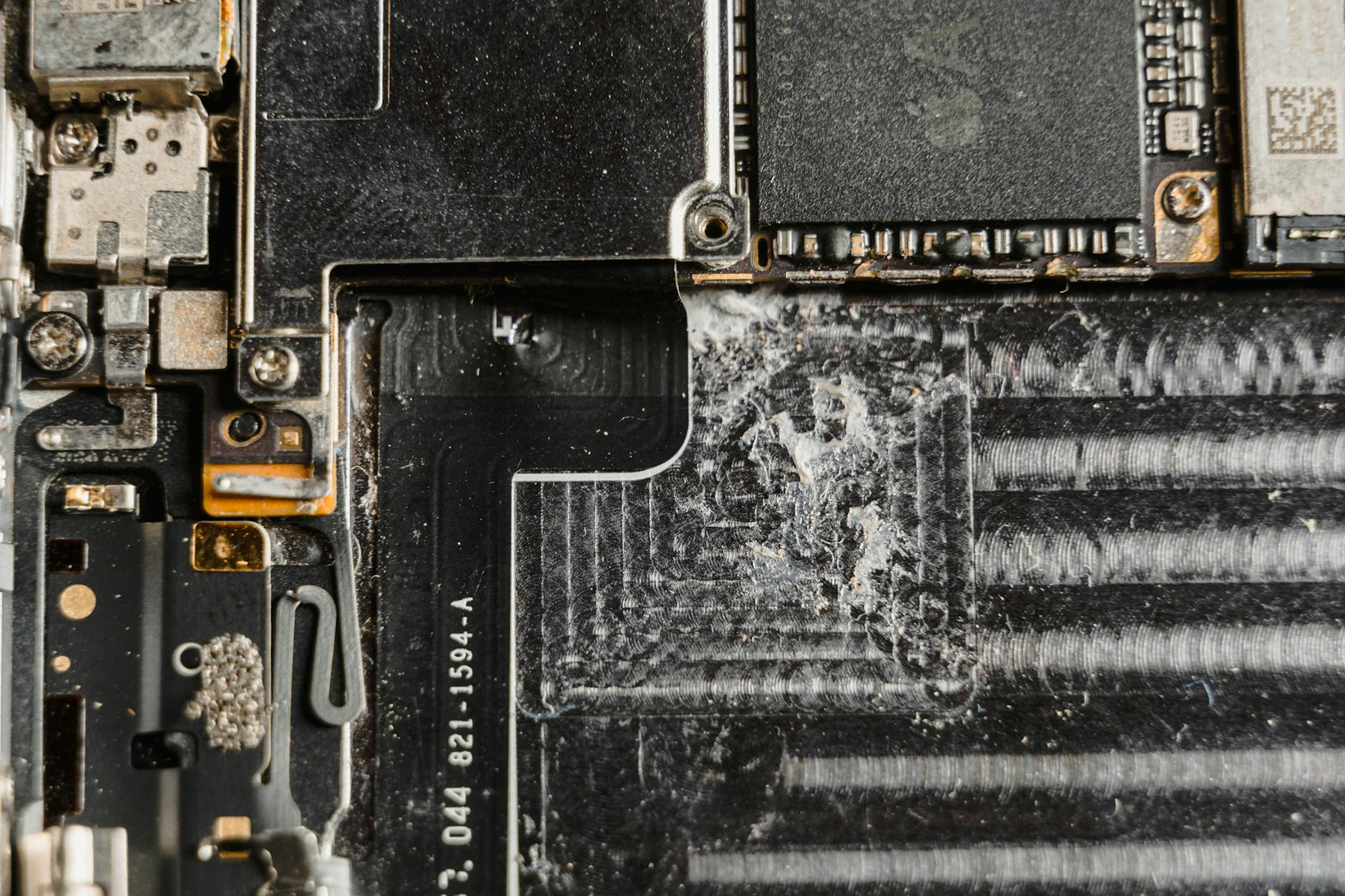 Photo by Tima Miroshnichenko
Battery health and age
Battery health is a practical predictor of daily usability. A phone with a strong battery holds power longer, charges reliably, and offers better peak performance under load. If you rely on a device all day for calls, navigation, and apps, battery health matters more than cosmetic looks.
- Aim for 80% or higher of original capacity when possible. A battery around 70% or below will degrade quickly under normal use and may require an expensive replacement soon.
- Battery health affects standby time, app performance, and charging speed. A weak battery can make even a powerful model feel sluggish.
- Real-use expectations: you’ll notice crisper day-to-day performance and longer screen-on time with healthier cells.
How to check battery health before buying, in simple steps:
- Ask for the latest full diagnostic report or a battery health readout from the refurbisher.
- If you’re testing in person, run a quick battery test by launching a couple of high-demand apps and watching for rapid power drop.
- Use reputable battery health apps to confirm capacity and cycle count after you receive the device. For practical guidance, see resources like “How to Check Battery Health Before Buying a Refurbished Device” from Cellular Professor and similar guides. Battery health checks
- If the seller can’t provide battery data, treat it as a red flag and look for a unit with documented health metrics.
A trustworthy refurbisher will disclose battery health as part of the product description. If you plan to keep the phone for years, prioritize models with strong battery age and consider a battery replacement as part of the purchase plan.
Warranty and return policy
A robust warranty and a fair return policy are your safety net after the sale. They protect you from hidden issues that only show up after days or weeks of use.
- Typical warranty lengths vary. Manufacturer-like warranties often run 12 months, while seller warranties can range from 90 days to 24 months. Shorter warranties are common for non-certified refurb items.
- Coverage areas differ. Some warranties fix or replace hardware components like the battery, camera, or charging port. Others may exclude screens or cosmetic wear unless there’s a defect.
- Returns matter. A strong return policy lets you return or exchange within a set window if the device doesn’t match its description, has defects not disclosed, or shows hidden issues after testing.
See how a warranty helps in real life: imagine you buy a refurbished iPhone with a 12-month warranty. After six weeks, the battery begins to drain unusually fast. You contact the seller, and they replace the device or repair the battery at no extra cost. The upfront savings remain intact, and you avoid a surprise repair bill.
Quick reminders when evaluating warranty terms:
- Look for explicit coverage details and what is excluded (water damage, screen pops, typical wear).
- Confirm whether shipping is covered if a replacement is needed.
- Check the process to claim service, including required diagnostics and where repairs are performed.
- Compare two or three refurbished options to see which comes with the best protection. For broader context on warranties, see guides like “Everything You Need to Know About Refurbished Phone Warranties.” Warranty guidance and industry summaries. eBay Refurbished Warranty
Condition grades and cosmetic wear
Refurbished devices come with condition grades that signal how they look and what to expect on closer inspection. These grades help you set expectations for cosmetic wear and potential unseen issues.
- Like New: Minimal signs of prior use. The device looks nearly flawless and usually includes original accessories.
- Good: Light cosmetic wear such as minor scratches or scuffs. Functionally strong with a fresh battery in most cases.
- Fair or Very Good: Visible wear, more noticeable scratches, possibly minor indentation. The battery and core components still meet performance standards, but the overall look is more used.
What each grade typically means for scratches, dents, and appearance:
- Like New: No or almost no visible wear; screen and body are pristine.
- Good: Small scratches on the body and light wear on the screen bezels; screen is clear with no major defects.
- Fair: More pronounced cosmetic flaws; screen may show tiny scratches but remains fully functional.
Tips to inspect photos and descriptions for clarity:
- Look for close-ups of the screen, camera lenses, ports, and the back cover.
- Read the description for notes about battery replacement, screen condition, and any repairs.
- Compare multiple listings to ensure consistency in grading and pricing.
- Ask for extra photos if anything looks unclear, especially around cameras and ports.
To learn more about evaluating condition and grading, check practical guides from refurbishers and consumer sites. Model and condition insights and model-specific discussions can help you interpret grades in context.
Model choice and features
Refurbished models sometimes skip the very latest features. If you crave certain capabilities, you’ll want to choose the model that best fits your needs and budget.
- Newest features may wait. A refurbished flagship often carries strong performance but may lack the latest camera hardware or software optimizations found in the newest release.
- Match your needs. If you mainly text, browse, and stream, a mid-range refurbished model with a solid battery and decent camera is usually enough.
- Compare specs side by side. Look at processor speed, RAM, storage, camera capabilities, and software support. A modern chip with good energy efficiency can outperform a newer but slower model in real use.
How to pick the right model:
- List your must-haves (camera quality, battery life, storage, 5G support).
- Identify a couple of target models that meet those needs.
- Check reviews and user feedback for real-world performance.
- Verify that the refurbished unit can run your preferred apps smoothly and remains compatible with your carrier.
If you want deeper price and model guidance, review current refurb pricing trends and model comparisons. For example, you can explore refurb price dynamics for iPhone and Galaxy models and related warranty terms in trusted analyses. Refurbished vs New Phones and related model insights provide practical context for this decision. Current refurb pricing insights and Samsung refurb value insights can help you gauge value for specific devices.
Putting it all together, a well-chosen refurb fits your budget and your daily needs. Battery health, warranty protection, clear condition grades, and a model aligned with your usage create a strong foundation for a satisfying purchase.
Where to Buy Refurbished Phones Safely
Buying a refurbished phone can save you money without sacrificing reliability. The key is to choose reputable sources, understand the different refurbishment paths, and spot red flags before you commit. Use this section as your quick guide to shopping with confidence.
Manufacturer refurbished vs third party
When you buy refurbished, you generally choose between manufacturer refurbishments and third-party refurbishments. Here’s how they compare on warranties, testing standards, and overall trust.
- Warranties: Manufacturer refurbishments typically come with longer, more consistent coverage. Expect about 12 months or more, similar to new devices. Third-party refurbishers vary widely, with warranties ranging from 90 days to 24 months. A longer warranty usually signals stronger testing and parts renewal.
- Testing standards: Manufacturer programs rely on rigorous, end-to-end testing using official parts and batteries. Third-party shops might perform thorough testing, but the rigor varies. Look for diagnostics reports or a published testing checklist.
- Trust level: Manufacturer programs carry the brand’s credibility behind them. They’re easier to verify, especially when buying directly from the brand’s store. Reputable third-party programs can be solid as well, but you should review their certification process and customer feedback.
Simple decision rule: if your budget allows and you want the most predictable experience, lean toward manufacturer refurbished. If you’re shopping on a tighter budget and the third-party refurbisher has strong warranties and clear diagnostics, it can still be a safe choice.
- If you want maximum confidence with modern hardware and consistent support, pick manufacturer refurbished.
- If you’re optimizing for price and are comfortable with a robust return policy, a well-reviewed third-party refurbisher is fine.
Photo by Quang Nguyen Vinh on Pexels
Trusted retailers and official programs
Several sources are widely trusted for refurb phones in the US. These include the official programs from manufacturers and well-known retailers that vet processes and stand behind warranties.
- Official programs from manufacturers: Apple, Samsung, and Google run certified refurb programs that include genuine parts, certified technicians, and warranties. These programs are designed to meet the brand’s quality standards and provide predictable service if something goes wrong.
- Major retailers with strong refurb offerings: Best Buy, Amazon, and Gazelle are known for curating refurbished devices with protections like return windows and warranties. These retailers often publish clear condition grades and return terms.
- Carrier-backed options: Carriers sometimes offer certified pre-owned devices or trade-in pathways that come with carrier support and warranty terms. These options can simplify activation and network compatibility.
How to verify legitimacy:
- Check the URL and look for official program branding on the product page.
- Confirm the warranty length and what it covers in writing.
- Review the return window and the process for servicing if needed.
- Read customer reviews focused on beyond-sale support and battery health disclosures.
If you want a quick starting point, consider trusted sources like manufacturer stores and well-known retailers, and read the product descriptions for battery health data and explicit warranty terms. For deeper context, you can explore reputable guides that compare refurbished options and warranty expectations.
- Example sources to guide your search: Apple and Samsung official refurb pages, Best Buy refurbished section, and Gazelle’s refurbished lineup. Read more about reliability and warranties in respected consumer guides. For additional context, see resources like “The Complete Guide to Refurbished Cell Phones.”
- For a broad overview of warranties and returns, consumer-focused analyses can help you gauge what to expect across different refurbishers.
- When in doubt, prioritize sources that clearly disclose battery health, donor certification, and return policies.
Photo by credit photographer on Pexels
Red flags and scams to avoid
The refurbished market is mostly honest, but a few warning signs can save you from a poor deal or a defective device. Keep these simple checks in mind.
- Missing serial numbers or IMEI: A device without traceable identifiers is a red flag. Legit refurbishers provide serial numbers and allow you to verify eligibility with the brand’s servers.
- Vague or missing warranty details: If the warranty terms aren’t specified or seem unusually short, proceed with caution. A solid refurbisher will spell out coverage clearly.
- Unusually low prices: If a deal looks too good to be true, it probably is. Deep discounts can hide hidden issues like battery wear or camera faults.
- Sellers with short return windows: A tiny return window can mask post-purchase problems. Favor sellers with at least a 7 to 14 day return period, plus a clear evaluation process.
- Poor or inconsistent product descriptions: Ambiguous notes about battery health, repairs, or part replacement are red flags. Look for full diagnostics, battery health percentages, and details about parts used.
- Inadequate testing evidence: If there’s no battery health data or diagnostic report, ask for one. Reputable sellers publish health metrics and testing results.
Practical tip: always request a battery health report and a full diagnostic prior to purchase. If the seller refuses, consider alternative sources. A trustworthy refurbisher will provide these details upfront.
Photo by From above of anonymous ethnic male locals sitting on chairs on sandy ground and selling various smartphones on bazaar on Pexels
To protect your purchase further, review return policies and ensure you can test the device within the allowed window. If a problem pops up, you want a straightforward path to a replacement or refund.
External resources can help you navigate common scams and verify program legitimacy. For example, you can read up on comprehensive refurb guidance and tested warranties from reputable outlets, and compare official programs with third-party offers for better clarity.
- Official programs and trusted retailers can offer clear terms and confidence. See guidance on official refurb programs and trusted retailers to help you navigate the landscape.
- Warranty and return policy basics are essential. Look for sources that explain how to claim service and what’s covered under a typical refurb warranty.
Photo by credit photographer on Pexels
Remember, the goal is to land a device that works as advertised, with a fair price and solid support. When you spot red flags early, you protect your money and your daily smartphone usage.
Practical Steps to Buy Confidently
Buying a refurbished phone can trim costs without skimping on reliability. This section breaks down the essential steps to help you shop with confidence, from the moment you start your search to the moment you open the box. Follow the checkpoints below to protect your wallet and your daily use.
Before you buy
A solid pre purchase checklist helps you avoid surprises. Start with the basics and then layer in specifics as you narrow down options.
- Model needs: List the minimal requirements for your daily use. Consider camera quality, battery life, storage, and software support. If you rely on particular apps, verify they run smoothly on your target model.
- Price compared to new: Compare the refurbished price against current new prices for the exact model and storage. Look for a meaningful discount that justifies the refurbished route.
- Battery health target: Aim for at least 80% remaining capacity when possible. A battery under 70% will drain quickly and feel like a misfit for everyday use.
- Warranty length: A longer warranty usually signals stronger testing and parts renewal. Look for at least 90 days, with 12 months or more preferred for peace of mind.
- Return policy: Check the return window and the process. A generous return policy protects you if the device doesn’t match its description or has hidden issues.
- Confirm device compatibility with your carrier: Make sure the phone supports your network bands and is not locked to another carrier. This avoids activation hassles and extra costs.
To deepen your understanding, you can explore practical guidance on battery health, warranties, and return policies from established resources. For example, articles that compare refurbished and new phones often emphasize battery health data and carrier compatibility as key decision points. You might also review model-specific price dynamics to set realistic expectations before you buy. Helpful references include independent reviews and price trend analyses, which you can consult to calibrate your expectations.
What to collect before you commit:
- A short list of 2–3 target models that meet your must haves.
- A price comparison from at least two reputable refurbishers.
- A copy of the warranty terms and the return policy in writing.
- Documentation or screenshots that show battery health and diagnostics if the listing provides them.
If you want to see how pricing trends play out for recent models, you can check current refurb pricing analyses and model-specific guides. Guides and price trend reports can help you gauge value and protect against sticker shock. Examples of reputable sources for this context include manufacturer refurbished programs and major retailers that publish clear terms.
During checkout
The moment you reach checkout, stay methodical. This is where a lot of the value either holds or slips away, depending on the diligence you apply.
- Verify seller credibility: Buy from reputable refurbishers or official programs. Check ratings, reviews, and the brand behind the listing.
- Read the warranty details: Confirm exactly what is covered, for how long, and what is excluded. A transparent warranty should spell out parts, service locations, and the claim process.
- Confirm battery health information: If the listing includes a battery health percentage or a diagnostic report, keep a copy. If not, request it before finalizing the sale.
- Save screenshots of the listing: Photograph or screenshot the listing, including the battery health readout, model, storage, color, and any included accessories. This provides proof if the listing description differs from what arrives.
In practice, staying organized at checkout can save hours of headaches later. If you notice any gaps in data or vague terms, take a step back and request clarity before you proceed. It’s better to delay than to end up with a device that doesn’t match the description.
Guidance on verification during checkout often points readers to credible sources that outline checks such as IMEI verification, battery health disclosure, and network compatibility. When in doubt, rely on two or three trustworthy refurbishers and compare their stated data before making a final choice. For readers seeking concrete steps, practical guides that cover battery health checks and warranty disclosures can be particularly helpful.
If you want extra assurance, look for listings that provide a full diagnostic report or a requirement to disclose battery health. These signals tend to accompany higher-quality refurbishments and better after sales support. For additional context, reference materials from reputable refurbishers and consumer guides can be informative as you compare offers.
- Example checks you might encounter: verified IMEI, explicit battery health, unlocked status, and a clearly stated return window.
After you receive the phone
The moment the package arrives, your diligence continues. A quick, structured check helps you catch issues early and maximize the value of your purchase.
- Test right away: Run updates and verify that the device can connect to networks without hiccups. Install essential apps and test core functions to ensure day one usability.
- Check battery life: Observe screen on time and charging behavior for the first few cycles. If the battery drains unusually fast or won’t hold a charge, document it and contact the seller within the return window.
- Test cameras, microphones, speakers, and network bands: Take a few photos in different lighting, record audio, test calls, and verify speaker quality. Switch between Wi-Fi and cellular networks to confirm stable connectivity and proper band support.
- If something feels off, use the return policy quickly: Don’t wait. If you detect a defect or discrepancy, initiate a return or exchange promptly to preserve your rights and the warranty coverage.
A careful post purchase test helps you confirm you got what you paid for and reduces the risk of being stuck with a faulty device. It also sets a baseline for future troubleshooting and any potential warranty claims.
For further guidance on post purchase testing, many consumer guides highlight a standardized post sale checklist. You can find practical checklists and real world scenarios that cover battery life, camera performance, and network compatibility. If you want quick reference, read about how to test battery health, update firmware, and confirm 5G readiness, which many guides summarize in easy steps.
External sources can provide real world perspectives on post purchase testing. For example, reliable guides discuss verifying battery health data and conducting a simple diagnostic after you receive a refurbished phone. These resources help you confirm the device is ready for daily use and aligned with your expectations.
- Quick reference example: after you receive the device, perform a factory reset, restore from a backup, and recheck core features to ensure a clean setup.
What to do if you encounter issues after delivery:
- Initiate a return or exchange within the window, and document the issue with photos or video if possible.
- Contact the refurbisher’s support channel with your diagnostic data and battery health readout to speed up service.
- If the issue remains unresolved, consider escalation through the payment method’s buyer protection program or consumer protection channels.
To help you navigate this phase more confidently, you can review warranty and return policy basics from trusted sources. These guides outline how to claim service, what to expect during repairs, and how to document issues for a smooth resolution.
- For example, you can reference warranty guidance that explains typical coverage details and claim steps. This can help you manage expectations if you need to use the warranty.
By following these steps, you can buy a refurbished phone with confidence, knowing you’ve verified quality before you pay and validated the device after it lands on your doorstep.
Note: As you explore today’s refurbished options, you may come across several reputable sources that document best practices for both pre purchase checks and post purchase testing. Rely on a mix of manufacturer programs, trusted retailers, and independent guides to build a well rounded understanding. This approach helps you balance price, reliability, and supported services across different refurbishers.
Conclusion
Refurbished phones can deliver solid savings without sacrificing reliability when you shop wisely. A well-chosen refurb offers strong battery health, a meaningful warranty, and clear condition details, making it a practical option for most smartphone buyers. If you value budget discipline and environmental impact, a certified unit from a reputable refurbisher can fit your needs well.
Decision framework
- Set your budget and must-haves, then identify 2–3 target models.
- Prioritize battery health, warranty terms, and a clear return policy.
- Compare at least two trusted refurbishers and review diagnostic data when available.
If you’re ready to upgrade, start by listing your must haves, check battery health, and compare prices now. Your next move should be to pick a model that balances price, performance, and protection, then enjoy the savings with confidence.