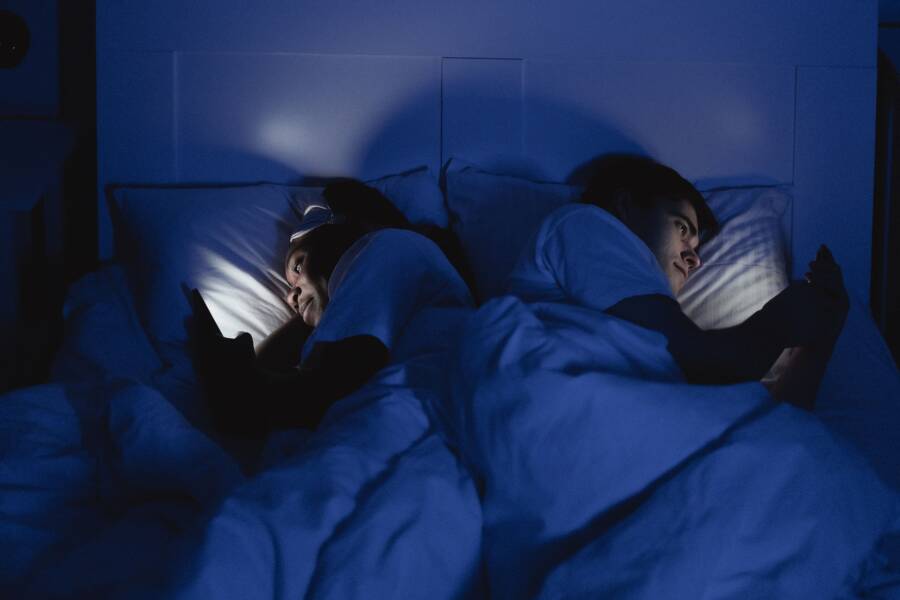
An evening shutdown routine on your phone prevents burnout by creating a hard boundary between work and personal time. Using built-in smartphone tools signals to your brain that the workday is officially over, which promotes faster sleep onset and better mental recovery.
You can stop the constant influx of notifications by automating your device to turn off professional alerts and dim the screen brightness at a set hour. This simple habit protects your rest without requiring expensive gear or complex lifestyle changes.
Establishing these boundaries is the first step toward reclaiming your time and improving your sleep quality.
Setting the Stage for a Proper Digital Disconnect
A quiet transition from your active day to sleep is necessary for physical and mental restoration. If you use your smartphone until the second you close your eyes, your brain remains in a high-alert state. This prevents your body from producing the hormones required for deep sleep. Establishing a firm shutdown routine creates the space your mind needs to unwind. This process relies on clear boundaries rather than willpower alone. By shifting your environment, you signal to your internal clock that the day is finished.
Identifying Your Ideal Shutdown Time
Consistency is the most effective tool for habit formation. Your body operates on a circadian rhythm that thrives on predictability. If you begin your shutdown process at the same time each night, your brain learns to associate those specific actions with rest. Choosing this time depends on your wake-up schedule and how much time you need to wind down. Most people find that starting their routine 60 minutes before bed provides enough padding to detach from the day.
Pick a time that feels realistic for your current lifestyle. If you struggle to wake up, pull your bedtime earlier by 15-minute increments until you find a rhythm that feels sustainable. Once you select this hour, treat it as a firm appointment with yourself. If you stay consistent for two weeks, your sleep quality will likely improve because your brain expects the disconnect.
Choosing Essential Notifications to Silence
Constant pings from a smartphone trigger the release of cortisol, a stress hormone that keeps you awake. Auditing your apps is the best way to regain control over your evening. Start by reviewing every app that sends you push notifications. If an application does not provide immediate value for your personal life, turn off its alerts entirely. You can always check these apps during the day when your focus is high.
Utilize the built-in Do Not Disturb mode to filter the remaining noise. You can configure this feature to allow calls from specific contacts, such as family members or emergency partners, while silencing everything else. Here is a simple approach to manage your settings:
- Identify your most intrusive work apps, such as email clients and project management tools.
- Disable notifications for these apps entirely for the hours between 9:00 PM and 7:00 AM.
- Add key family members to your contact list as priority callers.
- Set your device to automatically trigger this mode at your chosen shutdown time.
When you silence non-essential alerts, you remove the urge to check your screen out of habit. Your phone becomes a tool for rest rather than a source of anxiety. Keep your device in another room or on a charger away from your bed to further remove the temptation to interact with it before you drift off to sleep.
Using Smartphone Automation to Your Advantage
Modern devices contain powerful built-in tools that help you disconnect. Automating your transition to sleep removes the need for constant willpower. When your smartphone manages your schedule, your focus stays on rest. You gain control by telling your device exactly when to stop demanding your attention.
Building a Focus Schedule for Work-Life Balance
A dedicated focus profile acts as a digital barrier between your career and your evening. You can configure this feature to change your home screen, hide specific app icons, and silence badges automatically. This setup hides work-related stressors the moment your shift ends.
Follow these steps to create your custom work-life boundary:
- Open the settings menu on your smartphone and select the focus or focus mode tab.
- Create a new schedule and name it something clear, like “Evening Off.”
- Select the times you want this profile to activate, such as from 7:00 PM until 7:00 AM.
- Choose the “Customization” option for your home screens to hide work-focused pages when the schedule turns on.
- Access the “Apps” filter to remove notifications from email, Slack, or other professional platforms.
Once you apply these settings, your phone will hide the visual cues that trigger work thoughts. You no longer see red notification bubbles or urgent email alerts during your downtime. This physical removal of icons prevents you from accidentally opening a work tool during a relaxing evening.
Leveraging Screen Time Limits for Better Rest
App limits prevent the habit of late-night scrolling. These controls restrict your access to high-dopamine platforms after you reach a daily usage threshold. If you spend too much time on social media, your brain stays alert and engaged. Setting a hard stop for these apps helps you prioritize sleep over endless content feeds.
You should consider these points when setting your limits:
- Time limits for social media apps should shrink as your bedtime approaches.
- Blocking access to distracting news or video sites forces your brain to seek slower, more restorative activities.
- You can configure your device to require a passcode if you try to override the limit, which adds a helpful layer of friction.
Restricting access to your most distracting apps is a standard part of an effective shutdown routine. When the limit triggers, it serves as a gentle reminder that your evening rest is the priority. You can still use your smartphone for helpful tasks, such as reading an e-book or setting an alarm, without the temptation of a social feed. This simple constraint transforms your device into an ally for better sleep hygiene.
Creating a Physical and Digital Ritual for Better Sleep
True rest requires a deliberate shift from daytime activity to nighttime recovery. A phone often keeps you tied to work or social stressors, but you can convert it into a tool that prepares your body for sleep. By curating your device content, you turn the smartphone into a gateway for relaxation rather than an obstacle to it.
Using Your Phone for Calming Evening Activities
Your smartphone contains apps that support sleep hygiene once you strip away the social media and email alerts. Instead of mindless scrolling, use these tools to lower your heart rate and prepare for rest. You can replace the habit of scanning feeds with routines that encourage your mind to settle down.
Many people find success with these audio-focused habits:
- Guided meditations help you release the physical tension held from a long day. Apps like Headspace or Calm offer specific sessions designed to shift your brain toward sleep.
- White noise or brown noise tracks provide a consistent auditory blanket that masks sudden household sounds. This constant frequency is helpful if you live in a noisy area.
- Audiobooks allow you to engage your imagination without the blue light exposure of reading a physical screen. Set a sleep timer on your audio app so the playback stops automatically after you fall asleep.
If you choose to use audio, keep the phone screen face down on a nightstand or across the room. This simple step prevents the urge to check the display if you wake up during the night. By focusing on auditory input, you minimize the visual stimulation that keeps the brain active.
You can also use apps to track your breathing or guide you through body scan exercises. These routines provide a structured way to signal that the day is finished. When you treat your smartphone as a dedicated player for sleep audio, it ceases to be a source of constant alerts. This change in behavior turns your device into an asset for your bedtime ritual.
Consistency matters most when you try these new habits. Dedicate the final 30 minutes of your evening to these calm activities. If you listen to a podcast or a meditation track, make it a standard part of your nightly sequence. Over time, your brain will recognize these sounds as a cue to initiate the sleep process. You will find it much easier to transition into rest when your phone supports your routine instead of draining your focus.
Common Questions About Managing Evening Screen Time
Many people feel conflicted about their smartphone use before bed. You likely wonder if your current habits hinder your sleep quality or if you need total abstinence from devices to see results. These common questions help clarify how to balance your technology use with the need for rest.
Can I leave my smartphone on for emergencies?
You do not need to turn your device off completely to protect your sleep. Most modern operating systems include a feature that blocks all alerts except for calls from designated contacts. You can add family members or close friends to a priority list in your notification settings. This ensures you hear an urgent call while the rest of your apps stay silent. Your device remains a safety tool without becoming a source of distraction.
Does the blue light filter actually help?
Software features that shift screen colors to warmer tones reduce your exposure to blue light. This light typically suppresses melatonin, the hormone that signals your body it is time to sleep. While these filters help, they do not block all stimulating content on your screen. You might feel less alert after sunset, but the content itself often keeps your brain engaged. Use a filter alongside a strict boundary for when you stop using your apps entirely.
What if I accidentally check my phone during the night?
Briefly checking your screen if you wake up is a common setback. If you see an email or a social media update, your brain immediately starts processing that information. This makes it harder to fall back into a deep sleep cycle. If you feel the urge to check, take a moment to breathe instead. Keeping the device physically separated from your bed makes this mistake much less likely to happen.
How long does it take to see sleep improvements?
Consistency dictates how fast your body adapts to a new routine. You might notice a difference in your energy levels after three or four nights. However, a full adjustment to your sleep cycle usually takes about two weeks. Stick to your plan even if you do not feel immediate changes. Your brain needs time to accept that the phone is no longer part of your nighttime environment.
Do I have to stop using my smartphone every single night?
Habit formation thrives on repetition, yet flexibility prevents burnout. If you occasionally watch a video or catch up on news during the weekend, you will not ruin your progress. The goal is to build a default state where your evenings are quiet. If you stay consistent most of the time, the occasional deviation will not disrupt your overall sleep health. Focus on the routine as a baseline rather than an unbreakable rule.
Conclusion
A consistent evening routine requires small, manageable shifts in how you use your smartphone. By automating your device settings and silencing non-essential alerts, you remove the barriers to a peaceful night. These changes turn a source of constant stress into a tool that supports your need for rest.
Start tonight by choosing one app to silence or setting a single timer for your focus mode. This small act prevents the late-night scrolling that often disrupts your sleep cycle.
When you intentionally control your device, you create the mental space needed for recovery. Better sleep starts with the boundary you draw tonight.