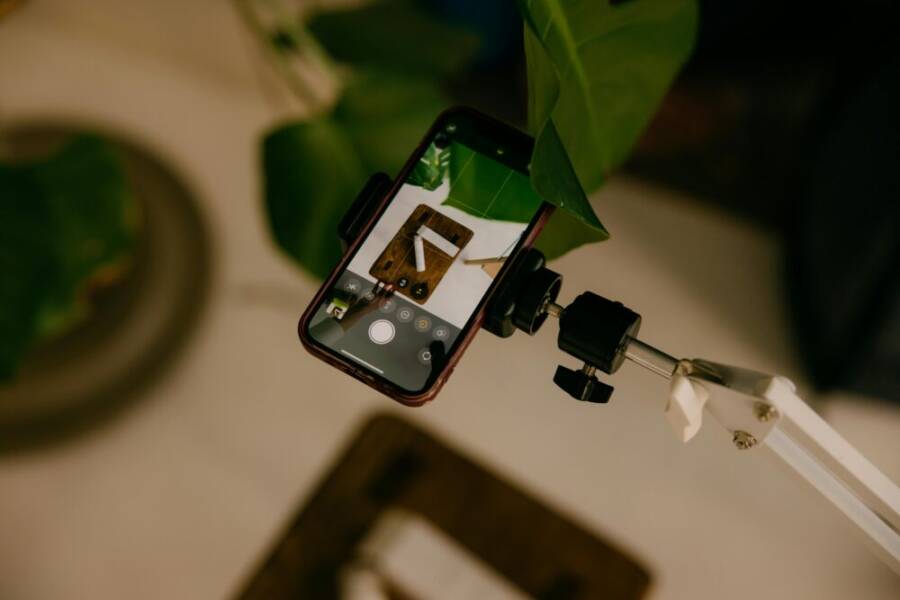
Overhead shots catch details you might miss from eye level, and a phone makes it easy to capture them anytime. If you want clean, clear photos without wobble or glare, this guide shows practical, safe setups you can trust.
First, set up a stable base. Use a simple tripod adapter or a lightweight rig that clamps to a desk or shelf. A steady platform reduces shake and helps you frame the scene exactly how you want it, even in small spaces.
Next, light matters more than you think. Position a soft light source above and behind the phone to avoid harsh shadows. Natural window light works well too, but diffuse it with a white curtain or a sheet to keep colors true.
Then try quick techniques you can try today. Tilt the phone slightly downward to capture depth, and use a timer or a remote shutter to avoid touching the device. If you need to shoot on the go, prop the phone on a stable surface and adjust the angle with a small stand.
By the end, you’ll have safe, simple methods for overhead photography with a smartphone, plus tips you can apply right away. This approach keeps your gear light, your setup fast, and your results sharp.
Safety first: protect yourself and your phone during overhead shots
Overhead shots are a powerful way to reveal details and textures that aren’t visible from eye level. But the setup can pose risks to people and devices if done carelessly. This section covers practical, clear steps to keep you safe and protect your phone while you film above a desk, table, or work surface. From choosing sturdy mounting options to handling equipment with care, you’ll reduce slips, drops, and damage while keeping your shots sharp.
Choose a stable mounting option
Your mounting choice should prioritize stability, ease of use, and compatibility with your phone. Here are solid options:
- Tripod with a phone mount: A dedicated overhead tripod base with a secure phone clip keeps the camera steady and simple to adjust. Look for a non-slip foot design and a mount that tightens firmly around your device.
- Overhead clamp or arm: An articulating arm or clamp that attaches to a desk or edge provides flexibility in angle without sacrificing balance. This setup is especially helpful for tight spaces.
- Ceiling or wall track system: If you shoot frequently from the same spot, a track system lets you glide the phone into place with reduced wobble. It’s more permanent but incredibly stable for regular overhead work.
- Desk stand with an extended boom: A desk stand paired with a long boom can place the camera just above the subject while keeping the base out of the shot.
Quick setup tips:
- Lock everything before you start filming. Tighten clamps and tighten the tripod head so the angle doesn’t shift.
- Start with a lower height and gradually raise to the desired angle to avoid sudden shifts that could tip the rig.
- Use a small, non-slip pad under the mount or base to prevent sliding on slick surfaces.
Safety cautions:
- Check for any loose cables or stray items that could catch the phone as you move it into position.
- Keep weight within the mount’s load rating to avoid sudden droops or falls.
- If you’re using a ceiling track, ensure the mounting point is structurally sound and free of vibration sources like fans or HVAC ducts.
For quick reference, consider exploring trusted overhead mounting options like a dedicated phone mount or overhead tripod system from reputable vendors such as Overhead Pro or Arkon’s studio mounts. These can be good starting points if you’re building a dedicated overhead rig to streamline your workflow. More details on capable setups can be found here: https://www.getoverheadpro.com/ and https://arkon.com/products/dslrtabmg5-dslr-camera-tablet-phone-stand?srsltid=AfmBOopoTxzi6n5vnqBWpImmy4hF5n-aDi4SU97rU–OGBN9GVHjnwEW
Clear the shooting area and prevent hazards
A cluttered workspace invites accidents and blurred shots. A clean, organized area improves safety and the final result. Use this brief pre-shoot checklist every time:
- Remove loose objects from the surface and the floor that could interfere with the rig or fall into the frame.
- Secure all cables with clips or tape so they stay out of the camera’s field of view and away from moving parts.
- Test the surface stability by applying a light press with one hand. If it shifts, reposition the base or choose a more solid mounting point.
- Keep pets and small children away from the shooting zone to avoid sudden movements that could destabilize the setup.
A simple, repeatable approach helps you avoid surprises on set:
- Create a dedicated overhead shooting mat or tray to designate the work area.
- Place a rubberized mat under the base to reduce slip on slick surfaces.
- Do a quick functional check before you start recording: verify the phone is securely mounted, test the autofocus, and confirm the shutter response.
If you’re curious about versatile overhead systems, you can browse a few reliable options like heavy duty overhead tripods or desk clamps from major retailers. See examples here: https://www.walmart.com/c/kp/overhead-tripod-camera and https://www.amazon.com/Overhead-Articulating-ChromLives-Streaming-Crafting/dp/B07ZVCXLLF
Protect your phone and handle with care
A phone mounted overhead deserves protection as much as a camera does. Follow these practices to minimize damage and mishaps:
- Use a grip friendly case and anti slip padding around the mount to reduce accidental slips.
- Ensure the mount secures the phone without pressing buttons or obstructing the camera or microphone.
- Position the phone so fabrics or surfaces won’t snag on edges as you adjust angles.
- Keep fingers away from pinch points during setup. Use a gentle, stable grip when mounting or removing the phone.
- When you’re not shooting, enable the screen lock to prevent accidental taps if the device is bumped.
Tip: a small silicone pad around the phone helps prevent scratches and reduces the chance of sliding on smooth surfaces. If you need accessory ideas, consider a modular mounting kit that includes a protective sleeve for the phone and a non-slip pad set. For reference, see options like the Remarkable Creator Studio Mount and similar systems that emphasize a secure grip and gentle handling: https://arkon.com/products/dslrtabmg5-dslr-camera-tablet-phone-stand?srsltid=AfmBOopoTxzi6n5vnqBWpImmy4hF5n-aDi4SU97rU–OGBN9GVHjnwEW
Know when overhead shots are not safe
There are clear exceptions where overhead shooting should be avoided. If the floor is wet or the furniture is unstable, skip the overhead angle. Crowded spaces also demand caution because people can accidentally collide with the rig. In these cases, choose safer alternatives:
- Lower angle shots from a stable platform at eye level, which reduces risk while still delivering useful perspective.
- A dedicated, sturdy work surface at a comfortable height can serve as a reliable midpoint between overhead and eye level.
- If you must shoot in a busy area, step back and set up the rig on a stable, non-slip base away from traffic.
Keep the tone calm and practical: prioritize safety over convenience. If you’re unsure about a setup, test with a light object first to confirm balance before committing to the final shot. For more on safe, practical setups, check out trusted overhead mounting resources that highlight how to work safely in variable environments: https://www.getoverheadpro.com/?srsltid=AfmBOoobzFmuHCSftKZYAx784tO0f4XAflvebzvi6XP3fniOBguBIOk5
Set up for stability: rigs, height, and ergonomics
A solid overhead shot starts with a stable base, the right height, and a setup that keeps you comfortable during longer sessions. In this section, you’ll learn how to pick the right rig, dial in framing, manage cables, and protect your body during extended shoots. These practical tips help you capture clean overhead footage with your smartphone, without fuss or fatigue.
 Photo by Lisett Kruusimäe
Pick the right rig
Selecting a rig that fits your space and needs is the first step to stable overhead shots. Here are solid options to consider:
- Tripod with a mobile mount: A dedicated overhead tripod base with a secure phone clip keeps the camera steady and easy to adjust. Look for non-slip feet and a clamp that grips firmly.
- Overhead clamp or articulating arm: An arm that clamps to a desk or shelf offers flexible angles without sacrificing balance. Great for tight setups.
- Ceiling or wall track system: Ideal if you shoot from the same spot often. A track lets you glide the phone into place with minimal wobble. It’s more permanent but incredibly stable for regular use.
- Desk stand with extended boom: A long arm above the work surface keeps the base out of the frame while giving you precise control over height and angle.
Quick setup pointers:
- Lock every joint before filming to prevent drift.
- Start with a lower height and raise gradually to avoid sudden shifts.
- Add a small non-slip pad under the base to prevent sliding on slick surfaces.
Safety note: ensure your rig stays within its load rating to avoid droops or falls. If you’re building a dedicated setup, explore reputable options like overhead tripods and desk mounts. For reference, see providers like Overhead Pro and Arkon’s studio mounts to get a feel for sturdy, portable solutions.
- Overhead Pro: https://www.getoverheadpro.com/
- Arkon studio mounts: https://arkon.com/products/dslrtabmg5-dslr-camera-tablet-phone-stand?srsltid=AfmBOopoTxzi6n5vnqBWpImmy4hF5n-aDi4SU97rU–OGBN9GVHjnwEW
Adjust height for clear framing
The right height ensures the subject fills the frame without edge cropping. Here’s how to dial it in quickly:
- Frame first, then measure. Stand or sit at a comfortable position and raise or lower the rig until the subject sits near the center of the view, with a little breathing room around the edges.
- Use quick mock shots. Take a couple of test snaps at 1–2 second intervals to see how the subject appears at different heights.
- Consider scene differences. For a food setup, aim for a slightly downward tilt to highlight textures. For a desk scene, align the camera to capture key objects while leaving space for hands.
Practical tips:
- Keep the phone parallel to the surface for even focus and minimal distortion.
- If you’re shooting macro details, a tiny downward angle helps avoid glare from glossy surfaces.
- For mobile workspaces, a light adjustment in height can noticeably improve depth and readability.
When you test, treat the height like dialing in a tripod for a camera. Small changes yield big improvements in framing, so take a moment to fine tune before you begin.
Cable management and stability
Cables can ruin an otherwise tidy shot and even pull the phone out of position. Tidy cables before you shoot and use simple solutions to keep everything in place:
- Conceal or route cables along the rig using clips or adhesive mounts. This reduces visibility and prevents accidental tugging.
- Secure cables to the desk or arm with cable ties, keeping them taut but not overly strained.
- Use lightweight, flexible cords that won’t create extra wobble when touched.
Tips to keep things clean:
- Run cables along the edge of the work surface, away from the camera’s line of sight.
- Use adhesive cable clips on the underside of the desk to keep cords from dangling.
- If you have a longer shoot, consider a small cord management tray that hides excess length.
If you’re new to overhead setups, look for kits that include integrated cable channels or clamps. They streamline cable routing and reduce setup time.
- For additional rig ideas, explore heavy duty overhead tripods and desk clamps: https://www.walmart.com/c/kp/overhead-camera-rig
Ergonomics for long sessions
Comfort matters when you’re filming for extended periods. A little attention to posture and placement pays off in steadier shoots and fewer aches.
- Maintain a neutral wrist position. Let your hands rest gently on the rig, and avoid bending the wrists awkwardly while reaching for the phone.
- Take micro breaks. Short pauses every 20–30 minutes prevent fatigue and help you reset your framing.
- Use a comfortable stance. Stand with feet shoulder-width apart or sit with your back supported to keep your core engaged and steady.
Key habit: keep the phone within easy reach so you don’t lean or stretch awkwardly to adjust angles. A well-placed rig means fewer awkward moves and steadier shots.
Image usage note: If you want to see a practical overhead setup in action, this photo demonstrates a phone mounted on a stand capturing an artistic overhead view. It illustrates how a compact rig can deliver stable, repeatable results in a small space.
Photo by Lisett Kruusimäe
External resources for further reading and shopping:
- Overhead Pro gear overview: https://www.getoverheadpro.com/
- Cam mounting solutions for desks: https://neewer.com/collections/desk-mount-stand
This setup approach keeps your smartphone workflow clean, efficient, and comfortable. As you gain confidence, you’ll move smoothly between rigs, heights, and angles, always aiming for sharp, distraction-free overhead shots.
Capture techniques for crisp overhead photos
Overhead photography with a smartphone is all about precision, stability, and clean framing. These techniques help you produce crisp, distraction-free images whether you’re documenting a flat lay, a recipe spread, or a clutter-free workspace. Use these tips to build consistent results that look professional and polished.
Framing and distance
- Subject distance and margins: Start by placing the subject about 1.5 to 2.5 feet (45 to 75 cm) from the lens for most flat lays. If you’re featuring a single item, give it more breathing room by using a wider margin around the edges. For group scenes, tighten the margins slightly so everything fits without feeling crowded.
- Grid and alignment: Turn on a 3×3 grid in your camera settings. Align key items along the grid lines or at the intersections where lines cross. This helps create a clean, graphic look and makes it easier to keep objects level.
- Subject centering vs alignment: For a classic flat lay, keep the main subject centered with a symmetrical arrangement. If you want a more dynamic composition, offset the subject slightly and balance other elements around it. Consistency across shots is the key to a professional series.
- Practical tip: Place a light-colored, plain background behind the scene so textures and colors pop. A subtle shadow under objects can add depth without pulling attention from the subject.
- Image: A top-down view with a neat, grid-aligned flat lay can illustrate clean framing. Photo by Pok Rie
Timer and remote shutter
- Why it helps: A timer or remote shutter eliminates the wiggle caused by tapping the screen. This is especially beneficial for micro-messions and when you’re close to the subject.
- Quick setup steps:
- Open your camera app and enable a 2 or 5 second timer.
- If you use a Bluetooth remote, pair it with your phone and test a few taps from a stable stance.
- Position the phone securely on the stand, frame your shot, then trigger without touching the device.
- Voice commands: Some phones support voice control to capture photos. Silencing the device while you give a simple voice cue helps prevent blur.
- Pro tip: Do a quick practice shot with a non-critical object to confirm the timing feels natural and the frame remains steady.
- Image: A smartphone perched on a small tripod with a remote in hand to illustrate a shake-free setup. Photo by Lisett Kruusimäe
Focus and exposure basics
- Tap to focus: Tap the screen on the most important area of the scene to lock focus. If the subject has varied textures, you may need to reframe slightly after the initial tap.
- Lock exposure: On many phones, press and hold on the focal point until you see the exposure lock indicator. This prevents the brightness from jumping as you adjust the scene.
- Brightness and highlights: Avoid blown highlights by keeping the brightest areas behind the main subject or diffusing bright lights. If you’re shooting glossy objects, tilt the scene a touch to reduce glare.
- Histogram in simple terms: The histogram is a graph that shows light and dark areas from left to right. A balanced histogram has details in both shadows and highlights. If too much light sits on the right, dial brightness down a bit.
- Practical framing tips: For foods, slightly angling the camera downward can reveal texture without harsh reflections. For desk scenes, hold the composition steady so tiny elements stay readable.
- Image: Close-up of a phone screen showing a tap-to-focus action on a flat lay. Photo by Lisett Kruusimäe
Steady breathing and motion control
- Breathing rhythm: Inhale slowly, hold for a moment, exhale a second, then press the shutter on the count of two. This tiny rhythm minimizes body wobble.
- Gentle press on the phone: Instead of pressing hard, use a light touch to depress the shutter. A soft, deliberate press keeps the frame steady.
- Quick practice drill: Stand with feet shoulder-width apart, elbows tucked, and relax your shoulders. Hold the phone with both hands, align your forearms with your body, and perform three slow practice presses before you shoot.
- Practice objective: Build a repeatable micro-motion pattern. When you can press with minimal movement, your overhead shots stay consistently sharp.
- Image: A person practicing a steady hold with a phone mounted on a desk stand. Photo by Lisett Kruusimäe
External resources for further reading and shopping:
- Overhead Pro gear overview: https://www.getoverheadpro.com/
- Flat lay photography: https://skylum.com/blog/flat-lay-photography
- Practical flat lay tips: https://www.theartistgallery.art/post/how-to-do-flat-lay-photography
This approach keeps your overhead photography simple and repeatable. By focusing on framing, timing, exposure, and steadiness, you’ll produce crisp, professional-looking overhead photos with your smartphone each time. For readers looking to upgrade their setup, consider a dedicated overhead rig and carry a few small accessories to streamline your workflow. Additional ideas and gear can be found in the linked resources above.
Lighting and composition for flat lays
Flat lays are all about presenting a scene clearly from above. The goal is to make textures pop, colors read true, and every item feel intentionally placed. In this section, you’ll learn how to light a flat lay from above, reduce unwanted shadows, balance color and texture, and avoid common composition missteps. Use these practical tips to create consistent, professional overhead images with minimal gear.
Lighting basics from above
Natural light is your friend for flat lays because it renders colors accurately and keeps shadows soft. If you shoot near a window, position the setup so light falls evenly across the surface. If the sun shifts or becomes too bright, diffuse it with a white curtain, a translucent curtain, or a light diffuser. This helps prevent harsh hotspots on glossy surfaces.
When you don’t have ideal daylight, diffuse artificial light works well too. A soft box or a simple diffusing material placed above and slightly behind the subject helps spread light evenly. A common trick is to bounce light onto the scene using a white card or foam board, which softens shadows without introducing color casts.
Quick setup reminders:
- Aim for a broad, even field of light. If you see glare, move the light and diffuser until reflections are controlled.
- Keep the light source slightly behind the camera axis to reduce shadows falling across objects.
- Consider a secondary fill light from the opposite side to pull the scene together and flatten contrast.
For reference on practical setup and glow, see sources like a photographer’s guide to flat lay lighting with diffusion and bounce techniques. You can also explore simple guides that show how white boards can act as light reflectors to minimize shadows. Helpful reading: How to Do Flat Lay Photography: 8 Simple Steps for … and Transform Your Phone Photos with These Simple Lighting Modifiers
Reducing shadows and glare
Softening shadows makes a big difference in overhead shots. Start with diffusion to soften direct light, then use a bounce card to fill in darker areas. A white diffuser placed just above the scene creates a larger light source, which reduces harsh lines on objects with varied textures.
If a highlight or glare distracts viewers, tweak the angle of the light or the position of your diffuser. A slight change can move a reflection away from the most important details. A bounce card on the opposite side adds gentle fill and enhances depth without flattening the scene.
Before and after notes:
- Before: a bright glare on glossy surfaces and hard edges along the corners.
- After: even illumination, softer shadows, and clearer textures.
In practice, framing a simple flat lay with a large, diffused light and a white reflector produces a professional look without complicated gear. For additional ideas, see practical flat lay tips and diffuser use in guides like Creative Flat Lay Product Photography: A Step-by-step Guide and Flat Lay Photography Tips.
Color and texture balance
Color pops when you balance tones and contrast. Start with a clean, neutral background that doesn’t compete with the subjects. A background color close to the product’s midtones helps colors stand out without washing them out.
Texture matters as well. Mix smooth and textured surfaces to create visual interest, but avoid overwhelming the frame with too many busy patterns. High contrast between items draws the eye to the key pieces, while subtle textures add depth.
Tips to optimize color and texture:
- Use a light, uniform background behind the scene to help textures read clearly.
- Place a few accent items with complementary colors to guide the viewer’s eye.
- Test different surface textures, such as matte boards versus glossy trays, to see how light interacts with each.
If you want more ideas on flat lay color and texture balance, check out articles on flat lay photography and practical tips for lighting and texture balance: Flat Lay Photography Tips and How to Do Flat Lay Photography: 8 Simple Steps for …
Common composition mistakes and fixes
Flat lays can look off quickly if items are crooked, cluttered, or poorly lit. Here are frequent errors and quick fixes you can apply right away.
- Crooked lines: Use a grid in your camera and align items along it. Place major elements at intersections to achieve a clean, graphic look.
- Cluttered scenes: Pare down the number of visible objects. If you must include many items, group related items together and create negative space around them.
- Uneven lighting: Ensure the light source covers all objects evenly. Add a bounce card on the darker side to fill shadows and create balance.
- Inconsistent scale: Check that item sizes feel proportionate in the frame. If one item looks oversized, rearrange the layout to harmonize the scene.
Simple fixes you can apply in minutes:
- Reframe using the grid, then adjust margins so each item has a clear boundary.
- Swap in a plain background for texture-dominated scenes to calm the composition.
- Add a single color accent that ties the whole layout together.
For further reading on composition ideas and practical flat lay tips, peruse helpful resources like Creative Flat Lay Product Photography: A Step-by-step Guide and How to Do Flat Lay Photography: 8 Simple Steps for …. These guides provide visual examples you can use as benchmarks for your own setups.
Practical setups you can copy at home and on the go
Overhead smartphone shots are all about steady frames, quick setup, and safety. In this section, you’ll find practical, copyable options you can implement today, whether you’re at a desk, in a small apartment, or out on a cafe terrace. Each idea balances affordability with reliability, so you can choose a rig that matches your space and shooting style. For quick buying ideas, you’ll find reputable sources and ready-made kits linked along the way.
Budget friendly rigs
Affordable overhead options let you start shooting fast without breaking the bank. Think simple, sturdy, and easy to assemble. A small tripod with a phone mount, a clamp with an arm, or a basic ceiling hook system can cover most beginner needs. These setups shine in terms of brisk setup times and minimal clutter.
- Tripod with a phone mount: A compact tripod base with a secure clip is great for a clean, stable overhead. Look for a model with non-slip feet and a clamp that locks the phone securely.
- Overhead clamp with an adjustable arm: An articulating arm clamps to a desk edge and lets you dial in angles quickly. It’s perfect when space is tight.
- Ceiling hook system: For a semi-permanent but affordable route, a ceiling hook paired with a lightweight cord or wire can place the phone directly above your subject without crowding the desk.
- Quick setup tips: tighten joints before you start, begin from a lower height and raise gradually, and place a non-slip pad under the base to prevent sliding.
- Safety notes: keep within the mount’s weight rating, check for loose cables, and ensure you have a stable anchor if you’re using ceiling hardware.
- Where to start: budget overhead gear from trusted retailers or starter kits that bundle a mount with a compact stand. For a quick reference, explore options like budget overhead tripods or desk clamps.
Images
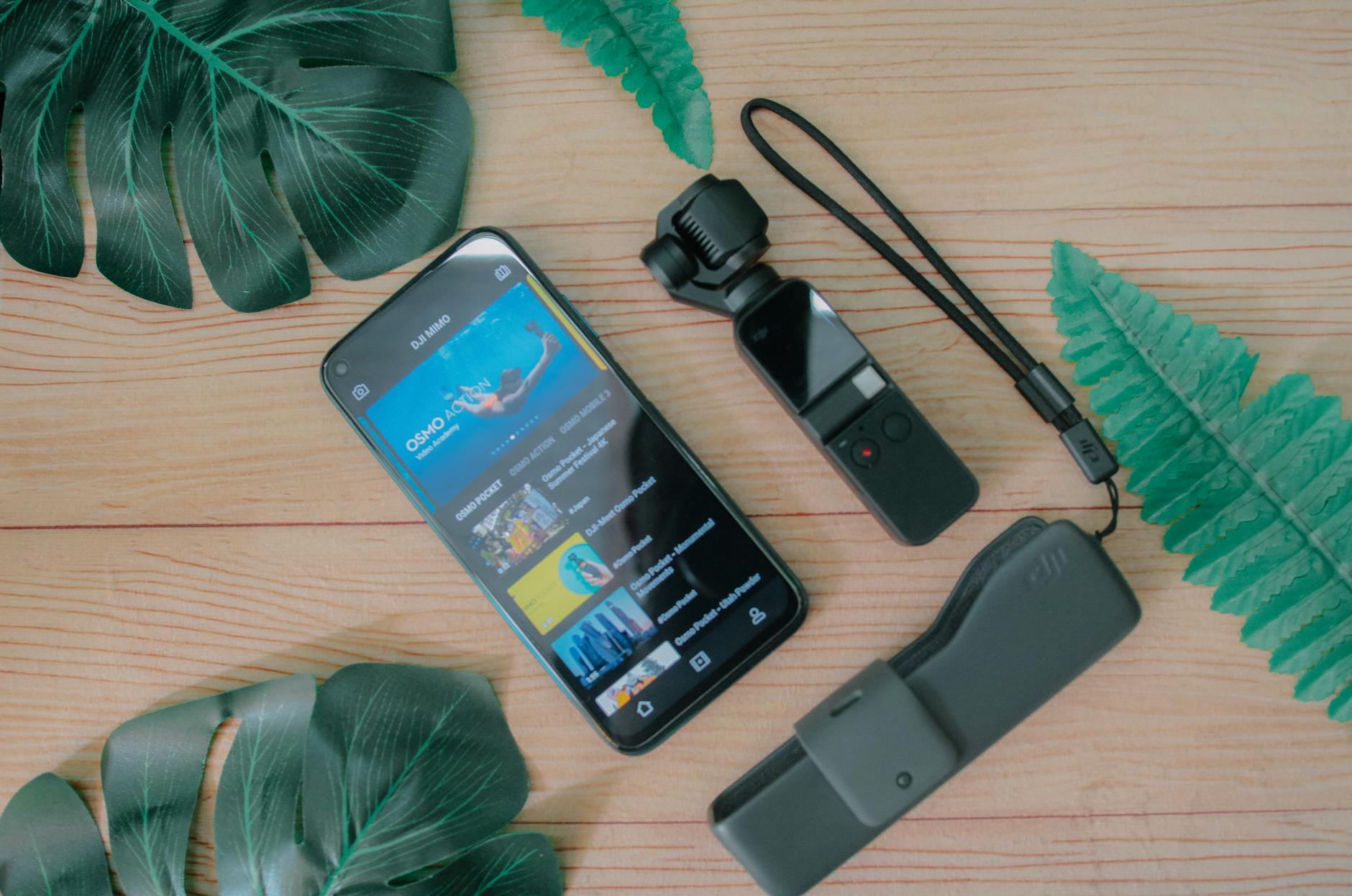 Photo by Pok Rie
External references for further shopping and inspiration:
- Overhead Pro gear overview: https://www.getoverheadpro.com/
- Desk mount and overhead options: https://neewer.com/collections/desk-mount-stand
DIY options with everyday items
If you’re short on gear, your daily surroundings can become powerful overhead platforms. A book stand, a shelf, or even a clipboard can act as an overhead rig with a touch of ingenuity. The key is to ensure stability and to protect the phone from bumps.
- Book stand as a tray: A solid book stand can hold your phone above the surface. Use a rubber pad on top to dampen vibration and keep the clip secure.
- Shelf edge as a mounting point: A sturdy shelf with a clamp or small arm can position the camera over the scene without clutter. Tie cords neatly to avoid snagging.
- Clipboard as a lightweight platform: Clip the phone in a way that the surface remains level and the phone’s side buttons aren’t pressed. A small foam pad under the clipboard helps reduce movement.
- Safety notes: verify the platform is level and stable before shooting. Avoid over-tightening clamps that may scratch the phone. If you’re adjusting on the fly, keep hands clear of any pinch points.
- Stability tips: choose a flat surface, use a non-slip pad, and test balance with a light object before filming. If you don’t have a dedicated rig, these makeshift setups can work in a pinch.
Images
- None required here, but a quick shot of a clipboard-based rig can illustrate the idea if you have one on hand.
External references for further reading and inspiration:
- Flat lay lighting and setup ideas: https://www.theartistgallery.art/post/how-to-do-flat-lay-photography
- Practical flat lay tips: https://www.diyphotography.net/flat-lay-photography-tips/
Outdoor overhead tips with safety
Shooting outdoors adds light and texture, but it also introduces wind, glare, and uneven surfaces. Safety comes first, so plan your setup with wind guards, stable bases, and glare control in mind.
- Stable surface selection: Choose a solid, flat surface like a sturdy table or a bench. If you must use a temporary stand, add weight to the base or use a clamped option to minimize wobble.
- Wind control: Use a light wind break such as a screen or your body to shield the rig from gusts. A small sandbag or weight can keep the base from tipping.
- Glare management: Position the light source behind or to the side of the phone to avoid reflecting surfaces facing the camera. A diffuse cover or light diffuser helps minimize hotspots.
- Shelter tips: If the forecast calls for sudden changes, bring a portable shelter or pop-up shade. Even a compact umbrella can reduce glare and keep the phone cooler.
- Quick safety checks: secure cables, verify the rig is stable, and avoid placing the setup where pedestrians or pets can disturb it.
- If you need more stability, consider a compact overhead kit designed for travel. It’s worth browsing reliable options from overhead systems and desk clamps to find a model that stays put outdoors.
Links for outdoor-ready options:
- Overhead Pro gear overview: https://www.getoverheadpro.com/
- Desk clamps and portable rigs: https://neewer.com/collections/desk-mount-stand
Quick pre shoot checklist
A fast, repeatable pre shoot ritual saves time and avoids surprises. Use this concise checklist to verify stability, lighting, and power before you shoot.
- Stability: ensure the rig is firmly set, joints locked, and the base stable. Give light taps to confirm there’s no wobble.
- Lighting: check that the subject is evenly lit with minimal glare. If necessary, adjust diffusion or position of the light.
- Battery and power: confirm the phone is charged and, if using a powered mount, ensure cables won’t tug during the shoot.
- Last-minute shot test: place a familiar object in the frame and take a quick photo to confirm framing, focus, and exposure.
- Safety wrap: secure all cables and clear the area of loose items. Double-check that pets and children are clear of the setup.
These steps take only a few minutes but set the stage for clean, sharp overhead shots.
External references for quick gear ideas:
- Overhead Pro gear overview: https://www.getoverheadpro.com/
- Desk mounting solutions: https://neweer.com/collections/desk-mount-stand
Images
- None required in this subsection, but you can add a simple ambient shot of an outdoor setup if available.
Photo credits and additional reading
- If you want a practical overhead setup in action, this photo illustrates a compact rig delivering stable results in a small space. Photo by Lisett Kruusimäe
External resources for further reading and shopping:
- Overhead Pro gear overview: https://www.getoverheadpro.com/
- Cam mounting solutions for desks: https://neewer.com/collections/desk-mount-stand
This section keeps your smartphone workflow clean, efficient, and comfortable. As you gain confidence, you’ll move smoothly between rigs, heights, and angles, always aiming for sharp, distraction-free overhead shots.
Quick pre shoot checklist (recap)
- Confirm stability, lighting, and power before you start.
- Do a 1–2 second test shot to verify framing and exposure.
- Keep cables tidy and out of the shot.
Images
- A final overhead shot with a clean desk setup could be shown here if you have one handy.
Photo credits
- Photo by Lisett Kruusimäe
External links for additional shopping and rig ideas:
- Overhead Pro gear overview: https://www.getoverheadpro.com/
- Desk mounting options: https://neewer.com/collections/desk-mount-stand
This section has provided practical, copyable setups you can implement at home and on the go. The goal is reliability, speed, and safety so you can capture crisp overhead shots with your smartphone every time.
Conclusion
Safe overhead photography with a phone is practical and repeatable when you use a stable rig, proper lighting, and a simple pre shoot checklist. Key tips to remember include choosing a sturdy mounting option, tidying the shooting area, and protecting your phone with a grip friendly setup. Practice with a straightforward overhead shot on a clean desk, then save the quick checklist for future sessions. Try small, safe experiments with different angles and lighting to build consistent, sharp results you can trust.