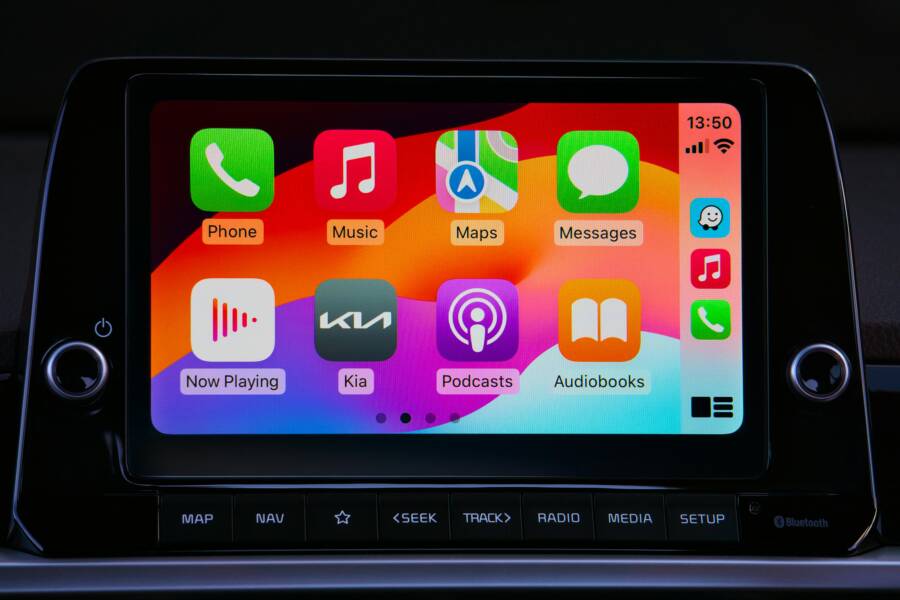
Hearing nothing but silence from the car speakers when you press play can quickly derail a drive. The good news is that most Bluetooth car kit audio issues have straightforward fixes. Start with the simplest checks and move to deeper troubleshooting only if needed. This guide walks you through practical steps to restore music, podcasts, and calls without breaking your flow.
If you rely on your smartphone for music and navigation, you know how frustrating a dropped audio link can be. The problem might be a minor setting, a misbehaving app, or a small firmware glitch. The plan here is to help you identify the cause fast and get back to listening.
Common causes behind Bluetooth audio problems
Understanding what often goes wrong makes the fix faster. Here are the main culprits you might face with a Bluetooth car kit.
- Codec mismatch and compatibility issues. Some car kits support limited audio codecs. If the phone and the car kit disagree on the codec, audio may only route to the car mic or not play at all. This is more likely after a software update or when you switch devices.
- Interference and range problems. Bluetooth works best within a short range. A crowded car with many wireless devices can cause interference that interrupts audio playback.
- Old pairing data. If the car kit remembers a previous connection, it can ignore a new attempt from the phone, or it may route audio to the wrong device.
- Software or app conflicts. Music apps, navigation apps, or voice assistants might override the output route. A recent update can also change how audio is handed off to Bluetooth.
- Output routing errors. The phone might still be set to play through the internal speaker or a different Bluetooth device, leaving the car kit silent.
- Firmware glitches in the car kit. A tiny bug in the car kit’s firmware can disrupt audio paths, especially after a major OS update on the phone.
Start with the basics: quick checks you can do in minutes
A lot of issues resolve with quick, low effort steps. Treat these as the first line of defense before you dive into deeper settings.
- Confirm the car kit is on and in pairing mode. Some systems require you to press a button or enable pairing again after a power cycle.
- Ensure the car system is selected as the audio output. In many cars the media source must be set to Bluetooth or the car kit as the active device.
- Restart both devices. A simple reboot of the phone and the car kit resets stubborn states that hold onto old data.
- Test with a different phone. If another device can play audio through the car kit, the problem is likely in the original phone.
- Check the volume levels on both ends. The phone volume and car volume can get out of sync, or a muted call can look like no audio.
Make a habit of confirming these basics first. They save time and avoid unnecessary tinkering.
Check the pairing and connection status
If your device shows it is connected but no audio comes through, there is still work to do. Try these steps.
- Unpair and re pair. Remove the car kit from the phone’s Bluetooth list, then re pair as if for the first time.
- Forget other Bluetooth devices. In crowded environments the phone might automatically connect to another device. Clearing out old connections helps the correct device stay active.
- Reboot and re test after re pairing. A fresh connection often resolves codec negotiations that fail mid stream.
Consider the media route and app behavior
Sometimes audio is playing but not through the car kit because the media route has shifted.
- Check media routing during playback. Some phones show a separate audio output indicator for Bluetooth devices. Make sure the car kit is selected as the playback destination.
- Test with a simple audio source. Play a short video or ringtone to verify the route is correct. If this works, the issue is likely with a specific app rather than the connection itself.
- Inspect in app settings. Some apps allow you to choose the output device inside the app. Ensure Bluetooth car kit is chosen there if available.
Phone settings and permissions that matter
A lot of audio routing issues come from settings that silently interfere with Bluetooth playback.
- Bluetooth on and connected. It sounds basic, but it is the baseline. If Bluetooth is off, nothing will play through the car kit.
- Media volume and ringer volume. The phone might be on silent or the media volume could be cranked down. Set both to a comfortable level before testing.
- App permissions. Some apps need permission to access audio output or to stay awake during playback. If an update changed permissions, re enable them.
- Do not disturb or focus modes. These modes can mute notifications and sometimes affect audio routing. Make sure they are off or configured to allow Bluetooth audio.
Car kit and vehicle basics you should review
The car kit itself can be the source of the trouble. A few checks can prevent a longer hunt.
- Confirm firmware version. An outdated firmware can be unstable with newer phone OS versions. Check the manufacturer site for updates.
- Reset the car kit to factory settings. When normal fixes fail, a reset can clear stubborn pairing data and weird audio routes.
- Verify the car battery and power supply. Some Bluetooth modules misbehave if they do not have a stable power source. If possible, try a different USB port or a dedicated power adapter.
- Check for interference from other devices. In busy environments a nearby Bluetooth audio device can capture the connection. Turn off other Bluetooth devices temporarily to test.
Firmware updates and app versions you should not ignore
Software updates fix bugs and improve compatibility.
- Update the phone OS. The latest build often includes fixes for Bluetooth performance and media routing.
- Update the car kit firmware if available. Manufacturers publish updates that address known issues and improve stability.
- Update music and navigation apps. A new version can improve how audio is routed during calls or when directions are spoken over the music.
If you still cannot get audio through the car kit after updates, move to the advanced steps
Explore advanced steps that target more complex causes without overhauling your setup.
- Test with a different audio profile. If your car kit supports multiple profiles, such as A2DP for stereo audio and HFP for hands free calls, switch between them to see if audio returns.
- Check for device-specific notes. Some phones require a one time permission prompt for media playback over Bluetooth after updates. Re authorize if needed.
- Disable equalizers and enhancements. In some cases audio enhancements or equalizers interfere with Bluetooth hand offs. Turn them off and test again.
- Review voice assistant behavior. If you use voice commands, ensure the assistant is not taking over audio routing or muting playback due to a settings change.
When to consider professional help
If the issue persists after all the above steps, you might be facing a hardware problem or a deeper compatibility issue.
- Car kit hardware fault. The module that handles Bluetooth might be failing. A diagnosed hardware fault will require service or replacement.
- Phone hardware limitations. A damaged Bluetooth radio or a problematic operating system install can cause recurring issues.
- Incompatibility with your vehicle. Some older vehicles do not fully support newer Bluetooth profiles. In such cases an aftermarket adapter can offer a solution.
Document the issue for faster help
If you plan to seek support, note these details to speed up the process.
- The make and model of your car and the car kit.
- The phone model, OS version, and any recent updates.
- Symptoms and exact steps that reproduce the issue.
- What did and did not work from your troubleshooting steps.
- Whether the problem occurs with all apps or only specific ones.
Preventive tips for reliable Bluetooth audio in your car
A little upkeep goes a long way toward consistent performance.
- Regularly update your devices. Keep both the phone and car kit firmware current.
- Clear old connections. Periodically remove unused Bluetooth devices from the phone to prevent accidental connections.
- Keep a simple setup. If you use multiple phones or devices in a car, designate one primary device for audio and keep it as the default connection.
- Check for power stability. A stable power supply reduces noise and improves connection reliability.
- Plan for transitions. If you expect to switch devices often, re pair each time and avoid storing multiple trusted devices in quick succession.
Example scenario to illustrate the flow
Suppose you are driving and your music app suddenly stops playing through the car kit. You start by verifying the car kit is on and in pairing mode, then you unpair and re pair the phone. After a reboot, you confirm the car kit is selected as the audio output, and you test with a short audio clip. If the clip plays, you know the issue was a momentary pairing hiccup. If it does not, you check the app permissions and test with a different app. The problem might lie with the specific app, not the Bluetooth link itself. In that case updating or reinstalling the app often resolves the issue.
Putting it all together
A Bluetooth car kit that won’t play audio from a phone is usually a solvable puzzle. Start with quick checks to clear obvious causes, then walk through the settings and the car kit’s firmware. A smart approach combines simple re pairs, device checks, and targeted updates. By isolating the source of the problem you can restore clear, reliable audio in your car without heavy troubleshooting.
Conclusion
When audio won’t play through a Bluetooth car kit, you can approach it as a step by step diagnostic. Begin with basic pairing and output routing, then verify phone settings and permissions. If the problem persists, address firmware on both sides and consider a factory reset of the car kit. In most cases, a tidy sequence of re pairs and updates restores normal operation.
If you have experienced a similar issue, share what fixed it for you in the comments. Your experience can help other drivers solve the problem quickly. And if this guide helped you, consider bookmarking it for the next time a Bluetooth hiccup shows up in the car.