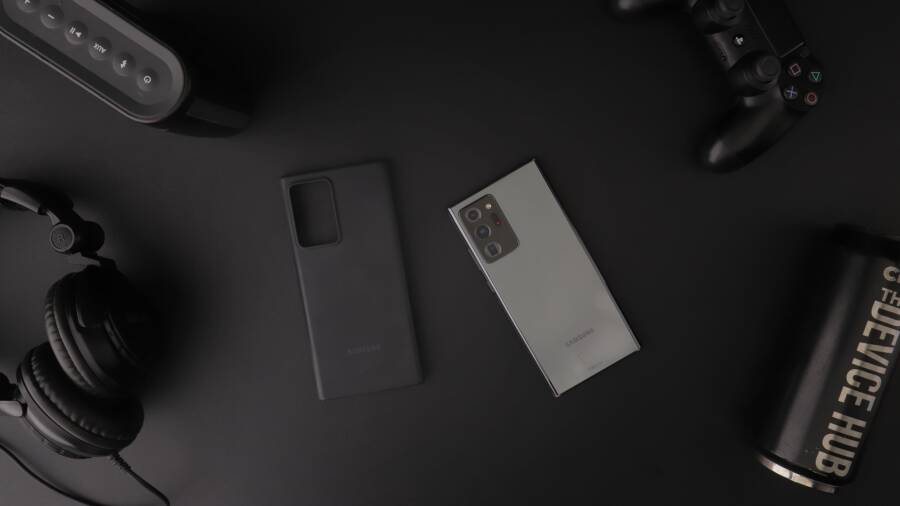
Your smartphone refuses to charge wirelessly because of case thickness, magnetic interference, or misaligned charging coils. These common physical obstructions often disrupt the connection between your device and the charging pad.
You don’t need a professional to fix this problem, as most charging issues are solvable at home. Simply adjusting your hardware or removing the accessory usually restores power flow immediately.
Follow these steps to diagnose and resolve your connection issues.
Common Reasons Why Your Smartphone Case Blocks Wireless Charging
Wireless charging relies on a process called inductive coupling, where a magnetic field transfers power between a coil in your charging pad and a corresponding coil inside your smartphone. This connection requires a high degree of precision and proximity. When you add a case to your device, you physically increase the distance between these two coils, which often weakens the signal enough to prevent a charge from starting or to cause intermittent power drops.
The Impact of Thickness and Material Composition
The most significant barrier to wireless power transfer is the physical distance between the charging coil and the pad. This distance is commonly known as the charging gap. Most wireless chargers are engineered to bridge a gap of about 3 to 5 millimeters. If your case is thicker than this threshold, the electromagnetic field cannot penetrate the material effectively to reach the internal battery circuitry of your smartphone.
Material choice plays an equally important role in this equation. Certain substances interfere with electromagnetic waves more than others:
Rubber and silicone cases are generally thin and non-conductive, making them excellent choices for wireless charging compatibility.
Thin plastic covers offer minimal resistance to the magnetic field, allowing power to pass through with little energy loss.
Wood cases, while aesthetically pleasing, are often too thick or dense, which frequently creates a dead zone that blocks the induction process entirely.
Heavy-duty or rugged cases designed for shock absorption often contain thick layers of impact-resistant materials that exceed the standard charging distance requirements.
If your case is made of dense materials, it acts as a physical barrier. Even if the case feels thin, a high density can sometimes interfere with the efficiency of the charge, leading to a device that gets warm without actually gaining power.
Hidden Interference from Metal and Magnets
While thickness prevents the signal from reaching the coils, metal and magnetic components actively disrupt the electromagnetic field itself. Wireless chargers operate by creating an oscillating magnetic field, and metal objects placed within this field absorb the energy or reflect the waves. This interference triggers a safety mechanism in most chargers, which causes them to stop power delivery to prevent the metal from overheating.
Common accessories that cause this interference include:
Metal plates used for magnetic dashboard mounts.
Credit card holders containing RFID shielding or magnetic strips.
Cases with metal kickstands, corner reinforcements, or metallic decorative accents.
Magnetic grip rings or pop-sockets that contain heavy metal components.
When you place a smartphone equipped with these accessories on a charging pad, the charger detects the metal and interprets it as a foreign object hazard. To protect your device and the charger itself, the system shuts down the power transfer. You can usually test this by removing the case entirely and placing the phone on the pad. If it begins charging immediately, the internal components of your case are the culprit. In these scenarios, switching to a case that is specifically rated for wireless charging or Qi-compatible accessories is the only way to restore full functionality.
Practical Steps to Fix Your Wireless Charging Connection
You can often resolve charging failures by refining the physical contact between your devices. Because wireless power transfer demands precision, even minor shifts in positioning or unwanted obstacles between the components stop the charging process. If your smartphone fails to charge, follow these steps to narrow down the source of the trouble.
Optimizing Coil Alignment for Better Power Flow
The internal induction coil inside your smartphone sits in a specific location, usually centered on the back panel. Charging pads feature a corresponding coil, but these internal layouts vary wildly between manufacturers. Some pads use a single coil that requires near-perfect placement, while others use an array of coils to provide a larger surface area for induction.
If you miss the overlapping zone where these coils meet, the charger will fail to activate or will drop the connection after a few seconds. To find the exact sweet spot for your device, try these methods:
Align the center of your smartphone directly with the center of the charging pad.
Listen for the charging chime or watch for the battery icon change when you slowly rotate the device.
Remove the device for a few seconds, then replace it slightly higher or lower on the pad to account for internal design variances.
Many modern pads feature a non-slip surface, but a slick case can still cause your smartphone to slide out of alignment. If your phone vibrates due to a notification, it might move just enough to break the connection. Positioning the device horizontally or vertically on the pad often helps you find the correct orientation for your specific model.
Testing Your Charger without the Accessory Case
Performing a diagnostic test without your case is the most reliable way to identify if your hardware is the true problem. Because the case adds thickness and potential interference, it masks the actual performance of the charger. Removing the accessory strips away these variables and shows you exactly how the charging pad interacts with the bare phone.
Place your smartphone directly onto the center of the charging pad after you remove the case. If the charging indicator lights up immediately and maintains a consistent connection, your case is the primary obstacle. This confirms that the wireless charger is functional and that the case design is simply too thick or contains materials that block the electromagnetic field.
If the phone still refuses to charge without the case, you likely face a deeper issue with the hardware. Verify that the power adapter connected to your wall outlet provides enough wattage for the charger. Many wireless pads require a specific power brick to function correctly, so check the manufacturer label on your charger to see if it needs a high-output power source. If you have another phone or a different device available, test the pad with that as well to rule out a failure in the charging pad electronics.
How to Choose a Wireless-Friendly Case for Your Smartphone
Finding a case that balances protection with wireless charging performance is straightforward if you know what to look for. You should prioritize materials that allow electromagnetic fields to pass through without resistance. A case that is too thick or contains conductive metals will create a barrier, so identifying the right physical properties is the key to maintaining your charging habits.
Prioritize Materials That Support Induction
The most important factor is the composition of your smartphone cover. Wireless charging works through electromagnetic induction, and specific materials either facilitate or block this energy flow. You should always opt for non-conductive materials when possible.
Silicone and TPU offer excellent compatibility because these materials are thin and lack metallic components.
Hard polycarbonate shells work well provided they do not exceed 3 millimeters in thickness.
Genuine leather often works effectively, though you should avoid cases with thick wallet flaps that place multiple layers of material between your device and the pad.
Avoid any case containing hidden metal plates, metallic paint, or magnetic snaps. These items interfere with the magnetic field and force the charger to shut down as a safety precaution. Even if a case appears thin, a metallic finish can trigger the charger’s foreign object detection, rendering the accessory incompatible with your charging base.
Look for Qi-Certified Compatibility Labels
Manufacturers often test their products for electromagnetic performance. You will frequently see “wireless charging compatible” or “Qi-certified” listed on packaging or product descriptions. These labels indicate that the case underwent testing to confirm that the material density does not significantly obstruct the power transfer process.
When you shop online, check the product details for specific mentions of wireless charging support. If a manufacturer explicitly states their case works with standard charging pads, they have likely verified that the thickness and materials are within the acceptable range for reliable power transfer. This is a simple way to filter out products that will force you to remove your case every time you need a top-up.
Balance Rugged Protection with Charging Needs
Many users want the heavy-duty protection provided by shockproof, multi-layered cases. Unfortunately, these designs are often the primary culprits for charging failures. A rugged case usually combines dense rubber, internal metal frames, and thick plastic to absorb impact, creating a combined thickness that exceeds the limit of most charging pads.
If you require high-level protection, look for slim-profile rugged cases that specify compatibility with induction chargers. Many brands now use advanced composite materials that provide high impact resistance without the excessive bulk of traditional heavy-duty designs. If your lifestyle demands a thicker case, consider a magnetic charging system that attaches directly to the back of the phone, as these systems often bypass the limitations of a standard charging pad by aligning more effectively with the internal coils.
Frequently Asked Questions About Wireless Charging Issues
Wireless charging is a convenient feature, yet it often becomes a source of frustration when combined with phone cases. Most users encounter issues simply because the accessories they choose introduce variables that the charging pad cannot handle. Addressing these common concerns helps you distinguish between a faulty device and a minor physical obstruction.
Safety Tips for Managing Battery Heat
Heat buildup is a natural side effect of inductive charging, but it can accelerate battery degradation if left unmonitored. When you charge a smartphone through a case, the accessory acts as an insulator, trapping warmth that would otherwise dissipate into the air. This effect is more pronounced with thick or dense materials like heavy-duty plastic or rubber.
Monitor your device temperature closely during the first few minutes of the charging session. If the back of the case feels uncomfortably hot to the touch, the internal coils are likely working too hard to overcome the distance or resistance of the material. You should immediately remove the case to allow the heat to escape.
Follow these practices to manage thermal output:
Place the charging pad on a cool, hard surface like a desk or nightstand, rather than a soft fabric like a bed or couch, to assist with airflow.
Avoid using your smartphone for intensive tasks, such as gaming or video streaming, while it sits on the pad.
Check the battery health settings in your phone software if you notice frequent overheating, as this might indicate an underlying issue with the battery itself rather than just the case.
Never ignore a phone that becomes hot during the process. If your device displays a temperature warning, stop charging at once and let the hardware cool down completely. Sustained exposure to high temperatures reduces the long-term capacity of your battery and puts unnecessary strain on the internal electronics. By choosing thinner, more conductive materials for your cases, you significantly reduce the amount of heat generated during each charge cycle.
Conclusion
Wireless charging failures usually result from simple physical barriers rather than complex software or hardware defects. Most issues arise because a case adds too much distance between the charging coils or contains materials that actively block electromagnetic signals. Removing your accessory to verify the connection confirms if your case is the primary obstacle.
Prioritize products marked as wireless charging compatible when you buy new accessories for your smartphone. These designs use materials that permit energy transfer while maintaining the protection you need. By choosing thin cases free of metal or magnets, you ensure your device maintains a reliable power flow every time you set it down to charge.