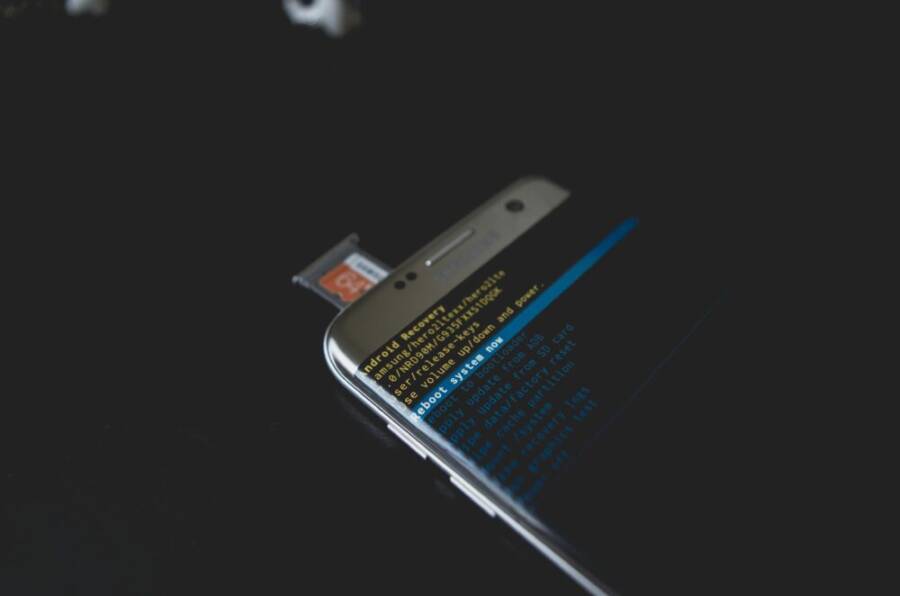
What long software support means and why it matters
Long software support refers to the period during which a smartphone continues to receive operating system updates and security patches after its launch. It’s about more than just new features; it’s about staying protected against emerging threats and receiving important stability improvements. When a device enjoys extended support, you get a steadier, safer experience for years, not months. That consistency matters whether you rely on your phone for banking, work, or keeping in touch with family.
Definitions: OS updates and security updates
- OS updates are major or minor changes to the phone’s operating system. They bring new features, performance tweaks, and bug fixes. However, not all updates are equal in frequency or content across manufacturers.
- Security updates address newly discovered vulnerabilities and fix them without changing the overall user interface. They often arrive on a predictable schedule, helping keep devices protected even if the OS itself isn’t changing rapidly.
A strong update policy should cover both areas for a substantial span of time. For context, look at how major players describe their policies and the kinds of patches they deliver over time. Apple’s guidance emphasizes ongoing security updates and bug fixes as a core part of device longevity, while Android OEMs vary in how quickly they push monthly security patches and OS versions. See in-depth policy discussions from reputable outlets for a broader view, such as Android Authority’s coverage of phone update policies and how long devices typically receive support. Phone update policies from every major company
Lifecycle expectations from major manufacturers
Different brands outline support in slightly different terms, but the core idea remains the same: longer support means more years of security patches and occasional OS upgrades. Apple has historically offered longer software lifecycles for iPhones compared to many Android devices, with security updates continuing for several years after a model’s release. For a clear explanation of how Apple frames updates and longevity, see Apple’s official guidance on software updates and deployment. About software updates for Apple devices
Android manufacturers vary. Some plan monthly security updates and annual OS upgrades, while others extend broader support windows. It helps buyers to understand each device’s update cadence before purchase. If you’re curious about what happens when a phone finally stops receiving OS updates, Android Authority explains what “not supported anymore” means and what you can expect in terms of security updates after the OS upgrade stops. What it means when your phone isn’t supported anymore
There’s also a broader conversation about how devices are designed for longevity. A manufacturer’s commitment to longevity is often tied to how they approach updates, bug fixes, and even materials used in the device. Apple has published a longevity-focused document highlighting how software updates contribute to longer device life. Longevity, by Design
Impact on privacy, security and resale value
- Privacy and security: Regular security updates reduce exposure to known vulnerabilities. Outdated devices are more susceptible to exploits, phishing, and data breaches. When a phone stops receiving patches, its risk profile changes, even if the device still works smoothly for everyday tasks.
- Resale value: Buyers often favor devices with longer software support. A phone that can run current apps and receive security patches is typically more appealing and commands a higher price on the secondhand market.
- Total cost of ownership: Longer support can lower the effective cost per year of ownership. You get more years of use from the same hardware, reducing the frequency of upgrades and the associated expense.
For a broader perspective on how major brands view longevity and updates in practice, review Samsung’s take on Android updates and security patches. Keeping Android Up-to-Date: Mitigating Risk With Security Updates
How to evaluate phones before purchase
When you choose a new phone, look beyond the initial price or the latest feature list. Here’s how to assess long software support upfront:
- Check policy documents: Review official statements on OS upgrade paths and security patch timelines. If the manufacturer publishes a published update policy, that’s a strong signal of commitment.
- Assess the expected horizon: Find out how many years the device will receive major OS updates and how many years of monthly security patches you can expect.
- Consider ecosystem updates: Some brands coordinate updates across their entire product line, which can simplify maintenance and consistency across devices you own.
- Read independent summaries: Reputable tech sites often compile update policies and practical timelines. This helps you compare devices without diving into every manufacturer page.
For a concise guide on policy differences across major players, Apple’s deployment guide is a solid reference. About software updates for Apple devices
Practical tips to maximize updates
- Enable automatic updates: Turn on auto-download and installation for both OS and security patches. This minimizes the window of exposure after a patch is announced.
- Backup before updates: A quick backup ensures you don’t lose data in case an update runs into a hitch.
- Monitor update notices: Some devices require a manual approval for certain patches. Stay aware of any prompts after a patch is released.
- Keep apps current: Regularly update key apps, especially banking, messaging, and privacy-focused tools. App updates can fix vulnerabilities that OS patches don’t cover.
- Plan for the horizon: If you’re evaluating devices now, choose models with a track record of longer support. If a model recently reached the end of OS updates, factor in the need to upgrade.
External links provide helpful context and official guidance. For readers who want deeper policy details, these sources explain how OS updates and security patches are handled across platforms and why it matters for everyday use.
Best phones with the longest software support
When you buy a phone, you’re investing in more than speed and camera quality. You want a device that stays secure and current for years. Below are the standout picks that deliver the most enduring software support, from major OS updates to ongoing security patches. Each entry explains how long you can expect updates, what that means for daily use, and practical tips to maximize longevity.
Samsung Galaxy S series and foldables: a long horizon for Android
Samsung has built a reputation for extending update cadences across its flagship lines. In late 2020s and early 2020s models, the company shifted toward a seven-year commitment for both OS and security updates on many flagship devices. That means you can count on major Android versions plus monthly security patches for a substantial period after release, keeping features fresh and defenses up to date.
- What to expect: Up to seven years of OS updates and security patches on many Galaxy S and Z Fold/Flip models. Even some mid-range devices like newer A-series can offer impressive update windows.
- Why it matters: You’ll stay protected from known exploits longer and retain compatibility with new apps that require newer API levels.
- How to plan: If you want the strongest long-term value, prioritize the latest Galaxy S Ultra or foldable lines, then supplement with a device from the same update approach if you want a cohesive ecosystem.
For policy context, Apple and Samsung both publish clear guidance on how updates work, but Samsung’s practical cadence often reads as a strong signal for longevity on Android devices. Keeping Android Up-to-Date: Mitigating Risk With Security Updates
Google Pixel family: updates you can count on
Google’s Pixel line is built around the promise of timely updates from the source. In recent years, Pixel devices have routinely offered seven years of OS and security updates, including reserve support for security patches well after the latest feature drops. That reliability translates into a solid, maintainable user experience over many years.
- What to expect: Seven years of OS and security updates for flagship Pixels, with the same commitment often extended to mid-range Pixel models.
- Why it matters: Regular, direct updates reduce the risk of vulnerabilities and keep apps compatible longer.
- How to plan: If you value the cleanest software experience and fastest patch cadence, a Pixel is a strong bet for long-term use.
Pixel devices have earned praise for their rapid update schedules and strong security posture, making them go-to choices for users who want a predictable update path. For a roundup of long-term Pixel support, see coverage focusing on updates and security patches across Google’s lineup. The Best Android Phones of 2025
Honor flagships: a newer path to long support
Honor’s top devices have begun offering extended software lifecycles, matching some of the longer traditions in the Android space. The Magic series, in particular, is stepping into a seven-year update promise on select flagships, signaling a new era for value-focused devices with durable software support.
- What to expect: Seven years of updates on certain high-end models, with a focus on flagship hardware and a robust update policy.
- Why it matters: This shift opens doors for users who want premium hardware but at a more accessible price point over time.
- How to plan: If you’re eyeing an Honor flagship, verify the exact update commitment for the model you choose, as it can vary by device.
As update commitments evolve, it helps to keep an eye on official announcements and reputable roundups that verify how long a specific model will receive updates. For broader policy context on how different brands handle updates, Android update policy summaries are useful. Phone update policies from every major company
OnePlus 13: solid but selective longevity
OnePlus has historically offered strong software support, especially for its premium devices. The OnePlus 13 delivers a respectable update plan, with several years of OS updates and security patches. It stands out for a fast, clean user experience and reliable security through patches, though its OS update window may not always match the longest-running leaders.
- What to expect: Several years of OS updates alongside extended security patches, typically shorter than the absolute longest programs but competitive within its tier.
- Why it matters: A balanced approach to updates helps maintain performance and protection without forcing frequent upgrades.
- How to plan: If you value fast software improvements and a strong feel, the OnePlus 13 is a compelling choice with clear update timelines.
For a broader look at how OnePlus and other brands perform in long-term support, tech outlets periodically summarize policy scopes and practical timelines. The Best Phones We’ve Tested for 2025
Apple iPhone: multi-year longevity built in
iPhones have long been known for longevity, with iOS updates arriving for devices for several years after release. On many models, iPhone users can count on five to seven years of OS updates, along with security patches. Apple’s approach is a strong contrast to many Android devices, offering a streamlined, highly integrated update path and predictable support windows.
- What to expect: Five to seven years of iOS updates, depending on the model. Security patches are included throughout that period.
- Why it matters: This consistency makes iPhone investments more future-proof in terms of software and privacy protections.
- How to plan: If you want a phone you can keep for a long time, Apple’s current flagship and several recent models are reliable bets.
Apple’s official guidance outlines how software updates and deployment work, giving you a clear sense of the long-term support you can expect. About software updates for Apple devices
Quick considerations to pick the longest-supporting phone
- Update cadence matters more than initial features at purchase. Look for brands with formal, public update timelines.
- OS updates plus security patches define total liftoff. A great update policy means you’ll see both features and protection over time.
- Ecosystem alignment helps. When a maker
How to choose the best long‑support phone for you
Choosing a phone that stays secure and up to date for years takes a little planning. You want a model that not only fits your daily use but also comes with a credible update cadence. This section breaks down a practical approach to finding a device with strong OS and security updates, without overpaying for features you won’t use.
Start with your real needs
Before comparing update policies, map out how you use your smartphone day to day. If you store sensitive data, do banking on apps, or rely on timely messages for work, long-term security updates matter more than the latest camera feature. For lighter users, a solid mid‑range option might hit the sweet spot in price and longevity. Your plan should balance performance, battery life, and update reliability.
- Identify critical tasks: banking, work email, messaging, and privacy-focused apps.
- Set a minimum on-day performance: smooth app launches, steady security patches, and reasonable battery life.
- Decide on ecosystem loyalty: sticking with a brand that offers predictable updates often pays off in the long run.
Understand update policies by brand
Different brands publish update cadences, but not all cadences are equal. Knowing the basic patterns helps you compare apples to apples.
- Samsung often offers seven years of OS and security updates for many flagship models, with solid policy coverage across its Galaxy S and folding line. This long horizon is especially valuable if you want to hold a device for several years.
- Google Pixel devices typically provide updates directly from the source, with strong emphasis on timely OS and security patches that extend well into the device’s life.
- Apple iPhones have a long track record of multi-year OS support plus ongoing security patches, making them a dependable choice for those who want a predictable update path.
- OnePlus and HONOR have improved their long-term support in recent years, offering several years of OS updates and security patches, though the exact windows can vary by model.
For a deeper policy overview, see reputable analyses that summarize update cadences across major manufacturers. This helps you filter models before you start shopping. Phone update policies from every major company
Match category to your longevity goal
Your phone category affects how long you should expect updates. Flagships often receive longer support windows than budget devices. If longevity is your main criterion, prioritize devices within brands and lines known for sustained support.
- Flagships and premium variants typically deliver the longest update windows.
- Mid-range devices can still offer robust updates, but confirm the exact commitment for that model.
- Older devices usually stop receiving updates sooner, so it’s better to start with newer hardware if you want to maximize years of patches.
If you want a quick snapshot of current expectations, reference current summary guides that compare major brands. These resources distill the typical update windows you can expect. The Best Android Phones of 2025
Verify real-world timelines before you buy
Look beyond marketing promises and check real-world timelines and patterns. Independent testing and user reports often reveal how promptly patches arrive after new vulnerabilities are disclosed, and how long a device remains compatible with new apps.
- Check the cadence of monthly security patches as well as major OS upgrades.
- Look for consistent practice rather than one-off exceptions.
- Confirm how long you’ll receive updates for both OS and security patches.
If you want a concise reference on what to expect, you can review practical timelines that many brands publish or summarize. Keeping Android Up-to-Date: Mitigating Risk With Security Updates
Practical steps to compare models quickly
When you’re ready to compare, use a simple framework to avoid
Practical tips to extend software life
If you want your phone to stay secure and feel fresh for years, small habits matter. This section offers practical steps you can take today to maximize OS and security updates, maintain performance, and extend the usable life of your device. Think of it as a simple playbook you can apply regardless of whether you own a flagship or a mid-range model.
Build your baseline with solid update expectations
Start by understanding the update cadence of your device. A phone that reliably receives both OS upgrades and security patches is easier to live with long term. This is the backbone of a durable smartphone experience.
- Read official policy documents from the manufacturer. Clear timelines for OS versions and security patches are strong signals of commitment.
- Compare real-world behavior against the policy. Independent reviews and user reports often reveal how fast patches arrive after a vulnerability is disclosed.
- Prioritize devices from brands with public, consistent update cadences. This matters more than any single feature at launch.
For a concise reference on update patterns across brands, reputable sources summarize how long major lines typically receive updates. Phone update policies from every major company
 Photo by Kelvin Valerio
Enable and optimize updates for continuous protection
Automation is your friend. Let the device handle updates whenever possible, then verify a few guardrails to avoid hiccups.
- Turn on automatic OS and security updates. This minimizes the window of vulnerability after patches are released.
- Schedule regular backups before major updates. A quick restore point saves you from data loss if an update goes off the rails.
- Keep a watchful eye on prompts after patches. Some fixes require a manual tap to complete installation.
- Update critical apps frequently. Banking and privacy apps often receive patches that complement OS security.
For broader policy context on how updates fit into long-term device health, Apple outlines its approach to software updates and deployment. About software updates for Apple devices
Proactively manage battery and storage
Performance and longevity hinge on healthy hardware. Battery and storage condition influence how long a device remains usable with current software.
- Monitor battery health and optimize charging. Avoid full discharges and enable any built-in battery health features if available.
- Free up storage to prevent slowdowns. Remove unused apps and offload large files to the cloud or a computer.
- Keep critical apps up to date. Some apps rely on newer OS features, and laggy apps can drag down overall responsiveness.
A well-maintained device not only feels faster but also sustains compatibility with new apps and security patches longer. For practical guidance on extending smartphone lifespan beyond software updates, see general maintenance tips from tech outlets. Extending Smartphone Lifespan: Maintenance Tips
Protect privacy with smart app hygiene
Apps can become weak links if not managed. Regular hygiene reduces risk while you wait for OS updates.
- Review app permissions and revoke unnecessary access. Minimal permissions lower exposure to data leaks.
- Uninstall apps you no longer use. Bloat can slow the system and complicate updates.
- Use reputable security apps sparingly. A few well-chosen tools can reinforce protection without burdening performance.
Staying vigilant about app security helps your device stay resilient even as the OS evolves.
Plan for your long-term horizon
If you’re evaluating models now, align your purchase with a longer support window. A device known for extended updates makes a big difference when you plan to hold onto it.
- Prioritize devices with a proven track record of multi-year OS and security updates.
- Consider the ecosystem. A cohesive software strategy across your phone, tablet, and laptop can simplify maintenance.
- Compare total cost of ownership. A longer update window often reduces the need for early upgrades and can lower per-year costs.
For broader policy context on how different brands approach longevity, review summaries
Conclusion
Samsung Galaxy S24/S25 series, Google Pixel 9 series, and Apple iPhone 16 series stand out for their long software lifecycles, offering several years of OS and security updates. These picks give you a stable, secure smartphone experience without frequent upgrades, while still staying compatible with new apps and features. If you want the strongest long‑term value, start with one of these top tiers and pair it with careful data management.
Action plan: pick a top pick, verify update longevity for your region with official policy pages, and set up data backups plus essential security measures now. This approach keeps your device safer, reduces surprises, and extends its useful life while you focus on the tasks that matter most.