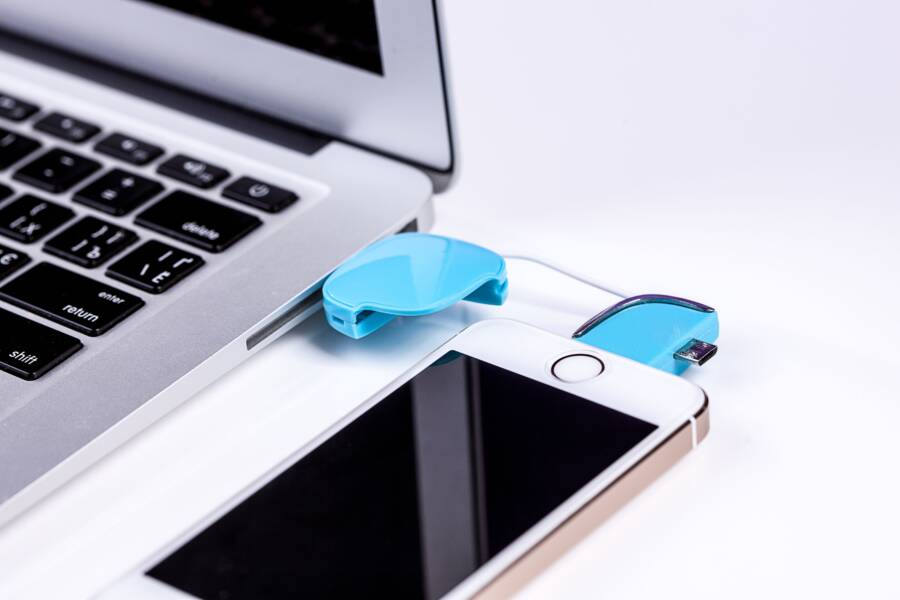
Public USB ports in airports, cafes, and train stations carry a hidden danger known as juice jacking. This practice allows hackers to steal private data from your smartphone or install malicious software the moment you plug into a compromised port.
You can protect your device by carrying your own AC wall adapter or a portable power bank. These simple tools ensure your connection remains private while you keep your battery full.
The following sections explain how these security risks work and offer actionable habits to keep your personal information safe while traveling.
Understanding the Hidden Risks of Public Charging Stations
Public charging stations offer a quick fix when your battery drains away. These ports appear harmless, but they often conceal technical threats that compromise your device. You might believe you are only receiving electricity, yet the physical connection allows for two-way communication between your smartphone and the terminal.
Why Your Smartphone Data Is Vulnerable During Charging
Most people assume USB cables only transfer power. In reality, the standard USB design includes pins dedicated to data transmission alongside power delivery. When you connect your smartphone to an unknown port, you physically join your device to a host system. This hidden computer can immediately attempt a handshake with your phone.
If your device displays a prompt asking to trust the connected computer, you face a direct risk. Hackers configure these malicious ports to scan your phone for vulnerabilities. If they gain access, they might pull your photos, contacts, and emails or install tracking software without your knowledge. Even if you don’t see a prompt, some sophisticated hardware bypasses these warnings entirely. It treats your connection as a data bridge, allowing the terminal to read your files in the background while your battery charges.
Common Locations Where You Might Encounter Dangerous Ports
Convenience often hides danger in high-traffic public areas. You should exercise caution whenever you encounter a charging station, regardless of how official it appears. These locations frequently feature ports that lack security oversight:
- Airport terminals and gate seating areas often provide USB ports built into furniture.
- Train stations and bus depots frequently offer charging stations for stranded travelers.
- Rental car consoles allow users to plug in for music or navigation, yet these systems also maintain a data connection to your device.
- Hotel rooms sometimes feature proprietary USB outlets that may be linked to the television or room management systems.
Never assume a port is safe just because it is located in a busy or reputable venue. Malicious actors can install skimmers or replace the internal components of a charging station weeks before you arrive. These modifications look identical to standard ports, making detection impossible through simple visual inspection. Your best protection is to bypass the port’s data capabilities entirely by using your own AC power adapter or a portable battery pack. Keeping control of your physical connection is the most reliable way to maintain your privacy.
Essential Steps to Protect Your Device and Privacy
Keeping your personal data secure requires more than simple caution. You must control the physical connection between your hardware and the charging port. By adding specialized tools or bringing your own power supply, you block unauthorized access to your sensitive files.
Using a Dedicated USB Data Blocker for Peace of Mind
A data blocker is a small adapter that sits between your charging cable and the public port. It physically isolates the data pins inside the USB connector. While it allows electricity to flow into your battery, it completely cuts off the communication path that hackers use to steal data.
Travelers often find this tool essential because it fits on a keychain. It provides a simple, cheap way to verify that a public port only acts as a power source. You can trust that your smartphone will not exchange information with the host computer when you use this barrier.
These devices work with any standard USB-A or USB-C connection. They are passive tools, meaning they don’t require software or battery power to function. You simply plug your cable into the blocker, then insert the combination into the wall or station.
The Reliability of Portable Power Banks
Carrying your own portable power bank is the most effective way to maintain privacy. Because you own the battery, there is no chance for a third party to intercept your data. You completely avoid the need to connect your smartphone to external, untrusted infrastructure.
High-capacity power banks offer enough energy to charge a modern device several times over. This makes them ideal for long trips where access to a secure wall outlet is limited. Many models now support fast charging, which allows you to top up your battery quickly without sacrificing security.
When you select a power bank, consider the following features:
- Total capacity measured in milliampere-hours (mAh) determines how many full charges you get.
- Port types like USB-C Power Delivery ensure your specific phone charges at its maximum rated speed.
- Physical size and weight dictate how easily the unit fits into your daily carry or laptop bag.
By relying on your own stored energy, you remove the risk of malicious activity entirely. You control the source of your electricity, ensuring your private photos, contacts, and emails stay on your device where they belong. Investing in a reliable, high-capacity battery is a proactive habit that pays off every time you travel.
Best Practices for Powering Up Your Smartphone Safely
Charging your smartphone in public spaces requires a defensive mindset. While finding a dead battery is frustrating, connecting to a random port without checking the hardware invites unnecessary risk. You can keep your personal information private by inspecting the physical state of the charging station before you plug in your cord.
Spotting Signs of Tampered Charging Equipment
Malicious hardware often sits inside or attached to public USB ports. Before you insert your cable, take a moment to look closely at the port itself. A clean, factory-installed port usually sits flush with the surface or the wall plate. If the plastic housing looks uneven, scratched, or loose, walk away.
Check for these red flags before you connect your smartphone:
- Loose covers or mismatched plastic parts suggest someone opened the panel to install hidden hardware.
- Superglue residue or scratch marks around the port opening indicate a device was recently attached or removed.
- A tight or sticky feeling when you insert your cable could mean the port has a secondary shim or skimmer installed inside.
- Extra wiring or strange boxes hidden behind the charging panel are clear indicators of unauthorized modifications.
Touch the port assembly to see if it moves or rattles. A secure, professional installation feels solid and does not budge. If the panel feels flimsy or wiggles in the wall, someone might have altered the internal wiring to intercept your data. Always trust your instincts when a charging station looks different from its neighbors.
Look at the surrounding area for signs of recent work, such as exposed wires or loose screws. If a charging station appears neglected or shows evidence of damage, do not risk your device. It is much easier to locate a different outlet or use a wall plug than to recover your personal data after a compromise. Use your eyes to scan for anything that looks out of place, as this simple inspection takes only a few seconds and provides a vital layer of security.
Frequently Asked Questions About USB Security
People often ask about the safety of charging their smartphone in public areas. These common questions help clarify the risks and the best ways to keep your data secure while you stay powered up on the go.
Is it safe to use public charging ports if my smartphone is turned off?
Turning off your device does not provide complete protection. Some specialized hardware inside a malicious kiosk can still attempt to interface with your smartphone components even if the operating system is not running. These modifications target the physical pins in the charging port itself. Because the connection exists at the hardware level, it is always safer to use your own wall plug or an external battery.
Do all USB cables carry data?
Many cheap or generic charging cables are designed only for power transfer, but you cannot verify this by looking at them. Most standard cables you buy in stores include internal wires for both power and data. Unless a cable is specifically labeled as a charge-only cord, you should assume it can facilitate a data exchange. Using a data blocker adapter is the only way to be certain that no information travels through the line.
How can I tell if a charger is a data blocker?
A data blocker is an inexpensive accessory that acts as a physical barrier for data pins. You cannot tell if a cable or adapter is a data blocker just by its external appearance. They are often indistinguishable from standard USB extenders or couplers. Because of this, it is best to buy your own high-quality data blocker from a trusted brand and keep it on your keychain. You then know for sure that it does not contain hidden chips or bypasses.
Does airplane or train charging carry more risk?
Any port that is not in your direct control poses a potential threat. Airports and train stations are common targets for malicious actors because they have high foot traffic and travelers who are often distracted. While some airlines and train operators maintain their ports well, you have no way to inspect the internal wiring for tampered hardware. Always prioritize your personal power bank in these busy locations.
What should I do if I accidentally plugged into a suspicious port?
Do not panic if you realize you connected to an unknown port. Disconnect your smartphone immediately. Then, check your device settings for any new or unknown software permissions. Restart your phone to clear temporary processes. If you notice strange behavior, such as excessive battery drain or apps opening on their own, consider performing a factory reset after you back up your essential data.
Is wireless charging safer than using a USB port?
Wireless charging pads are safer than plugging into a USB port because they do not use a physical data connection. They rely on induction to transfer electricity through magnetic fields. While you should still choose reputable brands for your own home chargers, using a wireless pad in public removes the risk of a hardware-based data breach. It remains the most secure way to add power when you are away from home.
Conclusion
Public charging stations offer convenience, but they also expose your smartphone to significant data theft risks. Hackers use these ports to gain unauthorized access to your device, compromising your private photos, contacts, and emails in seconds.
The best defense is to maintain control over your power source at all times. Carrying a personal portable power bank or a dedicated data blocker prevents unauthorized communication between your phone and public hardware. Always inspect charging ports for signs of tampering before you plug in your cord.
Prioritizing these simple habits keeps your personal information secure while you stay connected on the go. Your data privacy depends on the precautions you take before your battery runs low.