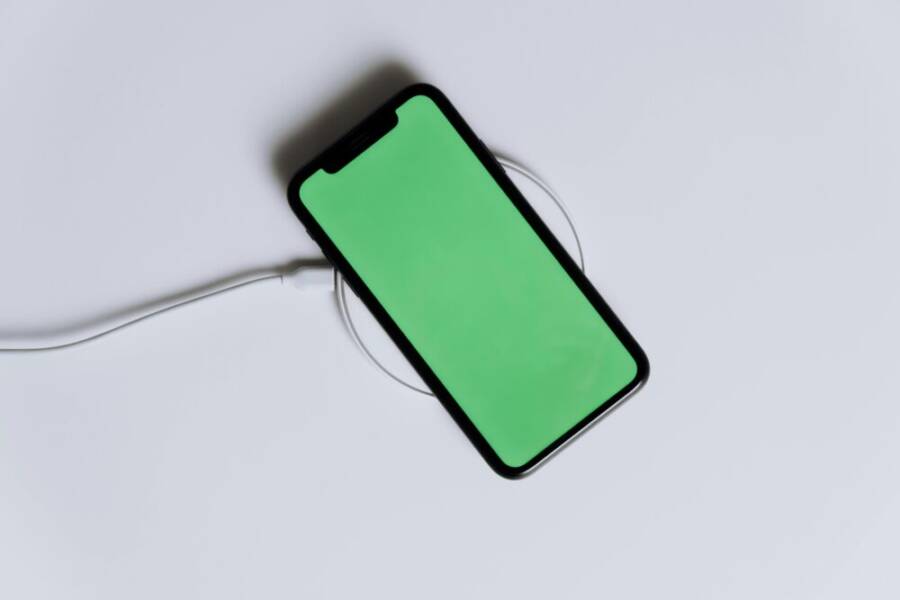
Are you hunting for a solid smartphone with wireless charging that won’t break the bank? You’re in the right place. This guide breaks down what wireless charging means in real life and why it matters for everyday use, then points you to reliable picks under $500.
Among the options, the Pixel 9a stands out for wireless charging at this price, pairing dependable battery life with smooth performance. You’ll also find other strong budget picks that balance charging convenience with solid cameras, fast updates, and good value. Read on to see how to choose and where to put your money.
Pixel 9a tops the list for wireless charging under 500
Wireless charging on budget smartphones is rarer than you might expect. The Pixel 9a proves it can be a practical daily feature without nudging price beyond $500. If you want the convenience of simply placing your phone on a pad and going, this device delivers. It’s a strong reminder that a midrange phone can combine reliable charging habits with long battery life and solid overall performance.
Why the Pixel 9a shines for wireless charging
Wireless charging is a value add that many budget phones still overlook. The Pixel 9a not only includes Qi wireless charging, it does so at a price point that keeps the total under $500. On a busy day, just drop the phone on a pad while you grab your keys, and it starts topping up without fuss. That convenience matters more when you’re juggling notifications, meetings, and commutes.
From a practical standpoint, Qi charging is broadly compatible with the pads most people already own. That means you don’t need to swap accessories or buy a special charger to take advantage of this feature. The Pixel 9a’s wireless charging supports up to 7.5W, which is slower than flagship speeds but more than enough for overnight charging or short top-ups during the day. You’ll still get reliable, predictable charging behavior without hunting for a proprietary standard or higher price tag.
For many readers, the comparison comes down to value. You get dependable battery life, capable cameras, and smooth performance along with wireless charging. When you factor in the cost savings versus pricier models that also offer wireless charging, the Pixel 9a becomes a compelling everyday option. To see how this stacks up against expectations, check out expert reviews that confirm the Pixel 9a’s charging capabilities and real-world performance, such as GSMArena’s Pixel 9a review and PCMag’s Pixel 9a review.
Key takeaway: the Pixel 9a makes wireless charging a practical daily feature rather than a premium bonus.
Key specs and value for the price
The Pixel 9a combines solid core hardware with a software experience that stays fresh through frequent updates. Here are the highlights most readers care about:
- Display and shape: A 6.3-inch pOLED panel with a crisp Full HD+ resolution and a high refresh rate. The result is smooth scrolling and good color reproduction for photos and videos.
- Processor and memory: The Tensor G4 delivers responsive performance for everyday tasks, plus energy efficiency that helps battery life. You also get ample RAM to keep apps ready in the background.
- Cameras: A capable rear duo (high quality main camera plus an ultrawide) plus a competent front camera for selfies and video calls. The hardware is paired with software features that help in low light and video stabilization.
- Battery life: A large 5100 mAh battery that generally lasts a full day under typical use. There are modes that extend life further when you need it.
- Charging options: Wired charging up to 23W keeps top-ups quick, while wireless charging tops up at 7.5W with Qi-certified pads. Reverse charging is not supported, which is not unusual at this tier.
- Software and updates: Android 16 on arrival with a security stack that includes a dedicated coprocessor for ongoing protection and a promise of ongoing updates.
How these specs translate to daily use is simple. You get a phone that handles routine tasks without lag, a display that makes media enjoyable, and a camera system that covers most casual photography needs. Battery life supports long days, with flexible charging options that fit a busy schedule. For a deeper read on performance benchmarks and camera tests, you can consult reviews such as CNET’s Pixel 9a review and GSM Arena’s hands-on.
Value note: the Pixel 9a often lands under $500, with US pricing commonly around the mid-$400s for base configurations. This pricing keeps it accessible while delivering features that users in the real world actually use every day, including wireless charging that many budget devices skip.
Who should pick the Pixel 9a
If you’re weighing options in this price range, consider these reader profiles to see where the Pixel 9a fits best:
- Photo lovers on a budget: The Pixel 9a’s camera hardware and software features deliver solid results without needing a flagship price. The combination of a capable main camera and an ultrawide gives flexibility for portraits, landscapes, and everyday shots.
- AI feature fans: The Tensor G4 includes modern AI-backed features for image processing, assistant tasks, and on-device processing that helps photo and video work feel more polished without sacrificing battery life.
- People who want long software support without paying premium: Pixel devices typically receive timely updates, and the 9a is no exception. You’ll benefit from ongoing security patches and feature improvements over several years, which helps preserve value and usability.
- Everyday users who value charging convenience: Wireless charging on a budget device lowers everyday friction. The Pixel 9a lets you top up by simply placing the phone on a pad, making it easy to keep your phone ready throughout the day.
Availability notes: in the US, the Pixel 9a tends to be offered at a price under $500 through major carriers and retailers, with occasional promotions that push the price lower. If you’re chasing a deal, keep an eye on seasonal sales and trade-in offers, as these often bring the effective price down further.
If you want a closer look at how the Pixel 9a stacks up against other budget options in wireless charging, you’ll find comparison reviews and hands-on tests that highlight real-world charging speeds and daily usability. For another perspective, see the PCMag Pixel 9a review and the GSM Arena hands-on.
External resources for deeper context:
- Pixel 9a wired and wireless charging capabilities explained in expert tests: GSMArena review
- Value-focused assessment and real-world usage: PCMag review
- The Pixel 9a as a value pack in broader battery and charging discussions: CNET review
Other strong budget phones under 500 for solid value
If you’re shopping for a budget handset that still covers the essentials, you want phones that deliver reliable performance, good battery life, and useful features without pushing past $500. Below are three solid options that frequently land under the $500 mark and offer real value in everyday use. Each has its strengths, whether that’s a big display, a long-lasting battery, or a smooth screen refresh. Read on to see which one fits your needs.
Samsung Galaxy A16 5G
At a glance, the Galaxy A16 5G is a compelling pick for value shoppers. It brings a large, vivid display and dependable battery life at a price that stays well under $500. A standout here is the big screen real estate that makes video streaming, browsing, and gaming more comfortable, especially if you spend a lot of time on your device away from a charger.
Price is one of the strongest persuaders in this segment, and the A16 5G often sits in the affordable range for unlocked or carrier deals. That means you can get a feature-filled Android experience without paying premium accessory or service costs. The practical software experience, combined with reliable updates from Samsung’s midrange line, helps this phone stay usable for years.
One important caveat: wireless charging is not listed as a feature on the A16 5G. Still, that absence isn’t a deal breaker for many buyers. Qi charging is the standard most people already own and use, and the A16 5G keeps this convenience aligned with price. This makes it a strong budget pick for daily use where a big display and long software support count more than the presence of wireless charging. For more on real-world charging behavior and overall value, you can check reviews like PCMag’s take on the A16 5G and GSM Arena’s hands-on impressions.
- Price: commonly under $500, with promotions pushing the effective cost lower
- Display: large 6.7-inch class display with solid color and brightness
- Software updates: a credible promise of ongoing updates and security patches
- Charging: wired charging supported; wireless charging not listed as a feature
- Who it’s for: media lovers who want a big screen and dependable battery without paying a premium
If you want a closer look, see the Samsung official page for the Galaxy A16 5G, plus hands-on coverage from reputable outlets like PCMag. The Galaxy A16 5G page can be a quick reference for specs and availability, while reviews offer real-world impressions of longevity and daily use.
- Samsung Galaxy A16 5G official page: https://www.samsung.com/us/smartphones/galaxy-a16-5g/
- PCMag review of the Galaxy A16 5G: https://www.pcmag.com/reviews/samsung-galaxy-a16-5g
- GSM Arena hands-on and performance notes: https://www.gsmarena.com/google_pixel_9a-review-2825p3.php
Key takeaway: the A16 5G proves that you can get a big, enjoyable display and solid ongoing software support without paying premium prices, even without wireless charging.
OnePlus Nord N30 5G
The Nord N30 5G brings a confident balance of speed and efficiency at a wallet-friendly price. It excels with a 120 Hz display that makes everyday scrolling feel snappy, which is a real win if you spend a lot of time on social apps, games, or media. The phone also offers robust battery life, so you can go longer between charges, and it comes in an 8 GB RAM option that helps keep multitasking smooth.
However, wireless charging is not available on this model. For many buyers, that’s a trade-off worth making for the value on screen quality and stamina. If you prize a premium-looking display and all-day endurance, the Nord N30 5G remains a strong candidate in the sub-$500 market. It’s particularly appealing to those who want a device that feels responsive in everyday tasks, with a screen that looks good in bright or dim environments.
Who should consider the Nord N30 5G? People who want a high-refresh screen for smooth visuals, and users who place a premium on staying unplugged longer between charges. It’s a natural pick for students, commuters, or anyone who spends time streaming or gaming on the go.
- Display: 6.72-inch 120 Hz panel for fluid visuals
- Battery life: long-lasting endurance that can easily cover a full day
- RAM/Storage: solid 8 GB RAM option with ample storage
- Charging: no wireless charging
- Who it’s for: those who value screen quality and battery life over wireless charging
For additional context, read OnePlus’s own product page and independent reviews to understand how the Nord N30 5G performs in real use:
- OnePlus Nord N30 5G official page: https://www.oneplus.com/us/oneplus-n30-5g
- OnePlus Nord N30 5G reviews: https://www.oneplus.com/us/n30-5g/reviews
- The Verge review: https://www.theverge.com/23761214/oneplus-nord-n30-5g-review-battery-screen-camera-price
- PCMag review: https://www.pcmag.com/reviews/oneplus-nord-n30-5g
Key takeaway: if you want a premium-feel display and reliable all-day battery at a bargain price, the Nord N30 5G is hard to beat, even without wireless charging.
Motorola Moto G Power 2025
The Moto G Power 2025 centers on one simple idea: battery life first. If you routinely use your phone for long sessions away from a charger, this model is a clear choice. It delivers standout endurance at a budget price, making it a smart pick for those who value longevity over top-tier specs.
Wireless charging is not expected on this model, and that’s a normal omission in this price tier. The upside is a lower price and a chassis designed around prolonged use. Expect solid performance for everyday tasks, light gaming, and media consumption. The big battery does the heavy lifting, giving you enough juice to last through long flights, commutes, or workdays with plenty of reserve.
Who benefits most from the Moto G Power 2025? Users who prioritize battery life above all else, budget-conscious buyers who want a dependable daily driver, and anyone who wants straightforward performance with minimal fuss. It’s not flashy, but it gets the job done when you need to stay unplugged longer.
- Battery life: standout endurance with a large capacity
- Price: typically very affordable in the under-$500 segment
- Display and performance: adequate for day-to-day tasks, not premium
- Charging: wired charging only; no wireless charging
- Who it’s for: heavy phone users who value reliability and cost efficiency
If you’re curious how portable power translates to real-world days, you can compare this model against other budget contenders and see how the battery life holds up in daily routines.
Overall, these three options show how much you can get for under $500 without forcing compromises on the essentials. The Galaxy A16 5G offers a big display and strong updates, the OnePlus Nord N30 5G emphasizes screen quality and endurance, and the Moto G Power 2025 centers on longevity. Each device serves a different prioritization, so pick the one that aligns with how you use your phone most. For deeper comparisons, look to reputable reviews and official pages to verify current pricing and updated specs.
What to know before buying a budget phone with wireless charging
If you’re shopping for value, wireless charging can feel like a nice extra. In the under-$500 segment, speeds vary a lot and not every model ships with wireless charging as standard. This section helps you understand what to expect and how to set up wireless charging for real-world use. We’ll call out where budget models shine and where you might trade speed for price.
Wireless charging speeds and what to expect
In this price range, most budget phones top out at modest wireless charging speeds. Many devices advertise 5W to 7.5W on Qi-certified pads, with faster speeds reserved for pricier models or specific regional variants. Don’t expect flagship-like pull times; think practical top-ups and overnight replenishment rather than rapid top-to-full sessions. The Pixel 9a stands out as a notable exception, delivering wireless charging under the $500 threshold and offering reliable daily topping-up without pushing the price higher. In real usage, a 7.5W rate is usually enough to keep pace with a typical day, especially when you can recharge overnight or during short breaks.
When you compare across models, look for a few practical signals:
- Qi compatibility: Most budget phones use the standard Qi wireless charging protocol, so you can reuse chargers you already own.
- Maximum wattage advertised: It’s common to see “up to 7.5W” or similar. If a charger or case slows you down, the pad design can matter more than the phone’s baseline speed.
- Case impact: Thick or metal cases can reduce charging efficiency. If you want the fastest top-ups, test charging with a slim case on or consider removing the case during charging.
Real-world references show that some testers confirm Pixel devices offering consistent 7.5W charging with typical pads, while others note variability based on case type and pad quality. For deeper context, see analyses from major outlets that test charging speeds and battery behavior across budget models, including Pixel variants. You can also compare experiences across reviews to gauge how charging speed translates to daily routines. For example, you’ll find detailed discussions in hands-on reviews and performance tests that compare charging behavior in real-world use.
Key takeaway: expect modest wireless charging speeds on most budget phones, with the Pixel 9a as a rare under-$500 exception that still delivers convenient wireless top-ups.
Charger compatibility and setup tips
Getting the most from wireless charging doesn’t require fancy gear. You can optimize performance and reduce wear with a few practical steps:
- Use certified chargers: Pick Qi-certified pads and adapters from reputable brands. This helps ensure safe charging, steady power delivery, and compatibility with your device.
- Keep pads and phones clear: Remove bulky or metallic accessories from the phone surface. Clear pads of dust and lint to maintain good contact.
- Choose the right case: A slim, non-metallic case usually preserves charging efficiency. If you notice slower charging, try removing the case briefly to test the pad’s speed.
- Position matters: Align the phone correctly on the charger. Some pads have a visual guide or LED indicator to help you place the phone for the best contact.
- Update and test: Make sure your phone’s software is up to date. Manufacturers often optimize charging behavior with software updates.
If you’re new to wireless charging or want to verify universal compatibility, look for a charger that supports the Qi standard and includes safety protections. A general guide to wireless charging covers how to identify the right charger and what to expect in different setups. For practical, user-tested tips, you can consult tech outlets that explain the best practices for maximizing wireless charging speed and efficiency. If you want a deeper understanding of universal compatibility, see resources that emphasize the importance of Qi certification and cross-brand interoperability. For a quick, expert overview, consider checking out a comprehensive guide on how to charge your phone efficiently with Qi standards.
External resources for deeper context:
- Which Phones Support Wireless Charging: https://www.ecoflow.com/us/blog/phones-wireless-charging-guide
- A Comprehensive Guide to Qi Wireless Charging: https://www.anker.com/blogs/wireless-chargers/a-comprehensive-guide-to-qi-wireless-charging
- How to wirelessly charge your phone with max power: https://www.engadget.com/mobile/smartphones/how-to-wirelessly-charge-your-phone-with-max-power-130013170.html
If you want a closer look at practical charging performance across budget options, read reviews from reputable outlets that test charging under real-use conditions. For instance, there are hands-on pieces and benchmarks that compare how fast each device tops up on common pads, which helps set expectations before you buy. See how the Pixel 9a stacks up against peers by viewing hands-on or review content from trusted sites. For example, you can explore in-depth coverage of the Pixel 9a’s charging behavior and everyday reliability through reputable outlets.
External resources for deeper context:
- Pixel 9a wired and wireless charging capabilities explained in expert tests: https://www.gsmarena.com/google_pixel_9a-review-2825p3.php
- Value-focused assessment and real-world usage: https://www.pcmag.com/reviews/google-pixel-9a
- The Pixel 9a as a value pack in broader battery and charging discussions: https://www.cnet.com/tech/mobile/google-pixel-9a-review-a-value-packed-phone-just-at-the-right-time/
Smart buying tips and a simple picks guide
This section helps you quickly spot the best wireless charging options under $500 and makes it easy to pick a practical budget device. It focuses on real-world value, charging convenience, and everyday use. If you want a wireless charging phone that doesn’t push into premium territory, the Pixel 9a remains a standout choice. Below you’ll find the top pick for wireless charging under $500 and a strong value alternative, with practical reasoning you can apply to other budget devices as well.
Best overall wireless option under 500
The Pixel 9a is the strongest all-around choice for wireless charging in the sub-$500 category. It combines balanced performance, dependable battery life, and the convenience of Qi wireless charging without priced-out compromises. If you want a phone you can simply place on a pad and walk away, this device delivers that everyday ease plus solid overall value.
Why the Pixel 9a earns the top spot in wireless charging under $500:
- Value balance: You get reliable wireless charging (7.5W on Qi) along with a capable camera system, smooth performance, and timely software updates. All of this fits under $500 in typical US pricing, making the feature set practical rather than ornamental.
- Real-world charging behavior: Qi charging on the 9a is compatible with most pads you already own, so you don’t need to invest in a special charger. For daily tops ups, 7.5W is steady and predictable, especially when you can top off overnight or during shorter breaks at work.
- Compatibility and ecosystem: Qi remains the standard, which means you can mix and match pads, stands, and car chargers without compatibility headaches. The Pixel 9a’s charging behavior aligns with real-world use, so you won’t be surprised by slow or inconsistent top-ups.
For further context on how the Pixel 9a stacks up in charging performance and overall value, reputable outlets have tested its charging speeds and daily reliability. See reviews like GSMArena’s Pixel 9a coverage and PCMag’s Pixel 9a review for hands-on assessment and testing benchmarks. These sources corroborate the device’s charging behavior and real-world performance.
- GSMArena Pixel 9a review: https://www.gsmarena.com/google_pixel_9a-review-2825p3.php
- PCMag Pixel 9a review: https://www.pcmag.com/reviews/google-pixel-9a
- CNET Pixel 9a review: https://www.cnet.com/tech/mobile/google-pixel-9a-review-a-value-packed-phone-just-at-the-right-time/
Key takeaway: the Pixel 9a provides reliable wireless charging at a budget price, without forcing you to trade away camera quality or upgrades you rely on daily.
How this translates to daily use
- You’ll notice less friction in your morning routine. A quick drop on the wireless pad starts a topping-up cycle while you grab your bag or keys.
- Overnight charging becomes effortless. The 7.5W rate is enough to keep you topped up with minimal planning, especially if you’re a heavy smartphone user during the day.
- The software and hardware synergy helps battery longevity. An efficient Tensor G4 platform and a solid battery size mean you’ll typically end the day with a comfortable charge.
If you’d like to buy with confidence, you can explore the Pixel 9a’s official product page and reviews to confirm current pricing and availability. For a quick price anchor and shopping options, the Pixel 9a listing on Google Store can be a useful reference, while general coverage helps gauge how long you’ll stay updated on software and security patches.
- Pixel 9a official product page: https://store.google.com/product/pixel_9a?hl=en-US
Who should consider the Pixel 9a
- Budget-minded wireless charging fans: You gain the convenience of wireless charging without paying premium prices.
- Camera and software lovers: You get a strong camera setup and a software experience that stays fresh with updates.
- People who want long-term value: The Pixel line is known for ongoing updates, which protects value over time.
If you want to compare this option with other top budget picks, you’ll find solid reviews and additional context from mainstream outlets that test performance and charging behavior across several devices. See PCMag and CNET for broader context on value and daily usability.
Best value pick under 500
If you’re looking for strong daily-use value and can trade off wireless charging, there are budget phones that still deliver excellent everyday performance. An alternative budget pick that stands out on value is a model that offers a large display, long battery life, and a confident overall feel, but does not include wireless charging. This makes it easy to focus on screen quality, battery endurance, and software support without paying extra for wireless tech that you might not use constantly.
Why this value pick stands out
- Exceptional daily usability: A big, vibrant display and smooth navigation keep everyday tasks feeling responsive. You’ll enjoy streaming, browsing, and social apps without stutter.
- Solid endurance: A large battery paired with efficient hardware gives you all-day reliability on a single charge, making it a trustworthy daily driver for those who don’t want to carry a charger everywhere.
- Price and ecosystem: The price remains well under $500, often with promotions that make it even more accessible. Software updates from the brand add long-term value.
Trade-offs to keep in mind
- No wireless charging: If wireless charging is not a must-have for you, this option keeps the cost down while delivering a satisfying daily experience.
- Camera and premium features: It’s smart, but you should adjust expectations for flagship-grade hardware. The camera and features are ample for everyday use, not for professional-grade imaging.
Real-world usage stories show why this approach works. You gain more screen space for media and productivity, a battery that outlasts a workday, and a design that feels modern and comfortable in hand. It’s a practical balance for many readers who want a reliable device without a premium price tag.
Examples of devices in this category include reliable Android phones with strong display quality and battery life, often found under $500 in the US market. Do check recent hands-on reviews to verify current pricing and updated specs, as prices shift with promotions and new model introductions.
- When evaluating value, look for: display size and quality, battery capacity, software support cadence, and price stability across retailers.
- It helps to test practical tasks you perform daily, such as video streaming, navigation, and multitasking, to ensure the device feels quick enough for your workflow.
External context to help you decide
- For a broader view of budget options and how they compare in real-world use, see reputable smartphone roundups and reviews from outlets like PCMag. These pieces often benchmark everyday performance, battery life, and display quality across several sub-$500 devices.
- If you want the latest on the best Android phones under $500, you can consult updated editors’ picks and buyer guides from major outlets to see how current pricing and models stack up.
External resources for deeper context:
- The Best Android Phones We’ve Tested for 2025: https://www.pcmag.com/picks/the-best-android-phones
- Pixel 9a impressions and context in broader battery discussions: https://www.cnet.com/tech/mobile/google-pixel-9a-review-a-value-packed-phone-just-at-the-right-time/
Putting it together: smart buying tips in this segment
- If wireless charging is a must, the Pixel 9a holds up well at under $500 and should be your top pick.
- If you’re prioritizing display quality and battery life without the charging feature, the value-focused option provides strong daily usability.
External reference to help with cross-comparisons
- Pixel 9a price and charging details in real-world testing: https://www.gsmarena.com/google_pixel_9a-review-2825p3.php
Availability and buying notes
- In the US, budget devices often dip under $500 during promotions. Watch for seasonal sales or carrier promotions to maximize value.
- If you’re shopping for bundles or trade-ins, you can often shave additional dollars off the final price, making the Pixel 9a or the value-focused option even more attractive.
What to consider next
- If you want a truly balanced budget device, keep wireless charging as a tiebreaker. If it’s not essential, the value pick offers excellent daily performance for a lower price.
- For those who want the latest green tech, consider how software updates and long-term support add to total ownership costs.
External resources for practical context
- Pixel 9a in major retail listings for price and availability: https://store.google.com/product/pixel_9a?hl=en-US
- Reviews and hands-on impressions that discuss real-world usage: https://www.pcmag.com/reviews/google-pixel-9a
Notes on utility and planning
- The best picks here reflect real-world behavior rather than pure spec sheets. In daily life, the Pixel 9a’s wireless charging and broad software support provide measurable benefits, while the value pick emphasizes lasting comfort and display quality for everyday tasks.
- If you’re preparing a budget phone buying guide, consider adding practical checklists for chargers, cases, and case compatibility with wireless charging to help readers maximize their charging experience.
Conclusion
The Pixel 9a remains the strongest option for wireless charging under $500, delivering reliable 7.5W Qi charging, solid battery life, and dependable software updates in a practical smartphone package. For readers who want value with no wireless charging tradeoffs, a budget pick with excellent daily performance offers a compelling alternative, especially if you prize screen quality and endurance over the charging feature. Keep an eye on current deals and regional availability, as discounts and promotions can shift the price still lower. Choose based on how much you value wireless charging versus other features like display quality, camera quality, and software support, and you’ll land a smartphone that fits your everyday life.