Are you always on the move and counting every hour of battery life? The right phone can turn long flights, road trips, and back-to-back meetings from chaos into smooth, reliable work in your pocket. This guide homes in on the best phone for people who are always on the road, with practical tips you can apply today.
You’ll learn how to pick a device that lasts through rough days, survives a few drops, and stays connected across borders. We zero in on battery endurance, ruggedness, global connectivity, and offline capability so you can work, navigate, and stay in touch no matter where you are. Expect quick decision rules and real world picks you can trust.
To keep things simple, we’ll outline clear categories for different travel needs, from rugged workhorses to compact travel companions. You’ll get practical guidance on what to look for, what to avoid, and which models routinely earn solid reviews from trusted sources. By the end, you’ll know exactly which phone fits your travel rhythm and budget.
How to pick a phone for people who are always on the road
When you spend weeks on the move, a phone isn’t just a gadget. It’s a reliable working partner. You need long battery life, tough build, global connectivity, and comfortable handling all day long. In this section, we break down practical criteria and actionable tips so you can choose a device that fits a nomadic lifestyle without overthinking the specs.
Battery life that lasts all day and beyond
Nomads rely on their phones for maps, calls, and photography, often in places with limited charging options. A phone should comfortably cover a full day of real-world use and still have a margin for surprises.
- Daily usage patterns to plan for: GPS navigation and live maps, frequent calls or VoIP, camera bursts for travel moments, constant messaging, and some offline apps for offline navigation or translation.
- Target battery benchmarks: aim for at least a 4,000 mAh battery on mid-range devices or 5,000 mAh and above on flagship models. If charging speed matters, look for 25W or faster quick charging, and wireless charging can be helpful in hotel rooms.
- Software features that extend life: adaptive battery that’s aware of your routine, dark mode to reduce screen energy, app standby restrictions, and battery saver modes that kick in automatically during low power.
- Real-world tips you can apply now:
- Turn on battery saver during long drives or flights.
- Lower screen brightness and use adaptive brightness with a shorter screen timeout.
- Limit background activity for essential apps only.
- Carry a compact power bank for days with heavy GPS use or long waits.
- If you do heavy camera work, consider charging options that don’t require stopping to plug in.
For readers who want to optimize immediately, look for devices with reliable power management and a battery profile that matches travel patterns. Some models also support charging from portable solar packs in a pinch, which can be a lifesaver in remote locations.
Durability that can handle travel wear and tear
Travel brings knocks, dust, and sudden weather changes. The phone you pick should survive a few drops and the daily grind without fuss.
- Build quality matters: a solid frame, reinforced back, and reliable glass are worth paying for. Rugged corners and a sturdy grip reduce accidents on the move.
- Screen protection: consider a device with strengthened glass or a compatible screen protector. A slightly recessed display helps resist scratches from loose gear.
- Water and dust resistance: look for IP ratings like IP68 or IP67. These ratings denote dust resistance and water ingress protection during everyday activities. You don’t need the technical jargon to know this means the phone can withstand rain and splashes.
- Rugged design options: some phones are built specifically for harsh environments with rugged chassis and MIL-STD-810G style testing. These models handle drops, vibrations, and temperature changes better than typical phones.
- Quick reassurance: verify that resale and repair paths are solid in your region. A phone that’s easy to service reduces downtime if a component wears out on the road.
If you travel to varied climates, a durable option saves money and time. It also reduces stress when you’re navigating a busy itinerary or catching a flight with only a few minutes to spare.
Global connectivity and easy SIM options
Staying connected across borders is essential for travelers. A phone should simplify roaming, SIM swaps, and data plans, so you can focus on the journey.
- eSIM support: eSIMs remove the need to swap physical SIM cards while hopping between networks. This makes it faster to set up service in new countries.
- 5G availability: broad 5G coverage helps with fast data in cities and major transit hubs, but even when 5G isn’t available, reliable 4G or LTE keeps navigation smooth.
- Dual SIM: having a physical SIM plus an eSIM or two physical SIMs can help separate work from personal lines or manage roaming data more efficiently.
- Roaming plans: look for traveler-friendly plans that offer data in multiple countries with predictable rates. Some carriers allow easy add-ons or days of data that fit short trips.
- Practical note for travelers: set up essential connectivity before you leave home. Download offline maps, install messaging apps, and configure your preferred roaming settings so you’re ready to go the moment you land.
A phone with flexible connectivity saves you time and stress. It means fewer surprises when you land in a new country and more focus on the work and adventures ahead.
Comfort and portability for long days on the move
All-day comfort isn’t just about the device size. It includes weight, grip, and how easy the screen is to use one-handed after hours of touring or meetings.
- Weight and size: a balance between a larger display for maps and productivity and a compact form you can pocket without fatigue. If you spend long hours holding the device, a lighter option wins.
- Grip and ergonomics: rounded edges, matte finishes, and comfortable button placement improve one-handed use. A slightly textured back helps prevent slips when you’re sweating or wearing gloves.
- Screen usability: consider a bright, sharp display with wide viewing angles for daytime use in sunlight. A responsive touchscreen and a reliable fingerprint reader or secure unlock method speeds up day-to-day tasks.
- Quick guidance for choosing comfort: try devices in your hand if possible, check for reach with a thumb, and consider one-handed modes that can simplify navigation and typing in tight spaces.
- Practical tips for ongoing comfort: use a protective case with a slim profile, add a standard screen protector, and if you wear gloves, ensure the screen responds to touch with gloves on.
In the end, a phone that feels comfortable in your hand and doesn’t weigh you down makes long days on the road much easier. It should disappear as a tool in your pocket rather than stand out as a bulk.
External resources you may find helpful:
- For rugged durability and IP ratings, see reviews on rugged phones like the Nokia XR21 and other durable devices. https://www.techradar.com/best/best-rugged-smartphones
- Guidance on outdoor use and durability standards in the market. https://www.verizon.com/business/answers/what-is-the-most-rugged-smartphone/
- A broader take on the best rugged options in 2025. https://www.zdnet.com/article/best-rugged-phone/
If you’d like additional recommendations tailored to specific travel patterns, I can tailor the recommendations to your typical routes and the places you frequent most.
External links sources and related reading:
- Battery saving in practice for travelers: https://www.nytimes.com/wirecutter/reviews/the-recommendation-phone-battery-20250915/
- Practical tips from travel communities on extending battery life: https://www.reddit.com/r/Ultralight/comments/1h87gnt/advice_for_extending_phone_battery_life_on_trail/
- General tips for extending battery life in the field: https://www.alpinesavvy.com/blog/top-tips-longer-phone-battery-life-in-the-backcountry
Would you like a quick comparison table of current models that fit these criteria, with approximate battery capacities, weights, and IP ratings?
Must-have features for road warriors
When you’re on the move, your phone needs to be more than just capable. It has to endure long days, stay reliable across borders, and power through content creation on the go. Below are the must-have features that road travelers should prioritize, with practical guidance you can apply while you’re shopping or packing for your next trip.
Camera and video capabilities for travel content
Documenting trips means capturing moments clearly, even under pressure. A phone with strong stabilization, solid low-light performance, and robust video features will save you from carrying extra gear.
- Stabilization matters: Look for devices with dependable both-digital and optical stabilization. This keeps handheld shots steady during bumpy rides or when you’re walking through crowded streets.
- Low light performance: A good night or dusk camera helps you tell a complete story, from hotel lobbies to after-dark cityscapes.
- Video features: 4K video is still the standard for crisp footage, while HDR improves dynamic range in bright sunlit scenes and shaded corners. Consider slow-mo and time-lapse options for quicker storytelling in reels or vlogs.
- Practical takeaway: prioritize a camera system that delivers consistent results across lighting conditions, with reliable stabilization as a key selling point for road photographers and vloggers. For reference, reviews often call out the best phones for video recording and vlogging as strong options to consider.
Tip: on travel days, keep a small, lightweight gimbal in your bag if you shoot a lot of video on the move. It complements the phone’s stabilization and gives you smoother pans without heft.
External reading for travel camera reliability:
- The best phone for video recording and vlogging: https://www.digitalcameraworld.com/buying-guides/best-phone-for-video-recording
On-the-go charging and battery management
Long travel days demand steady power. You should be able to top up quickly, even when outlets are scarce.
- Charging speeds: A fast charger helps you get back to work quickly. Look for phones that support USB-C Power Delivery (PD) and high-winish fast charging. Wireless charging adds convenience when you’re in a hotel room or airport lounge.
- Power banks: A compact, high-capacity power bank is a lifeline for GPS use, photo bursts, and long calls between layovers.
- Practical tips for long days: carry a portable charger with a USB-C PD port, enable battery saver modes when you’re off the grid, and keep critical apps restricted to minimize background drain.
- Quick wins: map out days with high battery demand and choose a phone that supports efficient power management, including adaptive battery features that learn your routine.
Quick charging and seamless energy management can keep you powered through back-to-back flights and road trips. If you travel with multiple devices, consider a charger that handles both USB-C PD and wireless charging to streamline your kit.
External reading for charging gear:
- Portable chargers and power banks: https://www.bestbuy.com/site/cell-phone-chargers-cables/external-battery-packs/pcmcat326000050010.c?id=pcmcat326000050010
Privacy, security, and software reliability on the road
Your device carries sensitive data from work and personal life. Regular updates, solid app safety, and biometric security make travel less stressful.
- Software updates: Choose a phone with a reliable update cadence and long-term support. Regular security patches protect you when you’re connected to unfamiliar networks.
- App safety: Rely on trusted app stores and be cautious with permissions. Review permissions for work apps, travel planners, and payment apps.
- Biometric security: A fingerprint or facial recognition method that works reliably in varied lighting and when you’re wearing gloves or a mask helps you stay productive without slowing down.
- Practical mindset: keep critical apps updated, enable two-factor authentication where possible, and lock sensitive data behind robust authentication.
The road brings new networks and unexpected scenarios. A phone with predictable software reliability and strong security helps you stay productive without worrying about data exposure.
Software compatibility for productivity and maps
On long travel days, you need maps, offline access, and productivity apps that play well together. Smooth multitasking reduces downtime and helps you stay on schedule.
- Offline maps: Pre-download maps for offline use, especially for regions with spotty connectivity or roaming charges.
- Compatible productivity apps: Choose a platform with widely supported office suites, note-taking tools, cloud storage, and email clients that you’re comfortable using on the road.
- Multitasking performance: A device with ample RAM and a clean software experience can handle multiple apps at once without slowdowns.
- Long-term support: Consider devices that will receive software updates for several years. It’s a smart investment for travelers who rely on secure, up-to-date apps.
With offline maps and dependable productivity tooling, you can navigate new cities with confidence while keeping work moving forward even when the internet is unreliable.
Links to practical buying guides and gear can help you compare options and verify real-world performance as you shop. For example, you can explore detailed camera-oriented guidance and rugged travel considerations from reputable sources to inform your decision.
External reading for maps and productivity:
- The best phone for video recording and vlogging: https://www.digitalcameraworld.com/buying-guides/best-phone-for-video-recording
- Rugged smartphone guidance and durability standards: https://www.verizon.com/business/answers/what-is-the-most-rugged-smartphone/
Real-world picks for nomads
Traveling light and staying connected means choosing phones that genuinely perform in the field. Below you’ll find practical picks that cover everyday reliability, rugged endurance, budget value, and travel-ready camera capability. Each subsection highlights what to look for, who it’s best for, and quick real-world reasons you might choose it. If you’re shopping today, these models consistently earn strong feedback from travelers and reviewers alike.
Best all rounder phones for most travelers
For most people who spend days hopping between airports, trains, and coworking spaces, a well-balanced phone wins. You want long battery life, a capable camera, solid durability, and a price that doesn’t trigger buyers’ remorse after a few months.
- Why this fits nomads: A dependable all-around performer handles maps, calls, email, and bursts of photo activity without demanding special charging setups. The screen is readable in daylight, the software feels polished, and the device remains comfortable to hold during long sessions on a plane or in a hotel lobby.
- Battery and efficiency: Look for a sizable battery paired with thoughtful power management. A phone that supports robust fast charging and wireless charging helps when you’re off-grid for a day and back at a desk for a quick top-up.
- Camera and video: A versatile camera system matters more than the latest mega-pixel race. Consistent color, solid dynamic range, and dependable stabilization make travel photos look good without editing for hours.
- Practical pick notes: aim for models with strong app performance, reliable updates, and broad carrier compatibility. If you want a ready-made travel companion that won’t slow you down, this category is where most readers land.
External reference for ruggedness and general durability in everyday travel conditions: https://www.techradar.com/best/best-rugged-smartphones
If you want a quick read on why durability matters in real world travel, see warnings and recommendations from reviewers who test devices in dynamic environments: https://www.verizon.com/business/answers/what-is-the-most-rugged-smartphone/
Rugged and weatherproof options for harsh trips
When your itinerary includes rugged terrain, remote locations, or unpredictable weather, a rugged phone can save the trip. These devices are built to withstand drops, dust, and water immersion while still delivering dependable performance.
- Standout features to look for: IP67/IP68 water and dust resistance, MIL-STD-810G or similar certification, reinforced frames, and tactile buttons that work with gloves. A grippier texture helps during long days outdoors.
- Why they matter on the road: you don’t want a fragile screen when you’re climbing a bus or crossing uneven sidewalks. A rugged design reduces risk and downtime, letting you focus on the route rather than the device.
- Real-world picks: if you frequently work in dusty markets, rainy cities, or off-grid camps, a rugged option offers peace of mind without heavy modification to your workflow.
- Quick tip: check repairability and local service options before you buy. A phone that’s easy to service keeps downtime to a minimum when you’re far from home.
External references for rugged endurance and market options:
- Best rugged smartphones overview: https://www.techradar.com/best/best-rugged-smartphones
- Unbreakable phone options and design ideas: https://www.crosscall.com/en-gb/pages/unbreakable-smartphones
If you want further reading on rugged devices and field testing, you can also explore outdoor-focused guides and user reports that compare grip, protection ratings, and battery endurance in demanding environments.
External inspiration for rugged reliability and field testing:
- The Tank 3 Pro and similar rugged phones in 2025 roundups: https://routzz.com/blogs/article/discover-the-top-rugged-smartphones-for-your-outdoor-adventures
- Outdoor-dedicated rugged guidance and durability standards: https://www.verizon.com/business/answers/what-is-the-most-rugged-smartphone/
Budget-friendly picks with solid performance
Not every traveler needs the latest flagship. A carefully chosen budget phone can deliver reliable battery life, good cameras, and sturdy enough construction without breaking the bank.
- Where value shows up: mid-range devices often balance battery efficiency with a capable camera system and adequate durability. They typically ship with modern software and longer-than-expected update cycles.
- Battery and charging: you still want decent endurance, plus fast charging on a budget model helps when you’re in a hurry between connections.
- Camera and multimedia: expect good daylight photos and usable video; low-light performance will be adequate rather than spectacular. If you travel often to the same destination, you’ll still capture crisp travel memories with little post-processing.
- Practical approach: prioritize devices with reliable performance, a reasonable screen, and a case-friendly design. You’ll likely save enough to upgrade accessories, like a better power bank or a portable gimbal.
These picks are ideal for travelers who value function over bragging rights. They keep you in the work flow without forcing upgrade cycles every year.
External reference for value-focused guidance:
- Best affordable phones with strong battery life and camera performance: https://www.cnet.com/tech/mobile/best-travel-phone/
Top cameras for travel creators
If your travel routine includes creating content, the camera system becomes your primary tool. You want a phone that shoots reliable video, handles a range of lighting, and stabilizes footage well so you don’t need a heavy rig.
- Stabilization matters: devices that combine optical and electronic stabilization keep footage smooth even on bumpy rides or crowded streets.
- Color and exposure: a camera that renders natural skin tones and has good dynamic range helps you tell stories without heavy grading.
- Low-light performance: hotel lobbies, dawn cityscapes, and dusk street scenes demand solid performance after sundown.
- Video features to value: 4K capture, HDR modes, and versatile frame rates give you flexibility for different formats like reels, shorts, or long-form clips.
- Practical guidance: choose a phone whose camera app is reliable and offers fast focus, good audio capture options, and easy access to manual controls when you need them on the fly.
External reading for travel camera reliability:
- The best camera phone in 2025: https://www.digitalcameraworld.com/buying-guides/best-camera-phone
If you’re comparing options, keep in mind that the best overall camera phone often blends strong stills with excellent video processing and stabilization. Reading hands-on reviews helps you gauge what “real world” footage looks like in varied lighting conditions.
Tips for on-the-road shooting: keep a small, lightweight gimbal in your bag to complement the phone’s stabilization and deliver cinematic panning without added weight.
External reference for video and vlogging guidance:
- The best phone for video recording and vlogging: https://www.digitalcameraworld.com/buying-guides/best-phone-for-video-recording
Putting it all together, these categories cover the spectrum from everyday reliability to demanding content creation. Your choice should align with how you travel, where you go, and how you prefer to work on the road. If you want, I can tailor these picks to your typical routes and the gear you already own.
Key takeaways
- For everyday travel, an all-rounder balances battery, camera, and price.
- For harsh conditions, a rugged phone reduces risk and downtime.
- For budget-minded travelers, solid performance can come at a surprisingly low price.
- For content creators, camera quality and stabilization matter most, with strong low-light performance as a bonus.
Would you like a quick comparison table of current models that fit these criteria, with approximate battery capacities, weights, and IP ratings?
Practical tips to stretch phone life on long trips
When you’re on the road, every minute and every charge counts. This section offers practical, battle-tested habits to extend your phone life during travel days. From lightening-fast charging routines to offline strategies that cut data drain, you’ll find clear steps you can implement today to stay connected without begging a wall outlet.
Battery saving on the road
Long travel days demand smart power management. The goal is simple: last through the day and still have juice for critical moments like navigation or calls.
- Adaptive brightness and display timeout: enable adaptive brightness and choose a conservative screen timeout. In bright outdoor conditions, a quick tap to dim can save a surprising amount of energy.
- Background activity control: limit background activity for nonessential apps. Use your phone’s battery optimization settings to restrict what runs when you aren’t actively using an app.
- Power saving modes: activate battery saver or low power mode on travel days, especially during long drives, layovers, or delays. These modes throttle background tasks and reduce screen brightness without sacrificing core tasks.
- Charging habits: prioritize charging in short bursts rather than waiting for a full battery. If you must, use a fast charger when you’re near an outlet and a smaller power bank when you’re off-grid.
- Real-world tips you can apply: keep a compact power bank in your bag, plan charging stops around meals or arrivals, and avoid charging while playing heavy games or streaming video for extended periods.
- Practical example: you’re navigating a new city with live maps, two Skype calls, and a photo pass. Battery saver on, adaptive brightness, and a top-up during a quick coffee break can add a critical hour to your day.
A few quick notes on reliability: look for devices with solid software power management and a battery profile tuned for real-world travel. Some devices also support charging from portable solar packs, which can be a lifesaver in remote locations.
Images:
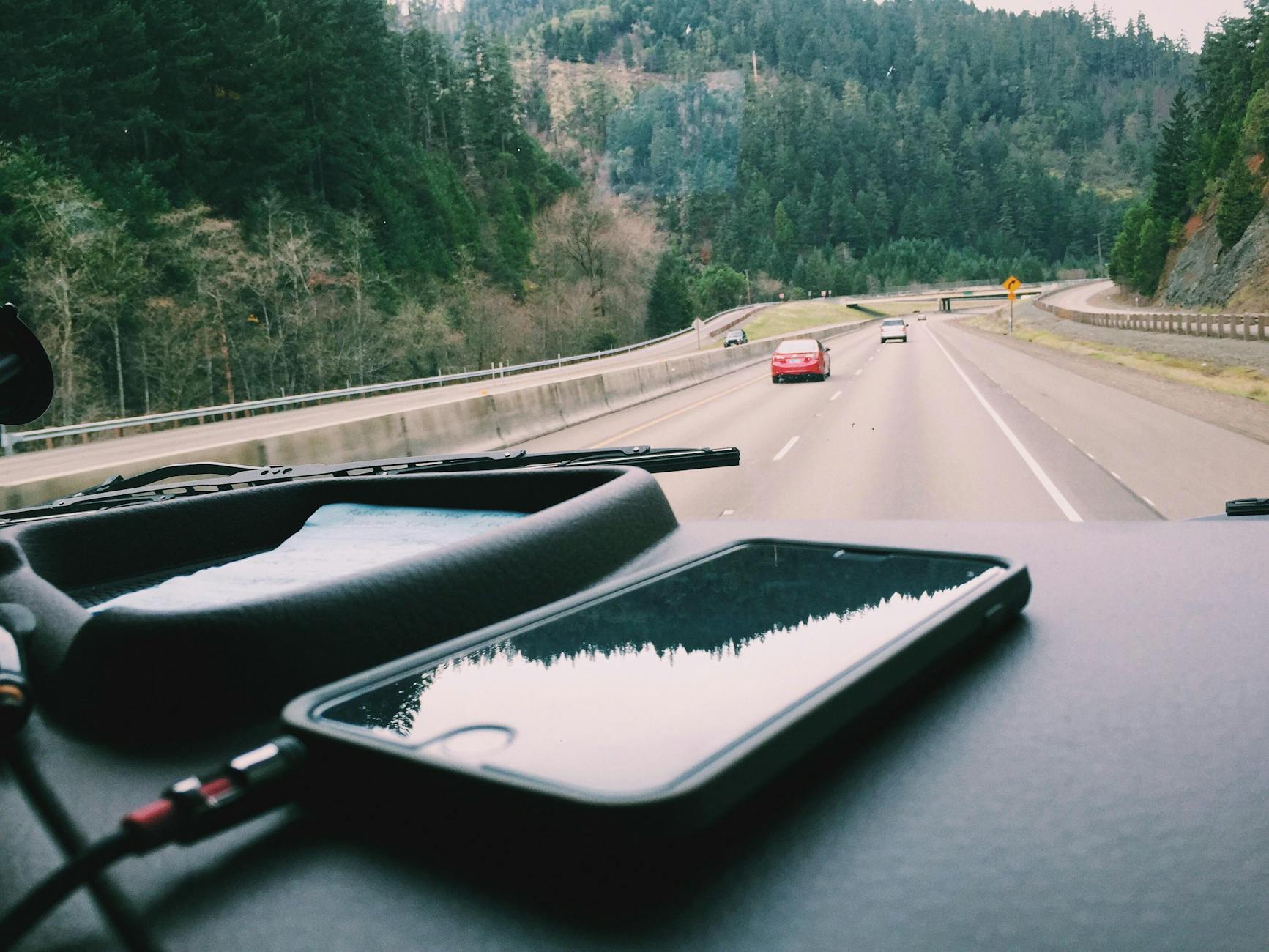 Photo by Snapwire
Data roaming, maps, and offline options
Staying connected while avoiding data surprises is essential on the road. The key is to plan offline first, then use data as a backup when you can.
- Offline maps first: download areas in advance and keep a few critical routes stored offline. This reduces roaming data usage and ensures you can navigate even with spotty service.
- Manage roaming charges: activate data roaming only where necessary, or use a local eSIM if your device supports it. Compare short-term roaming passes to avoid pricey daily rates.
- When to rely on offline resources: in airports, trains with weak cellular coverage, or remote towns, offline maps and translated phrases offline are your best allies.
- Practical tip: set up essential apps before you leave home — maps, messaging, and email — so you’re ready to use them offline on arrival. If you travel to multiple regions, keep offline maps for each area handy.
- Helpful guidance: many users find offline maps to be a reliable backbone for navigation when data is unreliable. For example, Google Maps lets you save offline areas, which can be a real saver during layovers or long drives.
- Real-world note: even with offline maps, you’ll still occasionally need a data connection for live traffic updates or sending large files; plan bandwidth and storage accordingly.
External resources to explore offline maps and roaming strategies:
- Download areas & navigate offline in Google Maps – Android: https://support.google.com/maps/answer/6291838?hl=en&co=GENIE.Platform%3DAndroid
- 7 Essential Tips for Using Offline Maps for Travel: https://www.knowroaming.com/esim/travel_tips/7-essential-tips-for-offline-maps-for-travel?srsltid=AfmBOora0TD2bhHQMLpPz1yWCYs09G2QsVBUs1F65GFN4k4p8YkM3qky
- How to keep maps safe and usable on the road: https://www.reddit.com/r/TravelHacks/comments/1gvy2lc/how_do_you_keep_your_phone_safe_and_use_maps_when/
Images:
 Photo by Photo by Digital Content Creation
Backup, data safety, and plan B devices
Road life means you should have a safety net. A simple, layered backup strategy keeps work moving if you lose or damage a device.
- Cloud backups: enable automatic backups for photos, documents, and important work files. Use a trusted service with two-factor authentication to lock down access.
- Local backups: periodically copy critical data to a portable SSD or microSD card if your device supports it. Keep these backups in a separate bag from your main gear.
- Spare device or SIM: carry a small, dedicated backup phone or a cheap unlocked device. A second SIM or an eSIM can be a lifesaver if your primary line goes down.
- SIM and data management: label the backup SIM or eSIM clearly and keep a compact SIM removal tool in your travel kit. If you lose your primary SIM, you can swap quickly and stay online.
- Clear, practical checklist:
- Daily photo backups to cloud and local storage.
- Weekly sync of documents to cloud storage.
- One lightweight backup device or SIM on standby.
- Password manager accessible from all devices.
- Real-world scenario: on a long layover you spill coffee on your primary phone. Switch to the backup device instantly and re-sync data from the cloud while you arrange repairs.
If you want to stay ultra-prepared, invest in a rugged, small spare phone that can survive rough handling and a SIM kit that fits your destinations.
Images:
 Photo by Mikael Brundin
Practical takeaway: a clear backup plan reduces downtime and keeps your workday moving even when a device fails. Cloud backups and a dedicated spare device create a safety net you’ll thank yourself for on the road.
External links for backup and safety planning:
- Best practices for cloud and device safety: https://www.nytimes.com/wirecutter/reviews/the-recommendation-phone-battery-20250915/
- How to extend battery life on the road with practical tips: https://www.alpinesavvy.com/blog/top-tips-longer-phone-battery-life-in-the-backcountry
- Portable chargers and power banks for travel: https://www.bestbuy.com/site/cell-phone-chargers-cables/external-battery-packs/pcmcat326000050010.c?id=pcmcat326000050010
Images: No image required here if you prefer to keep the section tight, but a small backup device image can be added if you use visual breaks.
Section wrap-up
- Battery life on the road depends on disciplined charging habits, screen management, and selective app usage.
- Offline maps minimize data drains and ensure navigation remains reliable even in low connectivity areas.
- A robust backup plan, including cloud and local backups plus a spare device or SIM, reduces travel downtime and stress.
If you’d like, I can tailor these tips to your typical routes, devices you already own, and your most frequent destinations. I can also assemble a compact setup checklist you can print or save as a quick reference for trips.
External resources you may find helpful:
- The best phone for video recording and vlogging: https://www.digitalcameraworld.com/buying-guides/best-phone-for-video-recording
Images: Photo by Snapwire
Conclusion
Choosing the right phone for life on the road comes down to your priorities, whether that is endurance, durability, global connectivity, or camera performance. A balanced all rounder fits most travelers, while a rugged model suits harsh environments, and a camera focused option helps create content on the go. Your time on the road deserves a smartphone that disappears as a tool and keeps you productive, not a distraction. Start by listing your must haves, then pick the device that best aligns with your travel style and routine.