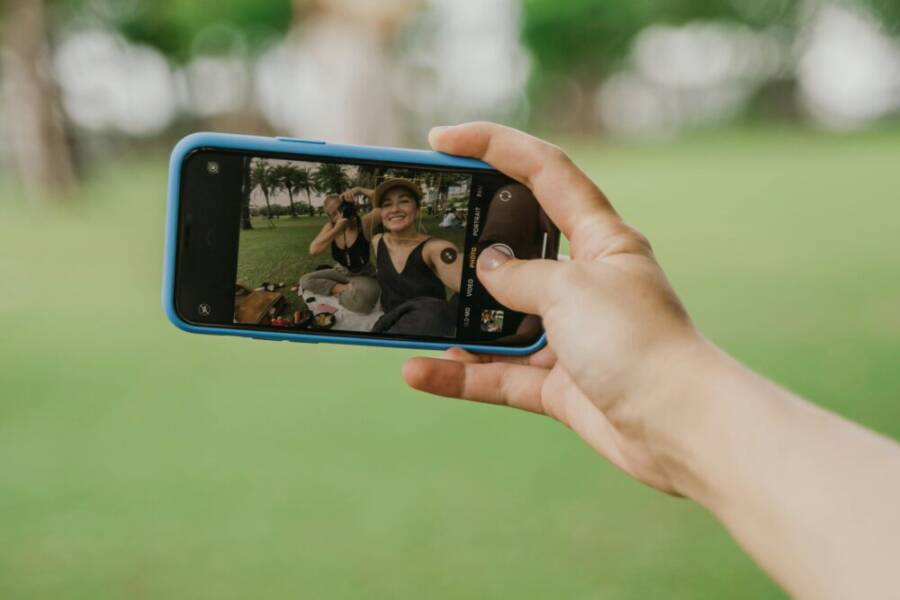
Are you hunting for the best phone for selfies and Instagram photos that fits your budget and style? This guide cuts through the noise to show you how to pick a phone that makes your face look great in every shot, while also delivering sharp feeds for Reels and stories. You’ll see clear picks, key camera features to prioritize, and practical tips to compare options quickly.
We’ll break down top choices that balance ease of use with standout photo quality. Expect phones that excel in flattering selfies, natural color balance, and reliable performance in low light. If you want versatility for both close ups and wider group shots, you’ll find options that cover your needs without overcomplicating things.
By the end, you’ll have a clear sense of which device fits your budget and the Instagram style you’re aiming for. This guide emphasizes simple setup, strong image and video quality, and good value so you can post with confidence and consistency.
What makes a phone great for selfies and Instagram photos
Selfies and Instagram snaps are more than just point-and-shoot moments. The right phone combines a sharp front camera, accurate color rendering, and solid video tools to help you post without a heavy editing session. Below, you’ll find four essential angles to evaluate when you’re choosing a device for selfie-forward content: front camera performance, color science, low light capability, and video power for reels and stories. Each section includes practical prompts and real-world guidance to help you compare models quickly.
Front camera power: clarity, autofocus, and portrait effects
A great front camera is more than megapixels. It’s about how fast the autofocus locks onto your face, how clean the background blur looks, and how skin tones stay natural under different lighting. When you tap the shutter, you want a capture that looks ready for your grid without needing a ton of edits.
- Sharpness and detail: Look for a front camera that renders facial details clearly at typical Instagram distances. You should see smooth skin with enough texture to avoid a plastic feel, especially in mid and close shots.
- Quick autofocus: Portrait-friendly selfies depend on reliable autofocus that tracks you as you move slightly toward or away from the camera. A good front camera should keep your eyes and lips crisp while letting the background blur feel natural.
- Portrait effects and background blur: A strong portrait mode should separate you from the background without introducing odd halos or clumpy edges. The blur should be creamy, not muddy, so your face remains the focal point.
- Skin-tone rendering: The best phones render skin tones accurately across a range of lighting. When you post to IG, your skin should look like you, not heavily edited or overly warm or cool. If you’re unsure, compare shots in natural light to see which device yields the most realistic hues.
In practice, you’ll want a front camera that produces photos you can post straight away. If a phone’s portrait mode smooths too aggressively or shifts skin tones toward orange or green, that’s a signal to keep looking. For hands-on tips on refining focus and portrait edges, see guidance from experienced portrait photographers and testing resources that discuss how autofocus and edge detection perform in real-world scenes.
- Quick-tip: Enable grid lines and stay within the central third of the frame to help the camera’s skin-tone processing look natural across lighting setups.
For deeper context on autofocus and portrait edge handling, you can explore expert insights here:
- https://wherewonderwaits.com/camera-focus-self-portrait-photography/
- https://www.lemon8-app.com/@darrenjong/7203791563347051010?region=sg
Color science and skin tones across cameras
Color science varies from phone to phone. Some devices lean toward punchy contrast, others toward soft, natural hues. The goal is even, believable skin tones that won’t require heavy editing to look right on IG.
- Natural skin tones: A great phone reproduces skin tones that look like real life under common social lighting. When tones stay consistent across shots, your feed feels cohesive and trustworthy.
- Balanced color rendering: You want colors that reflect real life without oversaturation in reds, greens, or blues. This makes your selfies pop while remaining believable on feeds that often have white backgrounds or vibrant outfits.
- White balance consistency: The camera should hold steady white balance when you move from indoors to outdoor light. Sudden shifts can ruin a series of posts that you want to appear as a unified set.
- Editing-free realism: The strongest color science minimizes the need to push saturation or warmth in editing apps. Your photos should look ready to post after one quick crop or minor brightness tweak.
Color fidelity matters especially when you mix selfies with lifestyle shots, product shots, or flat-lay content. A camera that nails skin tones also makes accessory colors, makeup, and clothing read accurately. That reduces the temptation to over-edit, which often introduces an unnatural look.
- A helpful reference on skin-tone rendering methodology and how it’s evaluated can be found here: https://dxomark.com/dxomark-methodology-skin-tone/
Low light and night selfies that pop
Dim lighting can derail selfies quickly, turning smooth skin into noisy blobs or flat, dull images. The phones that truly shine in night scenarios balance noise reduction with color accuracy, so your selfies still read as you.
- Noise handling: A strong night selfie preserves facial details while limiting the grain that comes from low light. Look for phones that keep exposure clean without overly smoothing skin.
- Color accuracy in low light: Some devices push warm undertones in night shots. The best options maintain neutral or natural hues so you don’t have to chase color correction in post.
- Night modes and portrait night: Many phones offer a dedicated night mode or a night portrait option. These modes capture multiple frames and merge them to brighten the scene while preserving edge detail around your face.
- Real-world test: When you try night selfies, compare a portrait in low light to a standard daytime shot. The ideal device will produce a night shot that still looks like you, with a gentle glow rather than a stark wash.
If you want to see how different devices handle skin tones and noise at night, check out discussions and tests from users and reviewers who compare night modes across models:
Video power for reels and stories
Videos are the heartbeat of Instagram now. Your phone should deliver stable, well-exposed footage with reliable autofocus and color consistency across scenes. That makes every Reel and Story feel polished.
- Stabilization: Look for optical or robust electronic stabilization that smooths handheld footage without making it look mushy. For reels, where you’re moving with your subject, stable video matters more than any other feature.
- Autofocus tracking: If you’re shooting moving subjects or following a friend through a crowd, continuous autofocus tracking keeps faces sharp as they move in and out of frame.
- Color consistency: When you switch between lighting conditions or shoot in different modes, color should stay sane. Sudden shifts in white balance or saturation can ruin a clip’s flow.
- Audio sync and quality: Good video isn’t just about visuals. Clear audio and minimal wind noise help your reels land better with viewers.
A strong video setup makes it easier to post quick, engaging reels and stories without spending hours color-correcting. For practical examples and guidance on how phones manage video stabilization and color, you can explore related material here:
When you weigh a phone for selfies and IG photos, prioritize how the device handles each of these areas in real-world conditions. Front camera clarity, skin-tone accuracy, night performance, and video capabilities together determine how easy it is to post confident, polished content without overthinking the process. If you want a quick, practical checklist, use the following quick-reference guide:
- Front camera: sharpness, fast autofocus, natural portrait blur
- Color: natural skin tones, balanced color without heavy editing
- Low light: effective noise reduction, accurate colors, night modes that stay true
- Video: stabilization, tracking autofocus, consistent color across scenes
For further reading on skin-tone rendering methodologies and how to compare devices, you can consult resources like the DXOMARK skin-tone study: https://dxomark.com/dxomark-methodology-skin-tone/
Links used in this section are for reference and context. They illustrate how experts assess camera performance and color accuracy in real-world usage.
Top picks for selfie lovers among late 2025 models
Selfie enthusiasts now have a short list of standout options that balance strong front cameras, natural color rendering, and thoughtful processing without breaking the bank. The four models below shine in different ways, from studio-like portraits to versatile IG-ready shooting modes. Whether you chase flawless skin tones, flexible portrait effects, or reliable performance in dim light, these phones deliver content that stacks up on your feed.
 Photo by Anna Tarazevich
OnePlus 13: studio like selfies at a friendly price
The OnePlus 13 earns its keep with a front camera tuned to deliver flattering results without demanding premium pricing. Its 32 MP sensor provides plenty of detail for close-ups and portraits, while the overall color rendering remains natural enough for easy, editing-free posts. The camera tuning emphasizes balanced skin tones and clean edge handling in portrait mode, so you don’t have to chase perfect lighting to get a publish-ready shot. In practice, this makes it a great choice for readers who want “good enough to post” selfies that still look polished.
What makes it compelling for IG users is the balance of cost and quality. You get a friendly price tag with results that feel premium in how the skin tones read and how backgrounds blur. Autofocus performance is decent for everyday selfies, and the image pipeline tends to stay consistent across lighting conditions, reducing the need for heavy corrections. If you value a strong front camera with reliable color and portrait results without a trophy-price tag, the OnePlus 13 is worth a close look.
For deeper context on autofocus and edge handling in portrait modes, see expert discussions and testing resources that compare how different devices manage edge detection and focus in real-world scenes:
- https://wherewonderwaits.com/camera-focus-self-portrait-photography/
- https://www.lemon8-app.com/@darrenjong/7203791563347051010?region=sg
Samsung Galaxy S25 Ultra: all around Instagram versatility
The Galaxy S25 Ultra brings a practical, all-around approach to Instagram content. Its front camera system emphasizes a reliable 12 MP sensor with autofocus, which helps keep portraits crisp at various distances and angles. That autofocus advantage is especially useful for group shots and quick close-ups where you don’t want to fuss with settings. In daylight, skin tones read naturally, and the detail level remains pleasing without appearing over-processed.
Low light performance is a strong point for a device that aims to cover every IG scenario. The front camera keeps noise under control and preserves background exposure so a twilight sky or indoor ambiance still looks balanced. Video selfies and portrait clips can be captured with confidence thanks to 4K at 60 fps front video recording, which makes quick reels and story snippets look smooth and professional. While the front camera may feel conventional compared to newer 12 MP sensors, its consistency across conditions makes it a dependable workhorse for creators who post a steady stream of IG content.
If you want to explore more about how Galaxy devices handle color and portrait efficiency, these sources provide broader context on camera performance and overall approach:
Apple iPhone 17 Pro Max: natural, balanced photos
The iPhone 17 Pro Max continues Apple’s tradition of natural skin tones and color accuracy that photographers and influencers trust for a cohesive IG feed. The front camera pairing is tuned to deliver photorealistic results, with skin tones that read true under most social lighting conditions. Editors will appreciate the smooth editing workflow that preserves a natural look, making it easy to post polished images without over-editing.
What sets the iPhone apart is the reliability and simplicity of its color science. Across selfies, portraits, and short videos, you’ll notice consistency that translates well from shot to shot, helping you maintain a uniform feed aesthetic. The post-production edge remains friendly, with encoding and compression that keep detail intact while ensuring quick sharing on IG.
For readers who want to see how iPhone color accuracy translates into real-world results, you can compare natural skin tones and editing flow across devices and learn more about evolving color processing here:
Google Pixel 9a: strong value for budget selfies
The Pixel 9a packs impressive selfie performance at a price many readers will appreciate. The front camera handles close-ups well, delivering solid detail and clean skin tones that stay natural in typical IG lighting. Processing is predictable, so you get reliable results without chasing complex manual tweaks. The Pixel’s signature color processing tends to stay friendly to social media, reducing the need for heavy edits to achieve a pleasing look on your feed.
Value is the keyword here. You benefit from strong imaging software, sensible stabilization for short video clips, and a dependable portrait mode that gives you a pleasing blur while keeping facial features crisp. If budget is a priority but you still want good IG-quality selfies, the Pixel 9a is a standout pick.
For readers who want to see how budget options compare in real-world tests, there are practical discussions and testing notes from hobbyist and professional reviewers alike that illustrate how Pixel devices perform in daily social media work:
Takeaway: when choosing among late 2025 models for selfies and IG photos, consider which aspect matters most to you. Do you want studio-like portrait control, reliable all-around performance, or the best value for your budget? Each of these four phones offers a distinct balance, so you can pick the one that aligns with how you shoot and how you want your feed to feel. For quick reference, keep this checklist in mind during your next shopping session:
- Front camera: sharpness, autofocus, natural portrait blur
- Color: natural skin tones, balanced color without heavy editing
- Low light: effective noise reduction, accurate colors, night modes that stay true
- Video: stabilization, tracking autofocus, consistent color across scenes
If you’d like to dive deeper into skin-tone rendering methods and how to compare devices, you can explore related resources here:
Images and external references are included to provide deeper context and practical benchmarks.
Instagram ready features and creative tools to look for
If you want to post eye-catching selfies and feed-worthy photos fast, look for phones that bundle smart editing, fast real time tweaks, and versatile optics. The right combination helps you capture, polish, and share moments in minutes, not hours. Below are the features that separate a good phone from a true IG workhorse.
Filters, AI tools, and real time improvements
Built-in AI features can lift selfies before you post, saving time and making quick shares feel intentional. Real time tweaks matter because Instagram thrives on speed; a quick, polished snap is often more effective than a perfect edit later.
- AI presets that brighten faces, correct color casts, and fine tune contrast while preserving natural skin tones.
- “Best Take” style selections that pick the strongest image from a burst, so you don’t have to sort through dozens yourself.
- Real time face retouching and portrait edges that avoid plastic looks while keeping your features sharp.
- Live editing controls for brightness, warmth, and saturation that apply non-destructively, so you can revert if needed.
Practical tip: enable grid lines and stay in the central third to ensure skin tones render naturally as lighting shifts. For deeper context on how autofocus and edge handling influence portrait results, see expert testing and color science discussions linked here.
- https://dxomark.com/dxomark-methodology-skin-tone/
- https://www.reddit.com/r/photography/comments/r97gcb/why_does_skin_color_look_so_different_on/
Real time tweaks are a big time saver for quick posts. A device that allows you to adjust exposure, white balance, and selective color on the fly keeps your IG stories and Reels consistent without opening a separate editor.
Stabilization and video options for reels
Smooth video is often more important than a super high resolution when you’re aiming for quick, engaging Reels. Phones with strong stabilization and flexible video modes help your clips feel professional, even if you’re shooting on the go.
- Optical or robust electronic stabilization that keeps footage steady during hand-held movement.
- Continuous autofocus tracking so faces stay sharp when people move or you switch angles.
- Flexible frame rates and resolutions, including 4K at 60 fps or slow motion for emphasis.
- Color consistency and reliable exposure across scenes, reducing the need for post color grading.
So if you shoot a lot of reels or day-in-the-life clips, prioritize devices with reliable stabilization and solid autofocus in dynamic moments. For practical examples of how phones handle stabilization and color in real-life use, you can explore sample posts from creators and reviewers:
Wide angle and telephoto for feed variety
Lenses that go beyond the standard focal length unlock creative layouts for your IG grid. A wide angle helps you fit more in a single frame, ideal for group shots, landscapes, or compact rooms. A telephoto lens provides tight portraits or distant scenes with less distortion and less stepping away from the moment.
- Wide angle: enables expansive compositions, perfect for environmental portraits and rooftop views.
- Telephoto: improves subject separation, brings distant details closer, and supports clean background blur in portraits.
- Lens quality matters more than sheer zoom number; look for natural perspective with minimal distortion at the edges.
Using both options lets you craft a varied feed without leaving the same device. When planning layouts, consider how each lens can complement your editing style and posting cadence. For broader camera performance context, you can review expert guides and camera method discussions linked earlier.
Suggested reads and practical context on multi-lens versatility and color handling help you compare options across models:
- https://dxomark.com/dxomark-methodology-skin-tone/
- https://www.insta360.com/product/insta360-flow2-pro
By focusing on these Instagram ready features—AI assisted tweaks, reliable stabilization, and thoughtful lens choices—you’ll be equipped to produce polished content quickly. A phone that balances fast real time editing with solid video and versatile optics makes posting easier and more consistent. For readers evaluating models, keep the following in mind as a quick reference:
- Front camera enhancements for natural skin tones and precise autofocus
- Real time editing capabilities that preserve a natural look
- Video stabilization and color stability across scenes
- Availability of wide angle and telephoto lenses for varied layouts
If you want deeper context on color fidelity and portrait rendering, explore resources on skin-tone evaluation and camera performance.
How to choose and set up your phone for the best IG results
Choosing a phone for Instagram is about more than megapixels. It’s about how your device handles lighting, color, and motion in real life. This section walks you through defining your vibe, weighing budget against features, and quick setup steps you can implement today to start posting with confidence. Think of your phone as a camera partner that should disappear in use, letting your expression take center stage.
Define your vibe and lighting needs
Before you buy or switch devices, map out the look you want for your feed and the light you usually shoot in. Are you chasing studio-like portraits with soft, even lighting, or do you thrive in natural light with bold shadows? Your vibe determines which front camera capabilities and processing style matter most.
- Identify key post styles: selfies, close-ups, group shots, and environmental portraits. Each style benefits from different portrait algorithms and edge handling.
- Assess typical lighting: bright outdoor sun requires accurate white balance and skin-tone rendering; dim indoor light calls for strong noise control and decent night modes.
- Match the look to your audience: a cohesive feed leverages consistent color and tone. If you shoot in a lot of warm indoor light, pick a device that preserves those hues without heavy editing.
- Practical checks: enable grid lines, shoot in RAW if available, and compare skin tones across devices in similar lighting to see which reads most like you.
If you want to see how autofocus, edge handling, and color science play out in real life, explore expert discussions and testing notes linked below. These resources help you understand how front cameras handle portraits and skin tones in varied lighting:
- https://dxomark.com/dxomark-methodology-skin-tone/
- https://www.reddit.com/r/photography/comments/r97gcb/why_does_skin_color_look_so_different_on/
A simple quick rule: pick a vibe that reduces the need for edits. When your photos feel like they belong together, your IG grid reads as intentional and polished.
Budget vs features and ecosystem
Balancing cost with camera features is the smart play. Decide early how important iOS or Android ecosystems are to you, how much storage you need, and how well your apps integrate with the camera quality you want.
- Ecosystem fit: if you rely on iCloud, iMessage, or a suite of mobile apps, iOS offers smooth integration. Android often provides more customization and value for money.
- Storage and performance: plan for enough storage to keep RAW files, portraits, and video clips. If you post a lot, consider higher storage options or cloud plans.
- Camera features worth paying for: autofocus speed, portrait edge quality, night mode effectiveness, and video stabilization can justify midrange or premium prices.
- Budget-friendly signals: you can still get excellent IG results on midrange devices if they offer strong front cameras, reliable color, and solid stabilization.
When evaluating, prioritize the features you use most. If you post quick selfies and stories daily, you may value speed and consistency over the latest sensor tech. If you edit less, a phone with natural color rendering and minimal editing needs becomes a better fit.
To deepen your understanding of how different devices perform in color rendering and portrait work, consider these references:
- https://dxomark.com/dxomark-methodology-skin-tone/
- https://www.shopmoment.com/articles/best-camera-phones?srsltid=AfmBOoqxoetjUuWkrtjrsLK2xSLnUar_w76mRK9sXcTXN5i0ugQHDyRx
Concrete decision prompts:
- Do you prefer a streamlined iOS or a highly customizable Android experience?
- Is built-in editing and AI optimization a time saver or a distraction?
- Do you expect to run heavy apps or store a large media library on the device?
If you want a strong value pick that still covers most IG needs, budget devices with good front cameras and reliable processing can be surprisingly capable. For more context on how color, skin tone, and portrait processing vary, check out the linked reviews and tests.
Quick setup steps you can do today
Implementing a few practical steps now can dramatically improve your IG readiness. Use this short checklist to get fast, publish-ready results.
- Update your camera app and ensure you have the latest portrait and color correction features.
- Pick your lighting spots: near a window with soft, natural light or a well-lit room with diffuse lamps.
- Turn on portrait mode when needed, and test different distance sweet spots (about 1–3 feet) to find where edges look best.
- Adjust exposure and white balance for a natural look. A slight nudge toward warm tones can flatter skin in evening light, but avoid overdoing it.
- Run a basic edit: a light crop, gentle contrast boost, and subtle saturation adjustments keep images IG-friendly.
- Save consistent metadata or presets for a uniform look across posts so your feed reads cohesive.
If you want a sense of how real users handle portrait mode and lighting on their phones, these quick examples and guides can help you visualize practical steps:
A few practical notes:
- Keep shot angles consistent. Small changes in height or distance can change how skin tones render.
- Use the central third of the frame to help skin tones read correctly across lighting variations.
- For longer posting sessions, enable a quick edit workflow so you can post with confidence in minutes.
If you want deeper context on color fidelity and portrait rendering, the DXOMARK skin-tone study is a solid reference to review as you experiment with your own setups:
These steps are designed to get you posting fast while preserving the natural feel of your skin and lighting. They’re simple, repeatable, and work across most popular models.
—
This section helps you lay a strong foundation for selecting and configuring a phone for Instagram. In the next sections, we’ll look at how to compare specific models, what to look for in camera app features, and how to tune settings for steady, consistent posting.
Conclusion
Strong selfie cameras exist across a range of phones, so pick based on your IG style and budget. Test a few options to see which reads best on your feed and stays reliable across lighting, nights, and videos. A quick side by side check of skin tones, autofocus, and stabilization can save hours of post work. A good smartphone that fits your workflow makes posting feel effortless and helps you keep a cohesive, engaging presence on Instagram. Consistency is the key to a standout feed, and the right device makes that easier than you think.