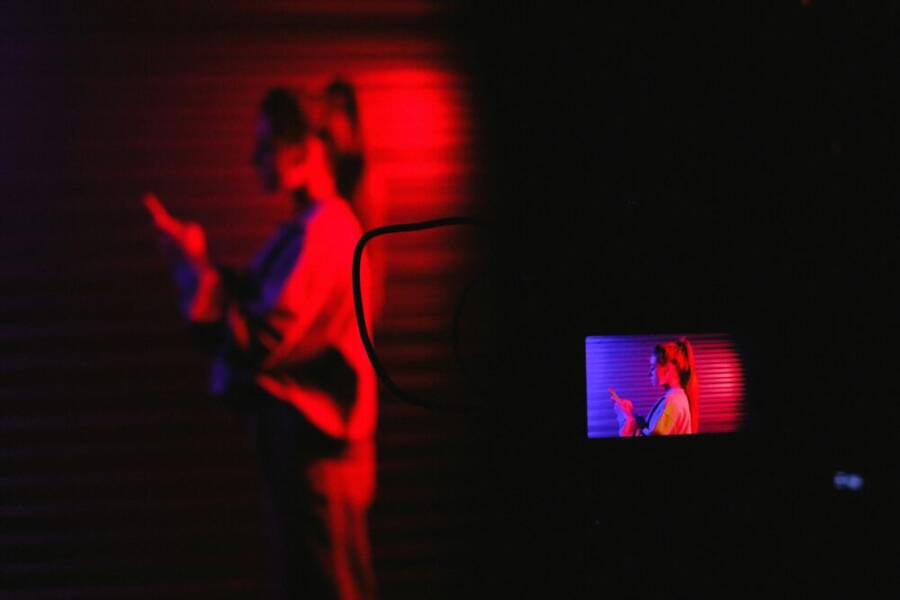
Are you chasing photos that stay crisp when the lights go down? The latest champs for low light photography include the Google Pixel 10 Pro, the Samsung Galaxy S25 Ultra, the Apple iPhone 17 Pro, and the Xiaomi 15 Ultra, each with its own strengths and quirks. In real world use, the Pixel 10 Pro stands out for detail and natural colors, while the iPhone 17 Pro keeps tones true and easy to color correct later.
This post breaks down what makes a phone the best camera for low light in practical terms—detail, color accuracy, noise control, and ease of use. You’ll see how these four flagships compare in real shots, not just lab tests, and learn how to pick one based on your typical lighting, scenes, and editing workflow. Expect clear guidance, real numbers, and tips you can try tonight to elevate your night photos.
Best Phones for Low Light Photography in 2025
When the sun goes down, these phones rise to the challenge. The field is led by powerful sensors, smart image processing, and practical shooting modes that help you capture city nights, indoor scenes, and cluttered lighting with confidence. Below you’ll find four standout options, plus a few solid alternates worth considering. Each subsection explains what makes the model strong in low light, where it shines, and practical tips to get the best results.
Samsung Galaxy S25 Ultra
The Galaxy S25 Ultra continues Samsung’s strong tradition in low light. Its large main sensor and robust AI processing deliver images with solid exposure and detail across night cityscapes and dim indoor settings. The ProVisual engine helps balance shadows and highlights, helping you recover detail in dark corners without blowing out bright areas. In real-world shots, you’ll notice good shadow texture and realistic color without excessive noise, especially when you use Night Mode in longer exposures.
Key strength highlights
- Large main sensor and strong noise reduction provide clean, luminous night photos.
- ProVisual engine fine-tunes shadows and highlights, preserving detail in complex scenes.
- Night Mode shines in cityscapes and dim interiors, with careful control over shadows and highlight roll-off.
Tradeoffs to keep in mind
- Size and weight: the Ultra’s bulk isn’t friendly to pocket photography or one-handed use.
- Battery drain increases with long exposure modes and heavy AI processing.
- Price sits at the premium end, which may guide you toward practical daily-use considerations.
Reader scenarios where it shines
- Night cityscapes with bright signage and reflections.
- Dim indoor venues such as cafes or galleries where you want natural skin tones and ambient lighting.
Setup tips for best results
- Night Mode strength: use longer exposure in stable conditions (tripod or steady surface) for maximum detail.
- Exposure tip: aim for a slight underexposure in very bright neon areas to preserve highlight detail, then pull shadows in post if needed.
- Pro mode: use manual ISO and shutter speed to capture moving subjects with careful noise control.
Image you might associate with this section

- Photo by SHVETS production
Related reads
- For a broader view on night photography with flagship phones, see reviews and buying guides such as the best cameras in smartphones and phone camera comparisons on major outlets. See additional context at sources like Amateur Photographer and PCMag for diverse comparisons. Link: https://amateurphotographer.com/buying-advice/best-smartphones-for-low-light/ and https://www.pcmag.com/picks/the-best-camera-phones
Apple iPhone 17 Pro
The iPhone 17 Pro continues Apple’s emphasis on natural color accuracy and ease of use in challenging lighting. Its triple 48 MP sensors with sensor-shift stabilization deliver consistent results, especially in low light. Night Mode is powerful and fast enough to handle a variety of scenes, while the sensor-shift stabilization helps keep handheld shots crisp. In practice, iPhone images tend to look ready to share straight from the camera app, with natural skin tones and pleasing dynamic range.
Why it stands out
- Sensor-shift stabilization across three 48 MP sensors for steadier handheld shots.
- Strong Night Mode with smart processing that preserves colors and details.
- Portrait quality remains impressive in low light, thanks to depth sensing and subject isolation.
Caveats to consider
- File sizes can be larger due to higher resolution sensors, which affects storage and transfer times.
- Water resistance is solid, but your real-world usage should avoid exposure to harsh conditions that could stress seals.
- The learning curve for advanced features is minimal but present if you dive into ProRAW or other manual modes.
Ideal settings and scenarios
- For natural colors: rely on Auto or Night Mode with default noise reduction.
- For portraits: use Portrait mode in low light for better subject separation without oversmoothing.
- Best use cases: indoor events with mixed lighting, street photography during blue hour, and casual night shots that you want to edit later.
Image you might associate with this section
- (Optional) If you want a clean, vibrant portrait or a well-lit indoor scene, pair with a consistent light source to maximize color fidelity.
Google Pixel 10 Pro
Google’s Pixel line has long been a darling of computational photography, and the Pixel 10 Pro keeps that tradition alive in low light. The phone handles dark scenes with impressive color accuracy and strong highlight control, thanks to advanced computational tricks that brighten shadows without producing obvious noise. In street scenes and indoor events, its processing tends to produce natural skin tones and balanced exposure, often with less need for heavy post-processing.
What to expect
- Computational photography shines in dark scenes, delivering detail where hardware alone might fall short.
- Color accuracy remains high, with faithful tones across both shadows and highlights.
- Highlights and shadows are balanced well, reducing clip potential in high-contrast lighting.
When software nudges beat hardware changes
- In extremely unpredictable lighting, Pixel’s software can lift shadows more naturally than cranking ISO on the hardware.
- For fast-moving subjects, you may rely on faster auto-exposure and post-processing rather than pushing high ISO noise.
Typical use cases
- Street photography after sundown, where you want realistic color without oversaturation.
- Indoor events with mixed lighting, where the phone can balance tungsten and fluorescent tones.
Potential limitations
- In very dark scenes, long exposures can introduce motion blur if you’re not steady.
- Night Mode can sometimes soften micro-details in ultra-dark areas; results vary by scene.
Reader tips
- Stay in Night Sight for low light and switch to Pro modes only when you need specific exposure control.
- Use a steady hand or a small tripod for best results in indoor or night scenes.
Xiaomi 15 Ultra
The Xiaomi 15 Ultra brings a DSLR-like depth of field and serious light-gathering capability thanks to a 1-inch type sensor and a Leica-engineered system. The variable aperture offers flexibility in changing the amount of light that hits the sensor, which is especially useful in night photography where light is scarce. The result is bright, clear night photos with strong subject separation and pleasing bokeh when desired.
What makes it strong
- Leica-engineered system for color rendering that’s refined and balanced.
- 1-inch main sensor gives excellent light capture and dynamic range.
- Variable aperture allows real-time control over exposure and background blur.
Tradeoffs to keep in mind
- UI and app behavior can differ from stock camera experiences, which might slow you down at first.
- Price tends to sit at the premium end, reflecting its advanced sensor and optics.
- Some users may prefer a heavier interface or want tighter integration with Xiaomi’s ecosystem.
Quick scenario ideas
- Night city portraits with controlled lighting to maximize subject separation.
- Urban landscapes with bright signage that require careful exposure to keep color intact.
- Indoor events with mixed lighting where you want natural skin tones and a shallow depth of field.
Other strong options
If you want more choices or a different budget fit, consider these capable competitors. They may not top the list in every category, but they bring solid night modes and practical controls that many readers will value.
- Vivo X200 Pro
- OPPO Find X8 Pro
- OnePlus 13
These models offer strong night modes or specialized controls that help you tailor results to your lighting conditions. They’re worth a look if you want alternatives to the four flagships above or if you’re shopping within a tighter budget. When comparing, keep in mind how each phone handles noise, color accuracy, and ease of use in real-world lighting.
Where to start and how to decide
- If you shoot in fast-moving scenes or need effortless color accuracy, the Pixel 10 Pro is hard to beat for everyday use.
- For the best overall low-light performance and a camera system tuned for night scenes, the Galaxy S25 Ultra remains a strong choice, with a caveat about its size and price.
- For color fidelity and ease of sharing straight from the app, the iPhone 17 Pro is a reliable workhorse in most indoor and urban settings.
- If you want the deepest control and the strongest low-light potential in a single device, the Xiaomi 15 Ultra is worth a serious look.
External resources
- For a broader set of camera-phone comparisons and in-depth tests, check out reviews that cover multiple flagships across 2025, including battery life and autofocus behavior in low light. See sources like CNET and PCMag for well-rounded views. Links: https://www.cnet.com/tech/mobile/best-camera-phone/ and https://www.pcmag.com/picks/the-best-camera-phones
Notes on setup and workflow
- Night mode and exposure settings can dramatically affect results, so don’t hesitate to experiment with timer and tripod use when you’re aiming for long exposures.
- Consider your typical scenes—city nights, indoor events, or dim portraits—and choose a phone that aligns with your preferred editing workflow.
- If you shoot frequently in RAW, you’ll gain more control over exposure, white balance, and color grading in post.
If you want this section adapted to a different word count or tailored to a specific audience, I can tighten or expand the content to fit your publication needs.
Key Features That Make Low Light Photos Shine
When the lights go down, some phones simply capture better night photos than others. This section unpacks the essential features that determine how bright, clean, and true-to-life your nighttime shots come out. Think of it as a quick guide to what to look for beyond megapixels and numbers.
Larger sensors and wide apertures
Larger sensors gather more light, which translates directly into brighter images with less noise. In practical terms, a bigger window lets in more exposure, so you can keep ISO lower and still achieve a well-exposed scene. Phones with 1-inch class sensors or equivalent have a meaningful edge in dim environments, especially when you’re shooting handheld.
Take the Xiaomi 15 Ultra as a prime example. It uses a large sensor design and Leica-engineered optics, with a variable aperture that lets you adjust light intake on the fly. In real-world night photos, this setup yields brighter subjects with richer texture and more graceful highlight roll-off, without turning shadows into mush. For a deeper dive into its hardware performance, you can check the Xiaomi global product page and see how the sensor and optics are marketed to enhance low-light results:
- Xiaomi 15 Ultra: https://www.mi.com/global/product/xiaomi-15-ultra/
You’ll also find independent tests that quantify how this approach performs in the wild. DxOMark’s Xiaomi 15 Ultra camera test provides a rigorous look at its low-light behavior and color rendering, offering a benchmark to compare against other flagships:
- Xiaomi 15 Ultra camera test: https://www.dxomark.com/xiaomi-15-ultra-camera-test-retested/
How this translates for you
- Expect cleaner shadows and finer midtone detail in night scenes.
- You’ll see better performance from cityscapes with neon and reflective surfaces, where dynamic range and texture preservation matter most.
- Be aware of practical tradeoffs: larger sensors can add weight and cost, and the physical size of the camera module may influence pocketability and ergonomics.
Powerful night mode and computational photography
Night mode is not just a longer exposure; it’s a constellation of software tricks that align multiple frames, fuse color information, and reduce noise while preserving detail. Computational photography lets the phone push light information through intelligent processing so a scene that looks dark in real life can become bright in the photo without cranking ISO.
- The Pixel line has long been synonymous with strong computational photography. Night Sight on recent Pixel models is designed to brighten shadows and recover texture in challenging lighting, often with natural color balance. When you compare hardware versus software, the software stack can recover detail in shadows more consistently across a range of scenes, but you’ll still feel the influence of sensor size and lens quality in the baseline image quality. For broader context on Pixel night performance, see general coverage and tests of the Pixel 10 Pro: https://store.google.com/product/pixel_10_specs?hl=en-US and independent tests like the Pixel 10 Pro XL camera test: https://www.dxomark.com/google-pixel-10-pro-xl-camera-test/
- Samsung’s Nightography approach combines a strong sensor with AI-driven processing to stabilize and flatten high-contrast scenes, producing balanced night shots in street scenes and interiors. Their guidance on Night Mode and night photography workflows helps users get consistent results: https://www.samsung.com/uk/mobile-phone-buying-guide/samsung-night-mode-camera/
- iPhone also leans on sophisticated software to deliver natural tones in mixed lighting. The iPhone 17 Pro’s Night Mode and multi-frame processing aim to preserve skin tones and overall color fidelity, even when lights flicker or mixed lighting dominates. For perspective on how Apple discusses stabilization and low-light processing, see community discussions and reviews: https://discussions.apple.com/thread/256162963
What you gain and what to watch for
- Pros: smoother exposure transitions, better texture in shadows, more faithful color in mixed lighting.
- Cons: some scenes may look a bit cleaner or brighter than real life, and processing can blur fine micro-details in ultra-dark patches.
- Practical tip: in scenes with strong mixed lighting, don’t rely on one setting. Start with Night Mode in auto, then switch to Pro or manual modes if you need specific exposure control.
Image stabilization and exposure control
Stability is king in low light. When the shutter stays open longer to let in more light, even a tiny hand shake can blur the image. Optical stabilization (OIS) and sensor-shift stabilization keep the frame steady, enabling you to use modest shutter speeds and still get sharp results.
- Optical and sensor-shift stabilization work hand in hand with smart exposure control. In practice, you want a phone that maintains steady framing as it meters the scene. For longer exposures, a tripod or a stable surface can unlock even more detail because the camera can keep ISO low while preserving color and texture.
- The Galaxy S25 Ultra emphasizes stabilization through its camera system and software adjustments, helping it maintain sharpness in night mode and longer exposures. This is especially useful for cityscapes with moving lights or indoor scenes with falling ambient light. See Samsung’s overview of Night Mode and stabilization features: https://www.samsung.com/uk/mobile-phone-buying-guide/samsung-night-mode-camera/
- For shoots that include motion, good stabilization allows you to push exposure slightly longer without introducing blur. If you’re new to longer handheld exposure, begin with a 1/15 to 1/30 second range and use a steady hand or a small tripod to keep subjects crisp.
Tips for better low-light exposure control
- Use a tripod or stable surface for longer exposures to suppress blur.
- In scenes with bright highlights, a touch underexposure helps preserve detail in lights and avoid clipping.
- Practice with a mix of ISO and shutter speed in Pro or manual modes to learn how your phone responds to different brightness levels.
Color accuracy and HDR performance
Color science matters as much as brightness. In mixed lighting, white balance can shift quickly, creating unnatural tones if you rely on a single automatic setting. HDR merging helps maintain detail in the brightest and darkest parts of a scene, giving you a more natural overall look.
- White balance behavior varies by brand. Some phones prioritize warmer skin tones in dim rooms to feel inviting, while others strive for clinical accuracy. The end result depends on how the camera pipeline handles color science and tone mapping in high-contrast scenes.
- HDR, when done well, combines multiple exposures to recover detail in highlights and shadows. It’s particularly helpful in scenes with bright signage, neon lights, or windows reflecting indoor light. Different brands approach HDR differently, which is why you may see some phones render more contrast while others aim for softer, more natural tones.
- For a sense of how color accuracy and HDR are treated in practice, you can consult reviews and community insights that compare brand approaches in night scenes. A broad overview from professional outlets covers how multiple flagships handle color and dynamic range in low light: https://amateurphotographer.com/buying-advice/best-smartphones-for-low-light/
White balance, color rendering, and highlight recovery matter when you’re editing later. If you shoot in RAW, you’ll enjoy the flexibility to fine tune white balance and color grading, no matter which phone you choose.
Putting it all together
- Sensor size and lens optics set the baseline for light intake.
- Night mode and computational photography push the image beyond hardware alone.
- Stabilization and exposure control determine sharpness in real-world shakes and longer exposures.
- Color science and HDR decide how natural your final image looks in mixed lighting.
Real-world guidance
- If you want the most natural, reliable night photos with minimal editing, the iPhone 17 Pro remains a strong choice thanks to color fidelity and easy sharing straight from the camera app. For more specialized night performance and strong control, the Xiaomi 15 Ultra is worth a serious look. See how the Xiaomi system is positioned for low light on the official page and in independent tests: https://www.mi.com/global/product/xiaomi-15-ultra/ and https://www.dxomark.com/xiaomi-15-ultra-camera-test-retested/
- If you prefer a phone that balances night performance with a more compact form factor and broad developer ecosystem, consider Pixel 10 Pro with its Night Sight approach and robust software stack: https://store.google.com/product/pixel_10_specs?hl=en-US and https://www.dxomark.com/google-pixel-10-pro-xl-camera-test/
- For those drawn to a camera system with strong stabilization and a brand that emphasizes night photography, the Galaxy S25 Ultra offers a compelling package, though it comes with size and price considerations: https://www.samsung.com/uk/mobile-phone-buying-guide/samsung-night-mode-camera/
- For a longer read on why larger sensors and smart processing matter in low light, see reviews and buying guides from reputable outlets. A good starting point is Amateur Photographer’s roundup of best smartphones for low light: https://amateurphotographer.com/buying-advice/best-smartphones-for-low-light/
Notes on workflow and practical use
- Night mode and exposure settings can dramatically affect results. If you’re aiming for long exposures, use a timer or a tripod to minimize shake.
- Consider your typical scenes—city nights, indoor concerts, or dim portraits—and pick a phone whose strengths align with those environments.
- If you shoot frequently in RAW, you’ll gain more control during color grading and exposure adjustments in post.
External resources
- For a broader set of camera-phone comparisons and in-depth tests across 2025 flagships, check out reviews and buying guides from major outlets. See reviews and comparisons at sources like Amateur Photographer and PCMag to broaden your frame of reference:
- Amateur Photographer night photography guide: https://amateurphotographer.com/buying-advice/best-smartphones-for-low-light/
- PCMag best camera phones: https://www.pcmag.com/picks/the-best-camera-phones
If you want this section adapted to a different word count or tailored to a specific audience, I can tighten or expand the content to fit your publication needs.
How to Choose the Right Phone for Your Needs
When you’re chasing great low light photos, the best choice isn’t a single feature stack. It’s a balanced package that matches your typical scenes, editing workflow, and how you actually shoot. Below you’ll find practical guidance for selecting the right phone based on indoor portraits, travel lighting, budget, and video in dim conditions. Think of this as a compass to help you narrow down to a model that fits how you shoot, not just how a spec sheet reads.
Indoor portraits and low light scenes
Indoor group photos and family moments ride on a few core traits: natural skin tones, clean background separation, and minimal noise in shadows. When you look at a phone’s portrait mode, pay attention to edge preservation around hair and glasses, how well the bokeh isolates the subject without turning backgrounds muddy, and whether skin tones look healthy under mixed indoor lighting.
Key features to prioritize
- Portrait processing that respects skin tones: you want a phone that avoids orange or ashy hues in mixed light. A reliable portrait mode should keep faces looking true to life, even under tungsten or fluorescent light.
- Background blur handling: the camera should blur the background smoothly while keeping the subject crisp, without halos around edges.
- Noise control in shadows: you’ll want clean midtones and restrained grain in low light, so you can crop or print without surprises.
Practical settings and workflow
- Start with Night Mode or Portrait Mode in dim rooms, then adjust exposure to preserve highlight detail on faces.
- If your subject moves, avoid algorithms that chase motion blur and instead lean on a steadier exposure and faster autofocus.
- Shoot in RAW when possible; it gives you latitude for color correction and skin-tone tweaks without magnifying noise.
A quick note on color and texture
- Some phones push warmer skin tones to be friendly, while others aim for clinical accuracy. Pick the approach that matches your usual editing style. If you edit later, RAW captures give you the most flexibility.
What to test before you buy
- Try a group shot in a dim room and look at edge sharpness around hairlines and jewelry.
- Compare portrait blur across a few people in the frame to see how background separation holds up as you change distance.
Where to see real-world comparisons
- For insights on how flagship phones perform in low light indoors, reviews like the best smartphones for low light provide practical benchmarks and real-world samples. See Amateur Photographer’s night photography guide for a broad view: https://amateurphotographer.com/buying-advice/best-smartphones-for-low-light/
Travel and city lighting
City nights and architectural scenes present a different challenge. Street lamps, neon signs, and glass facades create high-contrast scenes where color fidelity and dynamic range matter as much as sharpness. In tight urban spaces, stabilization and lens versatility become critical because you often shoot handheld in unpredictable light.
What to look for
- Stabilization that keeps lines straight: sensor-shift or optical stabilization helps prevent fuzz when you’re handholding during longer exposures.
- Lens versatility for street scenes: a phone with a capable ultra-wide or versatile zoom makes architectural shots more flexible without swapping cameras.
- Color handling with mixed light: urban scenes mix tungsten, LED, and daylight. A phone that preserves natural skin tones and avoids oversaturated neon is ideal.
Tips for getting the most from city nights
- Use Night Mode for longer exposures on static subjects like a lit building or a bridge. If you’re shooting moving lights, keep a stable stance and consider a small tripod when possible.
- Watch white balance in neon-drenched scenes. If color shifts too much, switch to manual or RAW capture for post tweaks.
- Don’t overexpose bright signs; a touch of underexposure can preserve texture in highlights and prevent clipping.
External perspective to broaden your view
- See how the Galaxy S25 Ultra and iPhone 17 Pro handle Night Mode and stabilization in real-world city shooting. Helpful overviews discuss how different engines balance shadows and highlights in tough lighting. For a broad comparison, check out TechRadar’s best camera phones guide and related reviews: https://www.techradar.com/news/best-cameraphone
Budget and value
Low light capability often comes with a price prefix, but great night photos don’t have to break the bank. The goal is to identify the best value: strong low light performance at a price that makes sense for your wallet and daily use. Consider how much you’re willing to trade off features for a lower price tag and which capabilities you really need for night photography.
Guidance on finding value
- Prioritize night mode performance over other bells and whistles if most of your photos happen after dark.
- Look for robust stabilization and good color handling in street and indoor scenes, even if the sensor size is smaller.
- Storage costs matter. Phones with large RAW image files can eat into your storage budget quickly, so consider higher base storage or cloud options.
What tradeoffs might appear
- A cheaper phone may have smaller sensors and stronger noise at high ISO, even if it excels in automatic night modes.
- Fewer lens options can limit versatility for city architecture or dim portraits. A compromise might be strong main camera performance with a decent ultrawide for environmental shots.
- Software differences matter. Some brands push aggressive noise reduction that can flatten detail in shadows, while others preserve texture but produce more grain.
How to evaluate value in practice
- Compare sample night photos from affordable models at the same scene. Look for natural skin tones, preserved texture, and controlled noise.
- Check how long it takes to process and save RAW files if you shoot in that format.
- Consider accessories that improve value, such as a compact tripod or a portable LED light for indoor shoots.
For a broad look at budget-friendly options and solid night modes, Stuff’s budget camera phone guide offers practical picks: https://www.stuff.tv/features/best-budget-camera-phone/
Video in low light
Video performance in dim environments often matters as much as still photos. Stabilization, color fidelity, and noise control determine whether your nighttime footage looks smooth and cinematic or rattled and grainy.
What to expect from video night performance
- Stabilization is crucial. Optical or sensor-shift systems help keep footage steady when you move or walk through a low-light scene.
- Noise is less forgiving in video. Good noise reduction without muddying detail keeps skin tones accurate and textures readable.
- Color handling matters for mood and realism. Mixed lighting can shift white balance quickly; phones with robust HDR video and color science hold up better in these scenes.
Pro tips for better night video
- Enable a steady shooting mode and consider 24 to 30 frames per second depending on the effect you want. A slower frame rate can feel more cinematic, but may require more light.
- Use a stabilizer or gimbal when possible for walking shots. Even a small tripod can improve static interviews or product shots.
- Shoot in a format you can edit later. If RAW video is not available, RAW stills paired with a flat profile in post can give you more control.
If you want to compare night video across flagship phones, a broader set of reviews covers stabilization and color handling in real-world clips. See guides that compare camera performance across 2025 flagships, including video: https://www.pcmag.com/picks/the-best-camera-phones
Bringing it all together
- Sensor size and lens quality set the baseline for light intake.
- Night mode and computational tricks push results beyond hardware alone.
- Stabilization and exposure control determine sharpness in real life.
- Color science and HDR decide how natural your images look in mixed lighting.
- When you pair a phone with solid night performance with a workflow you love, you’ll consistently capture better night photos and videos with less fuss.
External resources you can consult
- For a broad set of camera-phone comparisons and tests across 2025 flagships, see Amateur Photographer’s night photography roundup: https://amateurphotographer.com/buying-advice/best-smartphones-for-low-light/
- If you’re weighing overall camera quality, Digital Camera World’s buying guide remains a solid reference: https://www.digitalcameraworld.com/buying-guides/best-camera-phone
- A practical quick read on night photography tips that apply to smartphones is available from CNET: https://www.cnet.com/tech/mobile/take-your-best-night-photos-using-any-phone-with-these-pro-tips/
Real-world guide for choosing your next phone
- For natural, easy night photos with minimal editing, an iPhone 17 Pro is hard to beat for color fidelity and sharing straight from the app.
- If you want the strongest low-light performance and a camera system tuned for night scenes, the Galaxy S25 Ultra remains a top pick, with the usual caveat of size and price.
- If color accuracy and a straightforward workflow matter most, Pixel 10 Pro offers strong night processing and reliable results in many scenarios.
- If you crave deep control and are drawn to a sensor-driven advantage, the Xiaomi 15 Ultra deserves careful consideration for its light-gathering power and Leica-engineered color. Explore official details and independent tests for context: https://www.mi.com/global/product/xiaomi-15-ultra/ and https://www.dxomark.com/xiaomi-15-ultra-camera-test-retested/
If you’d like, I can tailor this section to a tighter word count or adjust emphasis to align with your audience’s preferences and reading level.
Practical Tips for Better Low Light Photos
Low light photography with a smartphone doesn’t have to be a shot in the dark. With the right habits, you can push more detail, color, and clarity from every shot. The tips below focus on practical techniques you can apply tonight, no special gear required. Keep in mind the phones highlighted in this article, but these practices work across devices.
Photo by SHVETS production
Use Night Mode and adjust exposure
Night Mode is more than a fancy setting; it’s a disciplined approach to capturing night scenes. Switch to Night Mode when you’re in dim light and the camera begins to struggle with auto exposure. This mode stacks multiple frames, reduces noise, and reveals shadow detail you’d miss otherwise. If you’re shooting in a bustling city street, Night Mode helps preserve textures in bricks, reflections in puddles, and the subtle glow of distant signs.
How to tweak exposure without losing moving subjects
- Start with a stable base: set the phone on a stable surface or use a small tripod if you can. Evening scenes with people often benefit from a longer exposure, but you don’t want motion blur.
- Balance shutter speed and ISO: in Night Mode, let the software find a safe exposure, then fine-tune if your subject is moving. If you’re in Pro or manual, try a slower shutter (like 1/8 to 1/15 second) and a modest ISO, then adjust as needed.
- Protect highlight detail: in bright neon areas, aim for a slight underexposure to avoid clipping in highlights; you can pull up shadows later in editing.
If you want a broader view on night mode workflows and RAW editing, see guides like Photography Talk’s night photography tips and PCMag’s camera phone coverage for context. Practical reading: https://www.photographytalk.com/mastering-smartphone-photography-at-night/ and https://www.pcmag.com/picks/the-best-camera-phones
Keep steady and reduce shake
Even a tiny shake becomes a blur when you’re using longer exposures. Steadiness is the foundation of sharp low light photos. Use simple, repeatable habits to keep your shots crisp.
Practical steadiness tips
- Tuck your elbows in: this creates a natural brace for your hands and reduces tremor.
- Breathe technique: exhale slowly and press the shutter at the end of a calm breath for minimal movement.
- Use a stable surface or tripod: a table, railing, or a compact tripod makes a big difference for longer shots or walking scenes.
When to use a tripod
- Long exposures for static subjects like storefronts, bridges, or reflections on water.
- Indoor portraits where ambient light is very low and you want smooth skin tones.
- Street scenes at blue hour when every edge detail helps convey mood.
Examples and inspiration can be found in real-world reviews and photography guides that emphasize stabilizing methods in low light. See guidance on night photography workflows from reputable outlets to improve technique as you shoot: https://www.photographytalk.com/mastering-smartphone-photography-at-night/
Shoot in RAW and edit later
RAW gives you the most flexibility in post, especially in low light. It holds more data than JPEG, so you can recover highlight detail, correct white balance, and reduce noise without sacrificing texture. If your phone supports RAW capture, adopt a simple workflow: shoot RAW in dim light, then edit with a lightweight editor on your phone or a computer.
Benefits of RAW for low light
- Greater latitude for exposure adjustments without banding or posterization.
- More control over white balance in mixed lighting, where tungsten and LED can shift color.
- Better noise management when you push shadows or recover highlights in post.
Simple editing steps you can follow
- Import your RAW files into a photo editor. Start with basic exposure and white balance adjustments.
- Noise reduction: apply a targeted, mild noise reduction to the luminosity channel, keeping texture in skin and fabrics.
- Brightness and contrast: lift shadows judiciously, then adjust highlights to prevent clipping in bright areas.
- Color grading: refine white balance, then add a touch of vibrance to bring color back without oversaturation.
- Sharpening: apply modest sharpening to bring back micro-detail that might vanish after noise reduction.
If you want to compare RAW workflows across devices, look at general camera-phone testing by major outlets that include RAW performance analysis, like Amateur Photographer and Digital Camera World: https://amateurphotographer.com/buying-advice/best-smartphones-for-low-light/ and https://www.digitalcameraworld.com/buying-guides/best-camera-phone
Lighting and scene composition tips
Good light and thoughtful composition can turn a dim scene into a compelling image. Use what light you have, arrange your subject, and frame with intention.
Quick lighting tips
- Use available light strategically: position subjects near windows or lamps to create natural highlights and avoid flat lighting.
- Add a little fill light: a small portable LED panel or the glow from a nearby screen can lift shadows without washing color.
- White balance matters: in mixed lighting, shadows can lean blue while warm indoor lights push orange. Shoot RAW when possible to fine tune later.
Scene composition ideas
- Framing: place subjects along the rule of thirds to create balance, especially in busy city scenes with lots of light sources.
- Depth: use foreground elements like railings or signposts to create depth and guide the viewer’s eye toward the subject.
- Color harmony: look for complementary colors that pop in low light, such as a warm skin tone against a cool blue neon.
For more practical composition ideas in low light, see guides that discuss real-world tricks used by street and interior photographers: https://www.photographytalk.com/mastering-smartphone-photography-at-night/
Images and examples
- A well-lit indoor portrait or a quiet street corner after dark can demonstrate how framing and light direction change mood. If you want to see the impact of light placement, study real-world shots from review galleries and compare how different brands render color in dim rooms: https://www.amateurphotographer.com/buying-advice/best-smartphones-for-low-light/
Putting it all together
- Night mode and exposure control set the foundation for brightness and detail.
- Stability underpins sharpness, especially with longer exposures.
- RAW editing unlocks full control over light and color in post.
- Thoughtful lighting and composition maximize brightness and color in dim settings.
Practical takeaways to start tonight
- Switch to Night Mode in any low light scene, especially when you have a stationary subject.
- Stabilize your shot with a tripod or solid surface for longer exposures.
- If possible, shoot RAW and keep edits simple to preserve detail.
- Observe how you frame scenes with available light; small adjustments can yield big gains in brightness and color.
External resources
- For more on night photography and phone camera tests, check out Amateur Photographer and PCMag’s guides on night performance: https://amateurphotographer.com/buying-advice/best-smartphones-for-low-light/ and https://www.pcmag.com/picks/the-best-camera-phones
Images
- If you want a different mood or a specific lighting scenario, consider adding a second image that shows a well-lit indoor portrait or a city night shot to illustrate composition techniques. Photo by Yaroslav Shuraev from Pexels can provide a warm, ambient indoor scene: https://www.pexels.com/@yaroslav-shuraev
Note: If you’d like this section tightened or expanded to fit a specific word count or target audience, I can adjust to match your publication needs.
Conclusion
Choosing the best phone for low light photos comes down to how you shoot and what you value most. The Xiaomi 15 Ultra shines with its large sensor and Leica tuning, delivering bright, rich night images with strong detail and controlled noise. The Google Pixel 10 Pro delivers natural colors and impressive shadow detail through smart processing that keeps edits light and straightforward. The Galaxy S25 Ultra offers color punch and strong stabilization for demanding night scenes, while the iPhone 17 Pro emphasizes natural tone and reliable results straight from the camera app. If you want to maximize night performance, start by comparing Night Mode behavior on these models, then test them in your typical lighting scenarios, and apply the practical tips from this guide to fine tune exposure, stability, and color. Take the next step: test night modes side by side, shoot RAW where possible, and practice with longer exposures on a steady surface to see how each smartphone handles your favorite scenes.