Imagine someone posted a Reels clip that looks crisp, glides smoothly, and edits itself in real time. That moment transformed their Instagram game, and it could be yours too with the right phone in hand. Here, we break down what makes a phone great for Reels and Stories in 2025, from sharp video to dependable battery life.
Choosing the right device matters because video quality, stabilization, and editing ease directly affect views and followers. You’ll want a phone that handles high frame rates without lag, keeps colors accurate after compression, and stays reliable through long filming sessions. A good display helps you frame shots precisely, while strong battery life means you can shoot more without hunting for a charger.
In this guide you’ll learn the exact features that move the needle. We’ll highlight camera performance, video frame rates, stabilization, battery longevity, and screen size as the core factors that influence your on-screen results. You’ll also get a quick read on which devices shine for different needs, whether you’re chasing pro-grade video or budget-friendly options.
If you’re short on time, here’s what to expect: a clear sense of how each key spec impacts Reels and Stories, practical tips to maximize quality in tight shooting windows, and a quick sense of where each device fits your budget. We’ll also point you to practical setups and simple edits that keep your workflow fast and your feeds fresh.
By the end, you’ll know what to look for in a flagship and a few smart choices for every budget. You’ll walk away with a practical decision framework and a plan to elevate your Instagram content with confidence.
Key Phone Features That Make Reels and Stories Pop
When you are crafting Reels and Stories, the phone you hold changes everything. Great video quality, reliable stabilization, and fast performance turn a good clip into a scroll-stopping moment. In this section, we break down the core features that help you pop on Instagram, from camera specs to everyday usability. Think of it as a quick, practical checklist you can reference before your next shoot.
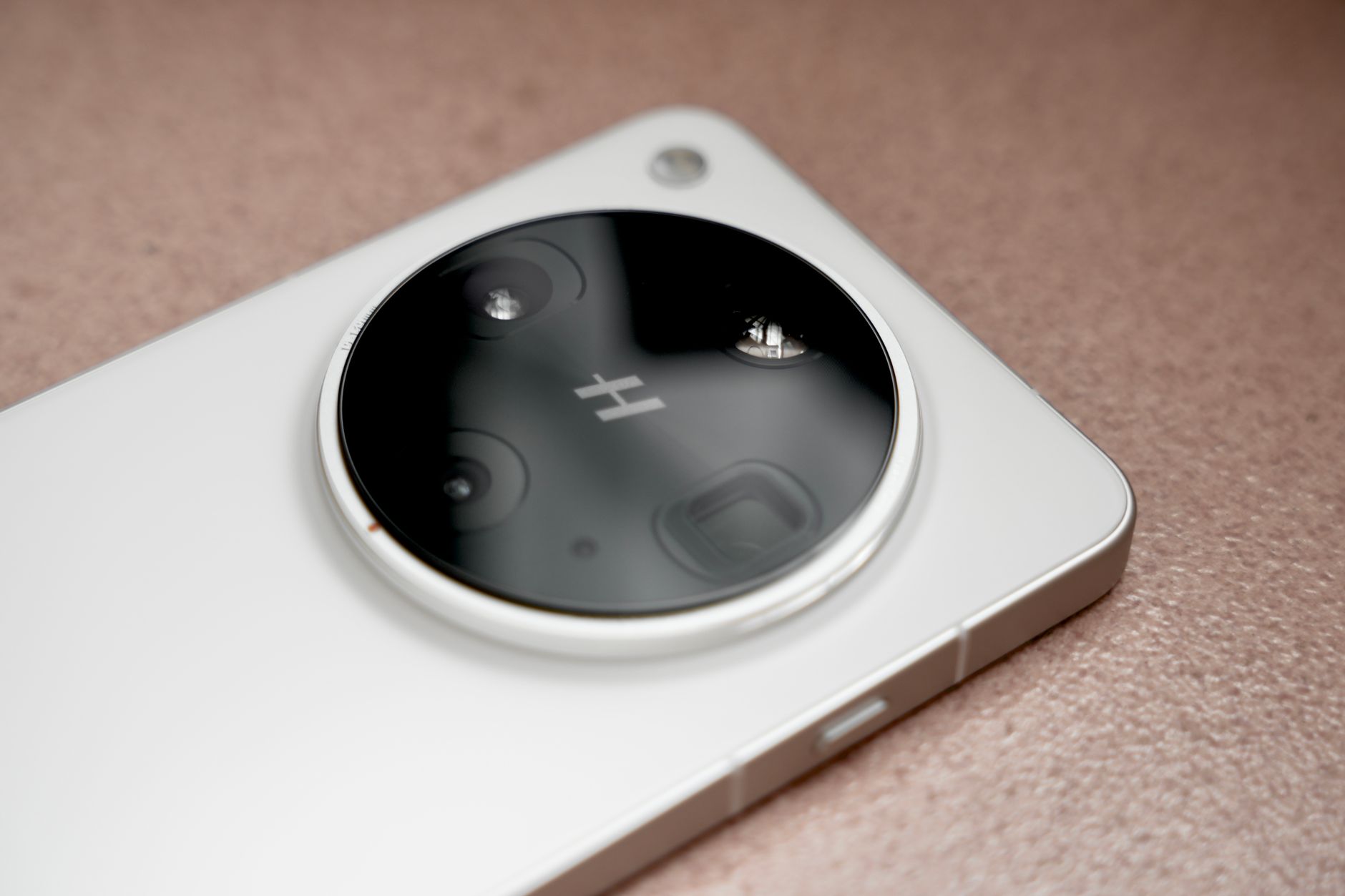 Photo by 李 先生: https://www.pexels.com/@37403501
Camera and Video Specs Explained
Camera hardware matters more for Reels than it might seem at first. Here’s what to look for and why it matters.
- Sensor size and light intake
- Larger sensors capture more light, reducing noise in dim rooms and at night. Aim for phones with main sensors around 1/1.7″ or similar; bigger sensors deliver cleaner color and better dynamic range when you push shadows and highlights.
- Lens options and what they do
- Wide and ultra-wide lenses expand your framing for group shots or scenic backgrounds. Telephoto lenses give you tighter crops without moving, handy for punch-ins and close-ups without distortion.
- A versatile kit often includes: wide (standard field of view), ultra-wide (dramatic perspective), and a practical telephoto for crisp zooms.
- Resolution and frame rates
- Shoot at 4K with 60fps if you can. For buttery motion, 4K/120fps or 8K variants provide very smooth playback and better slow-motion options in post.
- How this helps Reels: higher resolution with fast frame rates yields crisper, more flexible edits and sharper detail after compression.
- Stabilization that actually works
- Optical Image Stabilization (OIS) reduces handshake blur and jello when you move while recording. It matters for on-the-go shooting in crowded spaces.
- Low-light performance
- Good low-light performance means cleaner footage when you shoot in dim stores or late-night scenes. Look for larger pixels, better noise reduction, and reliable autofocus in low light.
Why these details matter for Stories too. Stories often appear in quick bursts with minimal light. OIS and strong low-light performance keep your clips usable without heavy post-processing. If you routinely shoot in messy indoor lighting, prioritize sensors and lenses with solid dynamic range and accurate color rendering.
If you want deeper guidance on current camera capabilities, check out expert roundups that compare the latest camera phones and their video workflows. For a professional take, see the latest hands-on analyses at Digital Camera World and Creative Bloq:
- The best phone for video recording and vlogging: https://www.digitalcameraworld.com/buying-guides/best-phone-for-video-recording
- The best camera phones – tried and tested: https://creativbloq.com/features/best-camera-phone
Battery, Screen, and Extra Perks
The best Reels and Stories phones aren’t just about cameras. The entire experience matters, from battery endurance to the screen you compose on.
- Battery life and charging
- A 5000mAh+ battery is ideal for long shoots, especially when you’re out all day or planning back-to-back sessions. Fast charging matters when you have a shrinking downtime window.
- Wireless charging is a nice bonus, but the key is a battery that can handle a full day of filming and social apps without a mid-session cliff.
- Display quality and refresh rates
- A 6.7-inch or larger AMOLED screen with 120Hz refresh helps you frame shots with precision. Higher refresh rates feel smoother when you scrub through edits or preview live.
- Authentic color reproduction on the display translates to more reliable post-production decisions. If you see rich, true-to-life tones on screen, you’ll retain accurate colors after export.
- Built-in editors and AI features
- Modern phones offer on-device editors that streamline quick cuts, color tweaks, and captioning. Look for AI-based auto-enhance, scene detection, and auto-cropping to optimize clips with minimal effort.
- AI tools can save time when you’re publishing fast, or when you need consistent branding across a batch of stories.
- Practical extras for creators
- AI-assisted stabilization, gesture control for hands-free recording, and seamless export to social apps speed up your workflow.
- Some devices ship with software that suggests edits or music matches to your footage, which can be a real time saver when you’re posting daily.
When choosing a device, think about your filming routine. If you shoot in crowded places, a phone with robust stabilization and a high-contrast display will be your best friend. If you produce long-form content in addition to Reels, prioritize battery longevity and a bright screen for outdoor shooting.
For readers who want direct examples of current devices with strong video suites, see reviews and feature rundowns from trusted outlets:
- Samsung Galaxy S24 Ultra battery life and charging details: https://www.bestbuy.com/product/samsung-galaxy-s24-ultra-256gb-unlocked-titanium-violet/J3ZYG2QYHF/sku/10493777
- AI enhancements and media capabilities in new flagships: https://news.samsung.com/global/samsung-galaxy-s25-series-sets-the-standard-of-ai-phone-as-a-true-ai-companion
Images and visuals help you plan your setups. A clean, high-contrast screen makes framing easier, while a bright display keeps you aware of overlay captions and on-screen text. If you’re pairing a phone with a tripod or gimbal, ensure your frame remains stable and your subject remains in focus across shots.
Below is a quick example of a practical setup for a day of Reels shooting:
- Phone: 6.7-inch AMOLED display, 120Hz
- Stabilization: built-in OIS + electronic stabilization
- Lighting: portable LED panel for dim interiors
- Audio: directional microphone or a small lavalier for cleaner voice capture
- Editing: on-device AI auto-enhance for rapid post-production
For more on how AI editors can streamline your workflow, see this roundup of creator-focused devices and features: https://securestuff.net/article/details/3056/top-9-best-phones-for-content-creators-and-influencers-in-2025-features-and-specs
Images help illustrate the practical side of these recommendations. If you want to see a creator’s visual setup in action, this photo gallery demonstrates how a strong screen and stable camera work together in real life.
Photo by 李 先生: https://www.pexels.com/@37403501
In short, the best phone for Reels and Stories keeps pace with your workflow. It combines a capable camera system with reliable stamina and a display that makes editing feel seamless. Add AI-assisted editing and fast charging, and you have a tool that respects your schedule and your creative goals. The right balance of hardware and software will help your content stand out in feeds that move fast.
External links provide broader perspectives on this topic. If you’re curious about how phones stack up for video work, these sources offer deeper dives into camera performance, processing power, and AI features:
- The best phone for video recording and vlogging: https://www.digitalcameraworld.com/buying-guides/best-phone-for-video-recording
- AI features in next-gen phones: https://www.stuff.tv/features/best-ai-phones-which-smartphone-has-the-best-ai-features/
In the next subsection, we’ll translate these specs into practical buying advice. You’ll get a concise decision framework that fits different budgets and shooting styles, helping you choose a phone that makes Reels and Stories look polished without breaking the bank.
Samsung Galaxy S25 Ultra: Best All-Around Phone for Instagram Creators
If you create for Instagram Reels and Stories, your phone is part of the workflow. The S25 Ultra brings a camera system and editing tools that align with fast posting, high-quality visuals, and minimal tuning in post. In this section, we break down what makes the S25 Ultra a strong all-around option for creators who want reliable gear in a single device.
Camera System Breakdown
The S25 Ultra pairs a quad rear camera setup with a powerful AI engine. Here’s what each lens brings to Reels and Stories, and why it matters for daily shooting.
- 200 MP Wide-Angle main sensor (high-res 200 MP, f/1.7)
- Why it matters for Reels: You get incredibly detailed stills and flexible crops. Even after compression for social platforms, you can punch in without losing critical detail.
- Quick tip: Use the main sensor for everyday clips and landscapes; crop carefully in editing to maintain sharp edges.
- 50 MP Ultra-Wide (f/1.9, macro-capable)
- Why it matters for Reels: Expands your framing for group shots and dynamic backgrounds. The macro capability lets you capture close-up textures in scenes like product shots or textures in street photography.
- Quick tip: Switch to ultra-wide when you want to establish a scene quickly or fit more into the frame without distance constraints.
- 50 MP Telephoto 5x (f/3.4)
- Why it matters for Reels: Tight crops and close-ups without moving the subject or disturbing the setup. Great for interview-style shots or capturing performers from a distance.
- Quick tip: Use the tele for subtle push-ins during a scene change to create movement without a tripod bump.
- 10 MP Telephoto 3x (f/2.4)
- Why it matters for Reels: Additional zoom options without excessive cropping. Useful for subtle emphasis or detail shots from a moderate distance.
- Quick tip: Pair with stabilization to keep handheld shots smooth when you can’t get closer.
- Front camera: 12 MP with autofocus (f/2.2)
- Why it matters for Stories and selfies: Sharp, confident face capture for captions and overlays. Good for face-reaction moments or quick intros.
- Quick tip: Enable skin-tone correction and gentle smoothing only if it serves the clip’s tone.
Video capabilities and AI enhancements amplify these lenses in an Instagram context. The S25 Ultra supports high-resolution video with strong stabilization and smart color adjustments, so your clips look polished with minimal tweaks in post. For creators who post daily, this reduces the time spent on color matching and stabilization across clips.
- Video specs at a glance: 8K UHD at 30fps, 4K at high frame rates, 240fps slow motion in FHD, 120fps in UHD
- Why it matters for Reels: You can capture ultra-smooth motion and create flexible edits. Slow-motion options give punchy transitions and attention-grabbing moments.
- Quick tip: Shoot 8K when you want maximum detail to crop later; export at 4K to save time and bandwidth.
The ProVisual Engine powers color science, noise reduction, and scene detection. It helps your footage stay consistent across scenes, which is a big time saver when you publish multiple clips in a day. Expert RAW mode remains an option for advanced editing in post, giving you more control over exposure and dynamic range after the shoot.
- AI features for editing and color: ProVisual Engine optimizes exposure, reduces noise in low light, and suggests color profiles that look natural on screen.
- Quick tip: Use AI-based auto-enhance for quick captions and consistent branding across a story batch.
For a deeper look at how camera systems compare on flagship phones, see industry roundups and camera tests from trusted outlets. These references provide broader context on performance, processing power, and color science:
- Galaxy S25 Ultra features and highlights
- Galaxy S25 Ultra camera specs explained
- Galaxy S25 Ultra camera test and analysis
External links offer a broader perspective on how the S25 Ultra stacks up against rivals and earlier models. For example, Sony and other reviews analyze stabilization, AI processing, and video workflows that matter to creators. You can explore reputable reviews that cover the phone’s camera capabilities and how they translate to real-world content.
Real-World Instagram Wins
In practice, the S25 Ultra translates its spec sheet into real benefits for creators. This section covers how AI fixes colors, stabilizes clips, and speeds up your posting cadence, with practical tips you can apply today.
- AI-driven color and noise management
The ProVisual Engine automatically detects lighting conditions and adjusts color balance to keep skin tones natural and skies vibrant. That means less color grading in post and more time to shoot. When you’re posting daily, consistent color across clips helps your feed feel cohesive. - Smart stabilization that keeps up with moving scenes
The phone combines optical and electronic stabilization to reduce shake during handheld shoots, even in crowded venues. This is crucial when you’re filming in fast-moving environments like markets, concerts, or street performances. - Speedy in-device edits for quick turnaround
Built-in editors, powered by AI, offer auto-cuts, color tweaks, and captioning. You can generate a ready-to-post reel in minutes instead of hours. The ability to adjust tone and lighting with a few taps helps you keep a consistent brand voice. - Expert RAW for pro-level control when needed
If you want complete control over exposure, white balance, and noise, Expert RAW lets you capture linear RAW files for flexible post-processing. This is a boon for creators who want to push the limits of their footage. - Dynamic zoom and framing options
With multiple lenses, you can switch framing mid-shot without moving the camera. This makes it easier to craft dynamic reels that feel cinematic while staying creator-friendly on a tight schedule. - Efficient export to Instagram and other apps
The workflow supports quick transfers to Instagram or preferred editing apps. AI-assisted suggestions help you align music, captions, and effects with your content style.
If you want real-world context on how these capabilities translate to daily use, consider checking hands-on breakdowns and practical tests from creators who use the Galaxy S25 Ultra in their workflow. These insights highlight how you can adapt the phone’s strengths to your unique style and posting rhythm.
If you’re researching broader performance benchmarks, these sources offer reliable perspectives on camera performance, processing power, and AI features across flagship devices:
- The best phone for video recording and vlogging
- AI features in next-gen phones
Practical examples of setups and workflows can help you translate tech specs into everyday use. Here’s a quick example of a creator toolkit you can adopt with the S25 Ultra:
- Phone: Galaxy S25 Ultra with 6.8-inch display and 120 Hz refresh rate
- Stabilization: built-in OIS plus electronic stabilization
- Lighting: compact LED panel for indoor shoots
- Audio: small lapel mic for cleaner voice capture
- Editing: on-device AI auto-enhance to streamline post-production
This approach helps you keep content consistent across reels and stories while maintaining a fast posting cadence.
As you plan your IG workflow, keep these highlights in mind:
- High-resolution capture gives you flexibility for crops and re-edits.
- Versatile lenses expand your framing without changing locations.
- AI-assisted editing saves time and keeps branding tight.
- Strong stabilization makes handheld work viable in everyday settings.
If you want more context on the S25 Ultra’s video capabilities and camera performance, you can explore further readings and official outlines from Samsung and independent reviews that test real-world usage. For instance, the official Samsung product page highlights camera features and AI enhancements, while independent tests compare performance across lenses, stabilization, and color processing.
- Official Galaxy S25 Ultra page: https://www.samsung.com/us/smartphones/galaxy-s25-ultra/
- Camera specs explained (regional guides): https://www.samsung.com/ca/mobile-buying-guide/samsung-galaxy-s25-camera-specs-explained/
- Camera test and analysis (DXOMark and other reviews): https://dxomark.com/samsung-galaxy-s25-ultra-camera-test/
In the next section, we’ll translate these specs into practical buying guidance. You’ll see a clear framework that helps you choose between flagship and more budget-conscious options, without compromising the Instagram-inspired look you want.
Top Alternatives: iPhone 16 Pro Max, Pixel 9 Pro, and Budget iPhone SE
If you’re chasing the best phone for Instagram Reels and Stories this year, you want options that balance video quality, editing ease, and price. Below are three solid paths you can take depending on your budget and workflow. Each option brings distinct strengths, from cinematic color control to AI powered edits and a wallet friendly choice that still delivers solid results.
iPhone 16 Pro Max for Cinematic Videos
The iPhone 16 Pro Max stands out for creators who want a cinematic look without complicated gear. When you shoot for Reels and Stories, color accuracy and consistent frame rates matter as much as resolution. The Pro Max excels in both, offering reliable performance across light conditions and fast motion.
- Color accuracy that stays true after compression. The phone’s processing pipeline keeps skin tones natural and skies balanced, so your clips look right from export to upload. This matters for brand consistency across a week of posts.
- Flexible frame rates for effects. Shooting at higher frame rates gives you more options in post. If you plan to add slow motion or speed ramps, you’ll appreciate smooth 4K/60fps capture and the ability to crop later without sacrificing detail.
- Stabilization that travels well. On the move, you’ll benefit from a combination of optical and electronic stabilization that reduces shake during crowded city shoots or fast transitions.
- Practical for fast workflows. The iPhone ecosystem makes it easy to push edits from the camera to your preferred app, with color profiles that translate well into your editing suite.
In real-world use, many creators love how the iPhone 16 Pro Max handles color science and motion without requiring heavy post work. When you’re posting daily, this translates to fewer tweaks and faster publishing.
External context you may find helpful:
- Mastering iPhone 16 Pro Max camera settings for Reels and Stories with 4K60 and beyond.
- A look at how iPhone 16 Pro Max footage holds up after posting on Instagram.
For deeper context on how iPhone video workflows compare, you can also explore hands-on analyses that focus on color science and stabilization across flagship devices:
- The best phone for video recording and vlogging
- AI features in next-gen phones
If you’re considering a shotgun approach to content creation, the iPhone 16 Pro Max remains a dependable workhorse for creators who want cinema-like quality with quick turnarounds. Its balance of color fidelity, frame-rate options, and stable handling makes it a strong choice for both vlogs and micro-stories.
External links for quick reference:
- Mastering My iPhone 16 Pro Max Camera Settings for Reels (Instagram example): https://www.instagram.com/reel/DNpg-4Nz88b/?hl=en
- Capturing Cinematic Moments with iPhone 16 Pro Max: https://www.instagram.com/reel/DPbZFFqAKdU/
Google Pixel 9 Pro’s AI Photo Boost
If you want natural edits that still feel editorially polished, the Pixel 9 Pro’s AI photo boost is a compelling path. Pixel’s emphasis on smart processing helps you keep skin tones accurate, textures intact, and colors believable without overdoing it.
- Natural edits, not over-processed looks. The Pixel approach prioritizes keeping the scene’s originals intact while removing obvious flaws. This is ideal for Stories where you want authenticity with minimal tweaks.
- AI driven enhancements you can trust. Features like real-time color adjustments and scene aware processing help you shoot and post quickly, so your feed stays cohesive.
- On-device efficiency. You can perform rapid edits on your phone and export ready-to-post clips without hopping between apps.
In practice, creators using the Pixel 9 Pro often highlight how AI driven tools reduce the need for extensive color grading. This means faster publishing cycles and a consistent aesthetic across your Reels and Stories.
Useful resources to explore AI powered editing and Pixel capabilities:
- Video Boost: AI video editing and processing features for Pixel Pro devices
- Use Magic Editor to reimagine your photos (AI powered editing tools)
- 14 new AI features in Google’s Pixel 9 series devices
Real-world guidance from creators shows how Pixel’s AI can streamline color, lighting, and stabilization, providing a reliable baseline that still leaves room for personal style. For additional context on camera and AI improvements across recent Pixel models, these sources are informative:
- Pixel AI features in Pixel 9 series
- Pixel 9 Pro camera and editing features explained
Practical setup tips for Pixel users:
- Shoot at 4K where available to preserve detail for crops in Reels.
- Rely on AI stabilization and color corrections to reduce post work.
- Use consistent lighting and white balance presets to maintain a uniform feed.
External links for reference:
- Video Boost on Pixel devices: https://store.google.com/intl/en/ideas/articles/video-boost/
- Magic Editor for Pixel: https://pixel.withgoogle.com/Pixel_9_Pro/use-magic-editor-to-reimagine-your-photos?hl=en&country=US
- Pixel AI features overview: https://blog.google/products/pixel/google-pixel-9-new-ai-features/
iPhone SE: Solid Pick Without Breaking the Bank
If you’re prioritizing value while still wanting strong performance for Instagram, the budget-friendly iPhone SE remains a compelling option. It brings enough horsepower for quick edits, reliable app performance, and a compact, travel-friendly form factor.
- A15 chip for editing power. The SE’s chipset provides smooth app performance, quick edits, and reliable handling of standard video tasks. It’s not a camera flagship, but it’s plenty capable for social posting.
- Great for beginners and creators on the move. If you shoot in bursts, the SE’s size and ease of use make it a practical companion for daily posting and spontaneous stories.
- Battery and efficiency. While not a powerhouse, the SE delivers solid battery life for its class, letting you shoot a day of stories without frequent charging breaks.
For many creators, the SE is the best starting point. It lets you experiment with Reels and Stories, learn editing basics, and grow your channel without a heavy upfront investment. When you’re ready to scale, you can step up to a higher tier phone that offers more advanced camera hardware and AI features.
In practice, the SE shines in environments with straightforward lighting and simple edits. It’s a reliable baseline that keeps your costs down while you test concepts, test formats, and build a consistent posting rhythm.
Helpful references on the SE and practical editing power:
- AI and general performance notes for the iPhone SE
- How SE users can maximize photo and video workflows
For broader context on how budget devices compare to flagship options, consider these perspectives:
- The best phone for video recording and vlogging
- AI features in next-gen phones
The right budget choice depends on your workflow. If you mostly post quick stories and short Reels, the SE can handle it with the right editing approach and lighting. If you want more sophisticated color control and cinematic looks, a higher tier model may be worth the upgrade.
External links for quick reference:
- 2025 guidance on AI features and editing power for iPhone SE: https://www.apple.com/iphone/compare/
- Practical SE photography and video workflow tips: https://www.imore.com/compare-iphone-se
Planning your choice
- If you want cinema-like quality with minimal post, the iPhone 16 Pro Max is a strong bet. It pairs professional grade video with a friendly learning curve.
- If AI assisted editing and natural looking photos are your priority, the Pixel 9 Pro offers a streamlined, efficient workflow that tetap keeps looks honest.
- If you’re starting out or keeping costs down while you test formats, the iPhone SE gives you dependable performance and a path to upgrade later.
Choose the path that fits your shooting cadence, budget, and editing comfort. The right phone makes your Instagram stories and reels feel effortless, which helps you post more consistently and keep your audience engaged.
Quick Tips to Boost Your Reels and Stories Right Now
Kicking off your day with fast, practical wins can lift your Reels and Stories from good to great. These tips cut through the noise and help you post with confidence, even when you’re short on time. Use the ideas below to sharpen your approach, keep viewers watching, and grow your engagement without overhauling your entire workflow.
1) Nail the Reel length and the first few seconds
On Reels, the first few seconds decide whether someone keeps watching. Shorter clips perform well, but timing matters too. If you can grab attention within the first 1.5 seconds, you’re already ahead. Quick, bold openings work best in a fast-scrolling feed.
- Aim for under 90 seconds when possible. Instagram is rewarding shorter, punchier content, even as it enables longer clips. Keep the core idea tight and cut fluff.
- Open with a strong visual or a provocative question. A bold frame, bright color, or motion in the first frame signals value instantly.
- Use on-screen captions early. Many users watch without sound, so captions ensure your message lands immediately.
For deeper guidance on optimal lengths and opening strategies, see industry guides that compare best practices for 2025: the discussions around short form video length and opening hooks offer actionable takeaways you can apply today.
2) Lean on captions and on-screen text
Captions do more than explain. They enhance accessibility, increase completion rates, and boost engagement. When viewers can follow a story with or without audio, they’re more likely to watch longer and interact.
- Keep captions short but legible. Use a clean font, high contrast, and size that’s easy to read on small screens.
- Time captions to match key moments. If a tip lands at 12 seconds, have the caption appear at that moment and stay briefly after the cut.
- Include a clear action in captions. Tell viewers to like, comment, or save for later. Direct prompts lift engagement.
A practical approach is to craft captions during editing so each line aligns with the beat or visual change. If you’re posting a batch, consistent caption style across reels helps maintain a cohesive feed.
3) Use audio intentionally, including music and voice
Audio is a powerful driver of discovery and memory. Using trending or fitting audio can boost reach, while a clear voiceover adds personality and clarity.
- Pair visuals with relevant audio. Choose tracks that match the clip’s pace and mood.
- Consider a light voiceover for key points. A quick narration helps explain the scene without forcing viewers to infer.
- Tap into captioned audio tracks. If your theme has a distinctive sound, make that a signature cue in your next few videos.
Mixing fresh audio with your usual style keeps your content feeling current without losing your voice.
4) Light, color, and stabilization matter more than you think
High quality visuals keep viewers engaged. Even without a pro rig, you can achieve strong results with smart setup.
- Stabilization is essential. A phone that combines OIS with electronic stabilization reduces shake, especially in crowded spaces or while walking.
- Lighting should flatter your subject. A small portable light or a steady natural light source makes a big difference in color accuracy and mood.
- Color consistency across a batch helps your feed feel intentional. If you notice your clips drifting in hue, use a quick color fix or a consistent white balance preset.
If you shoot outdoors, a simple reflector or shade helps keep shadows under control. For indoor shoots, a compact LED panel is often enough to elevate the scene without dragging down your pace.
5) Plan a simple workflow for fast posting
Speed is a major advantage in social video. A lightweight, repeatable workflow lets you publish more often without sacrificing quality.
- Shoot with a plan. Define one or two hooks, a simple setup, and a closing line before you press record.
- Edit in one pass. Use on-device editors to trim, adjust color, add captions, and drop overlay text in a single app.
- Export optimized for Instagram. Save in the app’s preferred format and resolution to minimize re-encoding in post.
A smooth workflow helps you post more often, which in turn signals consistency to the algorithm and your audience.
6) Stories that feel real, not perfect
Stories work best when they feel spontaneous. Yet you can still maximize impact with small tweaks that don’t slow you down.
- Use natural lighting and quick cuts. Short, sharp clips feel authentic and keep your audience watching.
- Add interactive elements sparingly. Polls, question boxes, and sliders invite engagement without slowing you down.
- Reuse strong story templates. If you find a setup that resonates, reuse it with new content while keeping your branding consistent.
In practice, Stories are a great testing ground. You can try a few quick formats in a single day and see what sticks with your audience.
7) AI and editing features that save time
Smart editing features help you finish faster and keep a consistent look across posts. AI can handle color balance, noise reduction, and even basic edits so you can focus on storytelling.
- Auto-enhance for quick consistency. A single tap can harmonize color across clips in a batch, reducing the need for per-clip tuning.
- Scene detection helps with fast cuts. Let the AI identify scene changes so you can assemble clips quickly.
- Auto-captions speed up accessibility. On-device transcription keeps your workflow moving, even when you’re posting on the go.
These tools are designed to save time, not replace your creative control. Use them to speed up posting and preserve your unique style.
8) Practical linkable resources to improve results
To deepen your understanding and keep current, these resources offer practical strategies you can apply now. They cover engagement tactics, content planning, and optimization for Reels and Stories:
- 11 Ways to Boost Instagram Engagement in 2025 — practical prompts that prompt viewer interaction and sharing. https://buffer.com/resources/instagram-engagement-tips/
- Instagram Reels in 2025 — a comprehensive guide to growing your brand with Reels and Stories. https://later.com/blog/instagram-reels/
- Boost Instagram Reels like a pro — step-by-step tactics you can implement today. https://blog.hootsuite.com/boost-instagram-reels/
- Top Strategies to Boost Your Instagram Engagement in 2025 — profile optimization, content calendars, and interactive features. https://slateteams.com/blog/instagram-engagement-strategies-2025
- Instagram reel ideas that spark engagement — practical caption and format tips. https://postiz.com/blog/instagram-reel-ideas
These references help you refine your approach and stay aligned with current best practices.
9) Quick-start checklist for your next post
- Hook in the first 1.5 seconds.
- Keep the main message under 90 seconds if possible.
- Add on-screen captions and keep them legible.
- Use a consistent color grade or white balance preset.
- Include a call to action in captions.
- Enable stable shooting and good lighting.
- Apply AI editing features to speed up post-production.
- Post at a time when your audience is most active.
- Review analytics after posting to learn what works.
By applying these quick tips, you’ll see faster wins in both reach and engagement. The key is consistency and a clear, repeatable process. As you experiment, you’ll discover which formats, hooks, and editing styles best fit your audience.
External context and ongoing updates
Instagram’s evolving features can shift what works best. For the latest shifts in Reels and Stories while you plan content, keep an eye on reputable industry roundups and official announcements. These sources provide timely guidance on new tools, algorithm adjustments, and recommended practices:
- The best phone for video recording and vlogging — in-depth device comparisons and workflow implications. https://www.digitalcameraworld.com/buying-guides/best-phone-for-video-recording
- AI features in next-gen phones — insights into AI-driven editing, color, and stabilization across devices. https://www.stuff.tv/features/best-ai-phones-which-smartphone-has-the-best-ai-features/
If you want more tailored guidance, tell me your current setup, your typical shooting environments, and your posting cadence. I can tailor the next section to your exact needs, optimizing for your audience and your workflow.
Conclusion
For most creators, the Samsung Galaxy S25 Ultra stands as the top all around choice, thanks to its powerful camera system, strong AI features, and flexible lenses that cover a wide range of Reels and Stories needs. It delivers crisp detail, reliable stabilization, and fast editing, making daily posting smoother and more consistent.
Beyond the S25 Ultra, pick based on your goals and budget. If your aim is cinema like video with easy workflows, the iPhone 16 Pro Max remains a solid path. For smart on device edits and natural looking photos, the Google Pixel 9 Pro is a compelling option. If you’re starting out or watching costs, the iPhone SE provides dependable performance with room to grow later.
Use this quick rule of thumb: Samsung for maximum capability, iPhone for reliable video workflows, Pixel for AI driven ease, and SE for value. Your choice should align with how often you post, your editing routine, and the environments you shoot in.
Ready to upgrade your IG game? Share your current setup in the comments and tell us your posting cadence. If you’re curious about specific models, check the affiliate links for easy buying options. Stay tuned for updates as new devices arrive and software evolves, because the best phone for Reels and Stories keeps changing with the times.